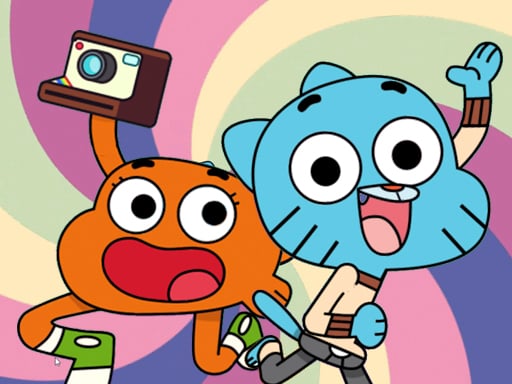
About Gumball Darwins Yearbook
Gumball Darwins Yearbook is a cartoon puzzle platformer built around a simple school-day job: help Gumball and Darwin take pictures for the yearbook. You move, jump and swap between the two characters, using their different skill sets to reach photo spots and clear each playful obstacle.
The listing describes Gumball Darwins Yearbook as an Amazing World of Gumball puzzle platformer with a light yearbook premise. Instead of steering one hero through a route, you control Darwin and Gumball separately and switch between them as the situation changes. The stated loop is compact: move with the arrows, jump when needed, and use the switch control so the character with the right skill set can handle the next obstacle or photo opportunity.
Your goal
Your goal is to help Gumball and Darwin take pictures for the yearbook. Progress comes from reading each platforming setup, choosing which character should act, and swapping at the right moment so their unique skill sets can get both of them through the puzzle route.
How to play Gumball Darwins Yearbook
1. Start by moving with the arrow keys; the instructions say arrows are used to move and jump.
2. Watch the next platform or obstacle before committing, because the game is framed as a puzzle platformer rather than a pure speed run.
3. Use the switch control to change between Gumball and Darwin when one character is better suited to the next action.
4. Remember that the two are controlled separately and have unique skill sets, so do not assume one character can solve every part alone.
5. Keep the yearbook goal in mind: position the right character, clear the obstacle, and set up the next picture-taking opportunity.
Controls and device support
The instructions mention a button for switching between Gumball and Darwin, but the specific key or on-screen control is not listed.
Arrow Keys: Move character in four directions
- Controls: Keyboard
- Device support: Browser
- Game frame: 800 x 600
Rules to keep in mind
- Use the arrow keys for movement and jumping; no other desktop inputs are confirmed by the supplied controls.
- Switch between Gumball and Darwin rather than treating them as one shared character.
- Plan around unique skill sets: the description says each character has different abilities, so the correct swap is part of the puzzle.
What makes the challenge interesting
The focus is character-swapping platform puzzle play. A section may look simple, but the useful question is which brother should be active before you jump or move forward. Because the source only confirms separate control and different skill sets, the safest approach is to treat every swap as a puzzle decision: scout the route, keep both characters in mind, and change early enough that the active character is not stuck in the wrong place.
Tips for Gumball Darwins Yearbook
- Before moving, scan the platform ahead and decide which character should lead; the source says their skill sets differ, so switching early can prevent awkward backtracking.
- Use short, deliberate arrow-key inputs when a jump looks tight, since the confirmed controls are simple and the challenge comes from choosing the right character.
- If progress stalls, do not repeat the same jump; swap to the other brother and test whether his different skill set changes the route.
The skills behind the game
The category is Puzzles, and the description supports that by calling the game a puzzle platformer. Tags such as 2D, Adventure, Cartoon and Hypercasual fit a compact browser-friendly style, while the character-swapping idea gives it more of a planning angle than a straightforward run-and-jump listing.
Who will enjoy this game
Natural phrases for this page include the exact title, “Gumball Darwins Yearbook game,” and broader genre wording such as “puzzle game online” or “platform game online.” These are only seed phrases, not measured demand, so they are used to describe the play pattern rather than to claim popularity.
Games with a similar feel
Super Mario Bros.: Like Super Mario Bros., this is a side-view platform challenge where movement and jumping matter. The meaningful difference is that Gumball Darwins Yearbook centers on switching between two characters with different skill sets for yearbook photos.
Sonic the Hedgehog: Like Sonic the Hedgehog, it asks players to read obstacles along a platform route. It differs because the confirmed hook is not speed but separate control of Gumball and Darwin, swapping so the right skill set handles each puzzle moment.
Frequently asked questions
What is the goal in Gumball Darwins Yearbook? The stated goal is to help Gumball and Darwin take pictures for the yearbook. You do that by moving, jumping and switching between the brothers so their different skill sets can handle each puzzle-platform obstacle.
How do you control both characters? The instructions confirm arrow-key movement and jumping, plus a switch control for changing between Gumball and Darwin. The exact switch key is not specified, so check the in-game prompt if one appears.
Something not right?
Tell us if the game does not load, the information is wrong or the content needs review.
Report a problem ›