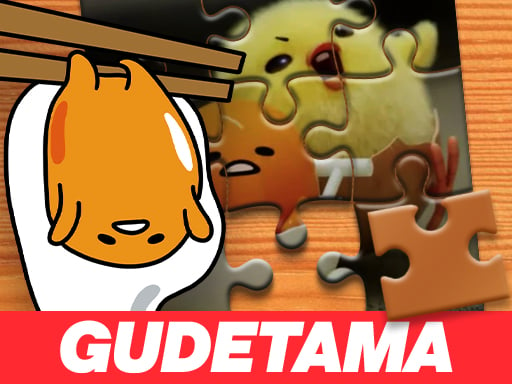
About Gudetama Jigsaw Puzzle
Gudetama Jigsaw Puzzle is a browser-based jigsaw game where players rebuild colorful character artwork from scattered fragments. Before assembling the board, you select an easy, medium, or hard difficulty setting to determine the challenge level. Pieces are dispersed randomly across the play area, and your task is to slide each segment into position over a faint background guide until the complete picture is restored.
In Gudetama Jigsaw Puzzle, the core experience revolves around visual matching and relaxed spatial problem-solving. At the start of a session, you choose between easy, medium, or hard settings, altering how the jigsaw challenge is configured. Once your selection is made, the game scatters the puzzle pieces across the display area around a central transparent guide image.
Players interact with the pieces by dragging them directly across the screen and dropping them onto matching sections of the transparent background template. The puzzle is completed once every scattered segment is properly connected and aligned, restoring the original illustration. This straightforward structure makes it an approachable option for players looking for a quiet, self-paced matching exercise.
Your goal
Your main objective is to assemble all scattered jigsaw pieces into a complete, unified picture matching the original artwork. To finish the board cleanly, evaluate the transparent guide overlay, identify corresponding color patches or edge lines on the loose pieces, and drag every fragment to its proper position until no loose components remain.
How to play Gudetama Jigsaw Puzzle
1. Choose your preferred difficulty setting by selecting easy, medium, or hard at the start screen.
2. Inspect the play area to see where the puzzle fragments have been randomly distributed around the board.
3. Observe the transparent guide image positioned in the assembly area to identify prominent visual landmarks.
4. Click and drag individual pieces from the outer edges toward their corresponding positions on the guide outline.
5. Continue connecting adjacent pieces until the entire illustration is restored to its original appearance.
Controls and device support
The game uses standard drag-and-drop mouse controls to pick up, move, and position puzzle pieces across the screen.
- Controls: Mouse or touch
- Device support: Browser
- Game frame: 800 x 600
Rules to keep in mind
- Players must select an initial difficulty setting (easy, medium, or hard) before pieces are scattered.
- Puzzle pieces are distributed randomly across the game screen at the beginning of each session.
- Pieces must be dragged over the matching transparent guide image to form the complete connected picture.
What makes the challenge interesting
The central appeal of Gudetama Jigsaw Puzzle lies in visual recognition and systematic sorting. Because the game provides a transparent background silhouette of the target picture, players can alternate between two solving strategies: matching unique character contours or grouping fragments by color and shading. Spotting distinct focal points—such as facial features, outlines, or high-contrast borders—gives you reliable starting anchors.
Managing screen clutter represents the primary practical tradeoff during assembly. With pieces spread randomly around the frame, dragging items haphazardly across the canvas can obscure the transparent guide. A deliberate approach—clearing space, identifying obvious outer or prominent features first, and moving inward—creates a steady, satisfying assembly rhythm.
Tips for Gudetama Jigsaw Puzzle
- Begin on the easy setting if you want to familiarize yourself with how pieces align with the transparent guide before testing medium or hard modes.
- Scan for pieces with bold colors or distinct character lines first. Placing recognizable focal points early establishes clear anchors across the transparent overlay.
- Keep the center of the board clear by sorting loose pieces toward the edges so you can always see the transparent template underneath.
- Look closely at the transparent outline whenever two pieces look similar, using subtle silhouette curves to confirm the exact placement.
Stages and progression
Progression in the game is driven by player-selected difficulty levels. At the start of a round, you can pick easy, medium, or hard configurations depending on the level of detail and assembly challenge you want to tackle. A sensible progression plan is to complete an easy run to study the transparent layout, then step up to medium and hard modes to practice working with more intricate piece distributions.
The skills behind the game
As a casual jigsaw puzzle title, the game emphasizes patient visual organization over high-pressure reflexes. In the broader puzzle category, jigsaw games serve as accessible spatial exercises where players practice pattern matching, edge detection, and color coordination. The inclusion of three difficulty tiers allows players to adjust the density of the matching task according to their preferred pace.
Who will enjoy this game
Players looking for a relaxing jigsaw puzzle online can use this title for short, casual visual practice sessions. Because the interface relies purely on dragging pieces across a clear transparent guide, it suits puzzle enthusiasts of all ages who enjoy methodical board assembly without complex control schemes or timed pressure.
Frequently asked questions
What difficulty options are available in Gudetama Jigsaw Puzzle? The game allows you to choose between easy, medium, and hard settings right before the puzzle pieces are scattered across the board.
How do you place pieces in the correct spots? You click and drag pieces across the screen using your mouse, dropping them directly over the matching sections of the transparent background template.
Is there a visual guide to help solve the puzzle? Yes, the play area features a transparent guide image in the background that shows where each corresponding piece fits into the overall illustration.
Something not right?
Tell us if the game does not load, the information is wrong or the content needs review.
Report a problem ›