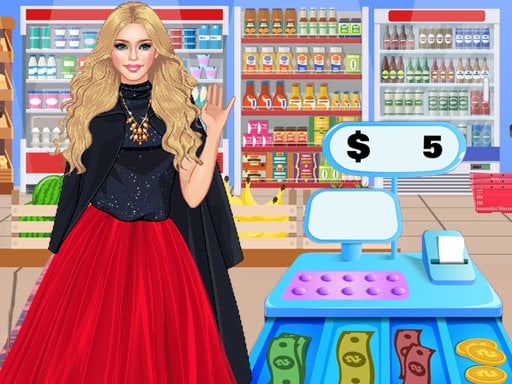
About grocery super market games
Step behind the counter and run retail checkouts in grocery super market games. As a grocery cashier manager, you scan customer products, total purchases, compute grocery carts, and process transactions across various themed shopping venues.
grocery super market games offers a realistic cash register simulation where you take charge of multiple department shops, including a Fruit Shop, Grocery Shop, Cycle Shop, Bakery Shop, Clothes Mall, and Sweets & Dessert Shop. Players manage grocery items in register machines, calculate balances, add prices, and accept cash or card payments to serve customers efficiently.
Beyond the main register duties, the game features supplementary mini-games such as Fishing, Fruit Slash, and Space Games that reward players with extra cash while exercising sorting, math, and time management skills.
Your goal
Your objective is to successfully serve supermarket customers by scanning every item in their cart, entering prices correctly, calculating accurate change or card totals, and earning rewards across different storefronts.
How to play grocery super market games
1. Select a storefront, such as the Grocery Shop, Bakery Shop, or Clothes Mall.
2. Use the mouse to operate the scanner and register items from the customer's grocery cart.
3. Enter product totals into the cash register machine to tally the final bill.
4. Process customer transactions using either cash payment or card payment methods.
5. Calculate correct change balances to finish checkout and earn customer rewards.
6. Play mini-games like Fishing or Fruit Slash to collect additional in-game cash.
Controls and device support
Mouse: Control the register, scanner, and on-screen interface
- Controls: Mouse or touch
- Device support: Browser
- Game frame: 800 x 600
Rules to keep in mind
- Every item in the customer's cart must be scanned and registered before finalizing the total price.
- Transactions must be completed using the selected payment method, either cash or payment card.
- Calculations for product addition, subtraction, and balance change must be performed accurately to complete customer service.
What makes the challenge interesting
Gameplay in grocery super market games revolves around practical arithmetic and quick point-of-sale processing. Players practice sorting, counting, adding prices, and subtracting products to handle realistic register counters across varied store themes. Operating the register keys and scanner forms the core interactive loop, combined with time management to process queues and earn shopkeeper rewards.
Tips for grocery super market games
- Scan each grocery item systematically from the cart to ensure no product is missed before tallying the register total.
- Pay close attention whether a customer chooses cash or card to prepare the right payment step smoothly.
- Play the included mini-games between store shifts to earn extra cash rewards for your cashier profile.
The skills behind the game
Categorized as a Hypercasual simulation title with casual and skill elements, grocery super market games focuses on accessible retail mechanics that teach fundamental math, money counting, and counter management through straightforward point-and-click interactions.
Who will enjoy this game
Players searching for grocery super market games or a dedicated grocery super market games game can experience cashier operations across multiple boutique stores, balancing accurate register calculations with rapid customer checkout.
Games with a similar feel
Cooking Fever: Both games share the challenge of serving incoming customers and managing service queues, but grocery super market games emphasizes retail checkout scanning and math calculations rather than meal preparation.
Frequently asked questions
What controls are used to play grocery super market games? The game is played using standard mouse controls to operate register keys, handle scanners, and interact with retail items on screen.
Which types of shops can you manage in the game? You can work in multiple retail locations, including a Fruit Shop, Grocery Shop, Cycle Shop, Bakery Shop, Clothes Mall, and Sweets & Dessert Shop.
What mini-games are included? The title includes varied mini-games such as Fishing, Fruit Slash, and Space Games that yield additional in-game cash rewards.
Something not right?
Tell us if the game does not load, the information is wrong or the content needs review.
Report a problem ›