Play now

Arcade game

Gravity Switch Cube

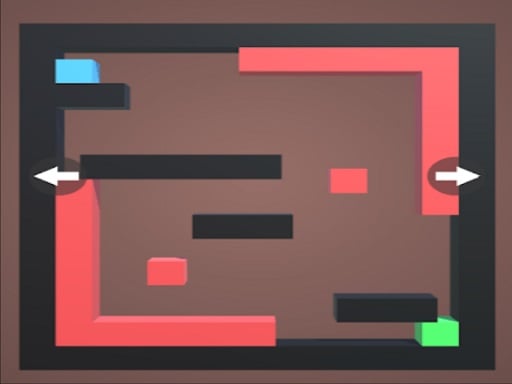
Swipe left-right or up-down to move the box in this free Gravity Switch game for Android. You must slide the box to the green block to complete the level. Gravity may be changed by tapping the buttons. If you contact any of the...

More Arcade
ArcadeGravity Switch Cube

Choose Play now to load the game.

Open source

Official listing

Game description

Swipe left-right or up-down to move the box in this free Gravity Switch game for Android. You must slide the box to the green block to complete the level. Gravity may be changed by tapping the buttons. If you contact any of the red or orange blocks, you will perish. Gravity Switch is an addictive casual game that can be played on any Android device by those who enjoy ball- or box-based games. See how many levels you can complete by downloading Gravity Switch for free on your smartphone or tablet now. An endless gravity switch game with easy to learn but difficult gameplay that can be played on any device. Gravity Switch, the free Gravity Switch game, has a clean and simple design. The interface is user-friendly, and the gameplay is so simple to learn that you will understand the concept without going through a complicated playtime. Gravity Switch is a game about gravity switching.

From the game listing

Instructions and controls

For mobile use button to move the cube and for PC use WASD

Watch before you play

How to play Gravity Switch Cube

See the official game walkthrough for the objective, controls and useful gameplay ideas.

Video guide

About Gravity Switch Cube

Swipe left-right or up-down to move the box in this free Gravity Switch game for Android. You must slide the box to the green block to complete the level. Gravity may be changed by tapping the buttons. If you contact any of the...

Gravity Switch Cube is listed in the Arcade games collection. The listing also includes the Android, HTML, HTML5, Mobile, Skill, and Unity3D tags, which help connect it with nearby game pages.

How to play Gravity Switch Cube

For mobile use button to move the cube and for PC use WASD

Controls and device support

The listing currently identifies Desktop + mobile support, mouse or touch controls and a 800 x 600 game frame. These details come from the supplied game information and may change when the source listing is updated.

  • Controls: Mouse or touch
  • Device support: Desktop + mobile
  • Game frame: 800 x 600

Something not right?

Tell us if the game does not load, the information is wrong or the content needs review.

Report a problem