Official listing
Game description
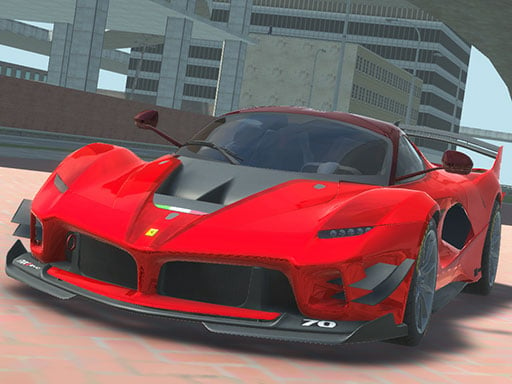
Grand City Driving 2 features great graphics and lots of highly detailed supercars to drive across grand city crowded with pedestrians, try to explore the city and smash everyone on your way.
Racing game
Grand City Driving 2 is a single-player 3D driving simulator that puts you behind the wheel of detailed supercars. Set within a large metropolitan environment crowded with pedestrians, this WebGL title lets you roam expansive urban streets, test vehicle handling at high speeds, and explore the sprawling layout of the grand city.
Choose Play now to load the game.
Official listing
Grand City Driving 2 features great graphics and lots of highly detailed supercars to drive across grand city crowded with pedestrians, try to explore the city and smash everyone on your way.
From the game listing
WASD - Drive Space - Brake C - Change camera
Open this card to load the gameplay video.
Grand City Driving 2 is a single-player 3D driving simulator that puts you behind the wheel of detailed supercars. Set within a large metropolitan environment crowded with pedestrians, this WebGL title lets you roam expansive urban streets, test vehicle handling at high speeds, and explore the sprawling layout of the grand city.
In Grand City Driving 2, players dive into a 3D simulation centered on open-ended urban driving. Featuring high-fidelity supercar models and a vibrant urban landscape, the game invites you to cruise through broad avenues, tight corners, and populated sidewalks. Whether you want to test the acceleration of powerful vehicles, practice precision braking around obstacles, or tour the open-world map, the experience offers immediate, arcade-style vehicle control directly in your web browser without complex setup requirements.
The primary objective in Grand City Driving 2 is open city exploration and chaotic driving freedom. Steer your chosen supercar across the urban map, master responsiveness during high-speed travel, navigate dense pedestrian areas, and interact with the surrounding city environment as you roam each city sector.
1. Launch the game in your browser to spawn your supercar in the 3D city environment.
2. Use the WASD keys on your keyboard to steer, accelerate forward, and reverse.
3. Press the Space bar whenever you need to brake suddenly or stabilize tight turns.
4. Tap the C key to cycle through different camera perspectives for better driving visibility.
5. Freely navigate the open city streets and explore populated zones across the map.
WASD: Drive
Space: Brake
C: Change camera
Grand City Driving 2 emphasizes freeform vehicular exploration rather than closed-circuit track racing. Built with Unity3D and WebGL technology, the game provides responsive acceleration and sharp turning dynamics tailored for keyboard gameplay. Switching camera angles with the dedicated key allows you to assess approaching corners and traffic obstacles from multiple vantage points. The dense urban layout encourages players to balance top-speed cruising with rapid braking maneuvers when navigating through congested city blocks and crowded pedestrian pathways.
Within the Racing and simulation genre, 3D browser titles focus on giving players immediate access to high-performance supercars. Grand City Driving 2 fits this space by providing an expansive sandbox environment where responsive vehicle handling and open-ended exploration take priority over rigid competition tracks.
Players searching for a grand city driving 2 game or an open-world racing game online will find an accessible single-player driving experience here. Grand City Driving 2 delivers fast keyboard-driven supercar navigation directly through modern WebGL-supported desktop web browsers.
Asphalt: Like Asphalt, Grand City Driving 2 delivers high-speed driving featuring powerful supercars. However, Grand City Driving 2 offers an open-ended urban roaming sandbox with keyboard controls rather than structured multi-tier tournament racing stages.
What controls do I use to steer and brake in Grand City Driving 2? You steer and accelerate your vehicle using the WASD keys on your keyboard, and you can apply the brakes at any time by pressing the Space bar.
Can I change the camera view while driving? Yes, pressing the C key allows you to switch between available camera angles to find the most comfortable perspective for navigating the city.
Tell us if the game does not load, the information is wrong or the content needs review.
Report a problemExplore popular games by category, shared tags and site-wide activity.


















