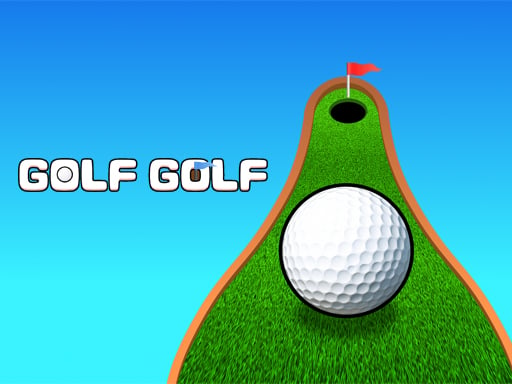
About Golf Golf
Golf Golf is a browser-based sports title that blends traditional putting goals with physics puzzle challenges. Players line up their aim and send the golf ball across the green toward the cup, working through distinct course setups designed to test trajectory control and spatial judgment. With accessible mouse and tap inputs, the core loop centers on reading the layout, adjusting your angle, and successfully sinking each shot.
In Golf Golf, the standard fairway experience transforms into a sequence of puzzle-oriented putting scenarios. Rather than navigating expansive multi-stroke championship courses, players face focused tasks where proper targeting and physics awareness dictate success. The game challenges you to set your aim carefully and guide the ball directly into the designated hole to complete each objective.
Each attempt invites players to assess the distance and path to the cup before releasing their shot. The interplay between your chosen aim and the simulated physics forces you to evaluate rebounds, gentle arcs, or direct lines depending on how the puzzle is arranged. It offers an easy-to-learn rhythm suitable for quick casual sessions or deliberate trajectory practice.
Your goal
The primary objective in Golf Golf is to sink the ball into the hole across various golf tasks. Success relies on aligning your trajectory cleanly so the ball reaches the target without careening off course. As you tackle new scenarios, the goal is to consistently assess the layout, calibrate your release angle, and clear every physics challenge presented on the course.
How to play Golf Golf
1. Survey the current course screen to locate the golf ball, any surrounding obstacles, and the finishing hole.
2. Position your cursor or finger to begin setting your shot trajectory toward the cup.
3. Align your target line carefully, accounting for how the physics puzzle layout might deflect or guide the ball.
4. Click the mouse or tap the display to launch the ball along your chosen path.
5. Watch the roll and bounce, then adjust your angle on subsequent attempts until the ball drops into the hole.
Controls and device support
The official instructions specify mouse click or tap to play, utilizing universal pointer input rather than specialized keyboard bindings.
- Controls: Mouse or touch
- Device support: Desktop + mobile
- Game frame: 800 x 600
What makes the challenge interesting
The distinctive appeal of Golf Golf lies in treating each putt as an isolated geometry puzzle rather than a pure endurance test. Players must balance direct aiming against the physical behavior of surfaces and boundaries. Rushing a release without studying the terrain often leads to mistimed deflections that miss the cup completely.
Because the interaction model relies simply on pointing, clicking, or tapping, the core skill involves mental visualization. You must predict where the ball will travel after initial contact, weighing bold straight-line approaches against steadier banked routes to solve each varied task.
Tips for Golf Golf
- Inspect the direct visual line between the ball and the hole before committing to an aim point, avoiding erratic test shots that reveal little useful trajectory information.
- Consider indirect paths if clear straight routes appear obstructed by puzzle geometry, allowing controlled bounces to guide the ball closer to the cup.
- Make subtle adjustments between shots rather than wide swings in direction, which makes it easier to dial in the correct entry angle toward the target.
- Keep your hand steady during click or tap releases so your planned targeting vector remains intact right up to the moment the ball is launched.
Stages and progression
The game structures its experience around completing various golf tasks, presenting players with fresh layouts as they solve each physics puzzle. Without concrete unlock conditions detailed in the source records, advancement is best approached as a personal practice sequence. Players can focus on reducing wasted attempts, refining their initial read of each green, and developing dependable aiming habits that transfer across different course setups.
Playing on different devices
Configured for an 800 by 600 canvas, Golf Golf functions smoothly on standard desktop monitors and mobile browser viewports. Desktop users benefit from the precision of mouse-driven aiming, which allows minute crosshair corrections. Touchscreen players using tap controls gain an intuitive direct-contact interface, though keeping your finger from obscuring the target line helps maintain visual accuracy during setup.
The skills behind the game
Classified under the sports genre with golf tags, Golf Golf adapts athletic ball-striking concepts into compact browser puzzles. Rather than simulating wind resistance, club selection, and sprawling eighteen-hole terrain, the format emphasizes quick spatial challenges. Players who appreciate sports games find a familiar objective—dropping a ball into a cup—repackaged into approachable, bite-sized spatial trials that can be played without memorizing complicated rulebooks.
Who will enjoy this game
Players looking for a golf golf game or casual sports game online typically desire accessible, instant-play mechanics that test hand-eye coordination and spatial reasoning. Golf Golf serves this intent by cutting away setup hurdles and focusing squarely on aiming physics. Whether seeking a brief five-minute break or practicing trajectory planning across multiple puzzle setups, the title delivers focused sports puzzle gameplay directly in your web browser.
Games with a similar feel
Cut the Rope: Like Cut the Rope, Golf Golf centers its gameplay on solving physics puzzles to guide an object into a specific target zone. However, where Cut the Rope relies on timing cuts across tensioned ropes to drop candy, Golf Golf uses golf-inspired directional aiming to roll or bounce a ball toward the hole, making it ideal for players who prefer sports-themed trajectory challenges over rope-slicing mechanics.
Frequently asked questions
What is the main goal in Golf Golf? Your goal is to aim accurately, solve the presented physics puzzle layouts, and sink the golf ball into the hole across various tasks.
How do you control the ball in Golf Golf? You play using mouse clicks on desktop computers or taps on touchscreen mobile devices to set your aim and release the shot.
Is Golf Golf a traditional sports simulation? While listed under sports, Golf Golf focuses specifically on physics puzzle tasks where reading angles and targeting the cup takes priority over standard golf tournament play.
Something not right?
Tell us if the game does not load, the information is wrong or the content needs review.
Report a problem ›