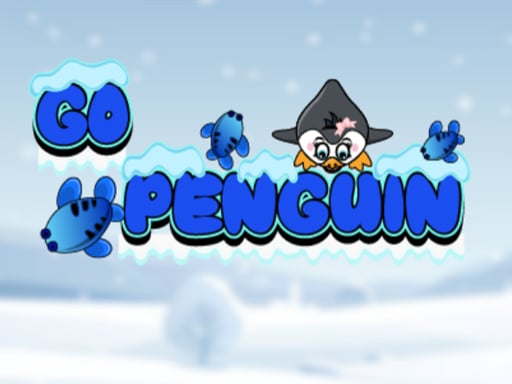
About Go Penguine
Go Penguine is a top-down single-player collection game where you take direct control of a hungry penguin exploring vibrant environments. Viewed from a clear bird's-eye perspective, the central challenge revolves around chasing down active schools of swimming fish. Players must react quickly and steer smoothly across the screen to snap up as many fish as possible before they escape your grasp.
In Go Penguine, the game presents a bird's-eye view that gives players a broad visual layout of the surrounding waters and terrain. Your character is an energetic penguin tasked with devouring fish wandering through different environments. As you move around the play area, you will encounter schools of fish swimming in various paths across the screen.
The main gameplay loop centers on continuous movement, visual scanning, and swift interception. Because the fish actively swim through the area, successful collection requires careful steering and responsive movement adjustments. Players spend each session gliding across the arena, spotting new groups of targets, and closing the distance before the targets drift away.
Your goal
The primary objective in Go Penguine is to guide the penguin across the stage and consume as many swimming fish as possible to satisfy its appetite. Players aim to improve their collection efficiency by reacting quickly when schools of fish appear and planning interception paths that scoop up multiple targets without letting them escape off-screen or out of reach.
How to play Go Penguine
1. Launch the game in your browser window and locate your penguin in the center of the top-down arena.
2. Use the directional arrow keys to move your penguin up, down, left, and right across the environment.
3. Scan the screen from your bird's-eye vantage point to spot swimming schools of fish as they appear.
4. Steer your penguin directly into swimming fish to catch and devour them before they drift away.
5. Continue exploring the area smoothly to gather as many fish as you can throughout your run.
Controls and device support
According to the official instructions, control the penguin using the arrow keys to move in four primary directions: up, down, left, and right.
- Controls: Keyboard
- Device support: Browser
- Game frame: 800 x 600
Rules to keep in mind
- Direct contact between the penguin and a fish is required to catch and devour it.
- Fish move dynamically across the environment and will swim away if not intercepted promptly.
- Movement is handled via four-directional inputs (up, down, left, right) across the top-down play area.
What makes the challenge interesting
The core gameplay of Go Penguine emphasizes spatial awareness, route prediction, and smooth navigation. Because the action is viewed from directly above, players can see upcoming opportunities across the entire screen at once. The central tension lies in deciding whether to chase an isolated fish near the screen edge or steer toward a dense school closer to the center.
Quick reflexes are vital because swimming targets do not stay stationary. Overcommitting to a single fleeing target can cause you to miss an entire cluster swimming in the opposite direction. Success relies on finding a steady rhythm where you constantly realign your penguin's path to intercept groups naturally rather than making frantic, sharp directional corrections.
Tips for Go Penguine
- Aim directly at the front of a moving school rather than trailing behind it. Cutting off their swimming path helps you scoop up several fish in one continuous forward motion.
- Keep your penguin near open central areas whenever possible. Linger too long in outer corners, and you risk letting newly spawned clusters swim across the opposite side uncollected.
- Focus on high-density clusters of fish instead of chasing lone targets across the arena. Gathering grouped targets significantly increases your total intake with minimal wasted movement.
- Maintain smooth directional transitions with the arrow keys. Rapidly alternating inputs can slow your forward momentum and allow nearby swimming fish enough time to slip past.
Stages and progression
While Go Penguine features varied environments for the penguin to explore, players can structure their own progression through steady skill development. When starting out, focus on becoming comfortable with the four-way directional arrow controls and learning the turning radius of your character.
In subsequent play sessions, challenge yourself to read swimming patterns earlier and reduce hesitation between direction changes. Setting personal collection goals and aiming for cleaner, sweeping turns across each environment will help you catch larger schools of fish more consistently.
The skills behind the game
Go Penguine fits neatly into the adventure and collection game tradition, offering straightforward mechanics where movement and gathering take center stage. Top-down arcade collection games emphasize spatial navigation, asking players to scan active playfields, calculate intercept trajectories, and respond quickly to mobile items.
By stripping away complex inventory management in favor of direct, immediate swimming and harvesting action, the title delivers an accessible experience. Players who enjoy relaxing, single-player foraging loops will find a satisfying rhythm in steering across open waters to clear out clusters of wandering targets.
Who will enjoy this game
Players looking for a fun go penguine game session will appreciate the pick-up-and-play nature of this top-down browser adventure. The game offers immediate accessibility, allowing anyone seeking an adventure game online to jump right into navigating underwater environments without extensive tutorials.
Because sessions can be played in short bursts, it serves as an entertaining exercise for practicing hand-eye coordination and keyboard steering reflexes. Whether aiming to catch an entire school of fish or simply relaxing with casual gathering, it provides an engaging arcade diversion.
Frequently asked questions
What is the primary goal in Go Penguine? Your main objective is to maneuver an energetic penguin around the top-down environment and consume as many swimming fish as possible before they escape.
How do you control the penguin in Go Penguine? You navigate the penguin using the arrow keys on your keyboard to move upward, downward, left, and right across the game screen.
Do the fish stay in one spot or move around? Fish swim dynamically in schools across the arena. You will need quick reflexes and precise maneuvering to intercept them before they swim away.
Is Go Penguine suitable for casual single-player sessions? Yes, the single-player top-down setup provides an approachable casual adventure where you can jump in immediately and practice your fish-gathering runs.
Something not right?
Tell us if the game does not load, the information is wrong or the content needs review.
Report a problem ›