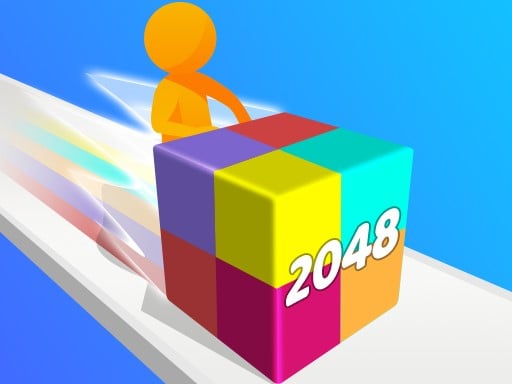
About Geometry Stack 2048 Run
Geometry Stack 2048 Run brings classic doubling arithmetic into an active forward course. Players steer a numbered cube down the track, sliding left and right to guide it into matching blocks. Merging identical values produces larger numbers, challenging you to calculate clean pathways and build toward the target value of 2048 before passing the final marker.
In Geometry Stack 2048 Run, the traditional grid puzzle transforms into a running course filled with numbered geometric obstacles. You control a sliding block moving along a linear route. As other blocks appear across the lanes, your primary job is steering directly into pieces that share your cube's current value. Contacting an identical number merges the two units instantly, doubling the digit from two into four, four into eight, and onward up the binary chain.
Because the run progresses toward a designated finish line, players cannot sit back and ponder every move indefinitely. Success requires scanning upcoming lanes, anticipating where like values are positioned, and weaving through the clutter to assemble the highest possible number before your run concludes. The experience delivers a bright, accessible blend of quick spatial steering and mental arithmetic suited for quick browser sessions.
Your goal
The primary objective is to build larger numbers along the course and aim for the ultimate 2048 block before reaching the finish line. Every successful collision with an equal number combines the pair into the next mathematical tier, such as turning two 2s into a 4 or two 4s into an 8. Players strive to maintain an efficient merge path throughout the run so their block enters the final stretch with the greatest total value possible.
How to play Geometry Stack 2048 Run
1. Begin the run and observe the initial number displayed on your moving cube.
2. Scan the upcoming track ahead to spot stationary or scattered blocks displaying that same value.
3. Drag the left mouse button or slide your finger across the display to steer your cube horizontally across lanes.
4. Collide directly with identical numbers to combine them into a single block of doubled value.
5. Continue merging successive pairs to reach higher milestones like 16, 32, 64, and ideally 2048 before the course concludes.
6. Cross the finish line with your highest assembled block to complete the run.
Controls and device support
Drag the left mouse or slide on the screen to move the cube.
- Controls: Mouse or touch
- Device support: Browser
- Game frame: 750 x 1334
Rules to keep in mind
- Blocks combine only when colliding with another block that shares the exact same number.
- Combining two identical blocks doubles their value, progressing through powers of two such as 2, 4, 8, and upward.
- The course ends when your block crosses the designated finish line.
- Reaching the value 2048 serves as the benchmark challenge for number creation during a run.
What makes the challenge interesting
The central appeal of Geometry Stack 2048 Run lies in balancing lane navigation with rapid numerical recognition. In a stationary puzzle, players have unlimited time to plan a cascade of combinations. Here, forward motion demands real-time visual sorting. You must quickly verify whether an approaching cube matches your active number before committing to a lane change.
This setup introduces an engaging risk-versus-reward tradeoff. Veering aggressively across several lanes to catch a matching tile can trigger a satisfying upgrade, but sudden maneuvers can steer you into unwanted clutter. Developing a smooth lateral rhythm and keeping your eyes fixed several paces ahead allows you to set up clean merges without chaotic last-second swipes.
Tips for Geometry Stack 2048 Run
- Keep your focus fixed on upcoming lane groupings rather than staring directly at your own cube, giving yourself ample time to align with matching numbers.
- Memorize the standard doubling sequence (2, 4, 8, 16, 32, 64) so you instantly recognize which digit your cube will require immediately after your next collision.
- Use gentle, controlled drags instead of erratic swipes across the screen to maintain precise lane positioning throughout the track.
- Avoid overcommitting to distant matches across the far side of the track if the path between lanes is heavily congested with unmatched values.
Stages and progression
Progression within Geometry Stack 2048 Run revolves around advancing through the exponential chain of numbers toward the 2048 goal before crossing the finish line. Each run presents a continuous route where your active cube grows progressively larger in numerical value as you execute correct merges.
Because track arrangements can vary, players can structure their practice by targeting higher threshold milestones on successive attempts. Aiming first for stable double-digit values like 64 or 128 builds lane discipline, preparing you for the sharper planning needed to sustain growth all the way to 1024 and 2048.
Playing on different devices
The game operates in a vertical 750 x 1334 resolution, making it naturally tailored for mobile phone screens and portrait browser windows. On handheld devices, sliding a thumb or index finger across the display offers fluid, direct steering along the runner track.
Desktop users can play comfortably by holding and dragging the left mouse button. To maintain smooth horizontal adjustments with a mouse, consider keeping your cursor centered along the lower portion of the playfield so you do not obscure approaching blocks.
The skills behind the game
Geometry Stack 2048 Run blends the reflex-driven steering of arcade runners with the logic of numeric matching games. In traditional running titles, players primarily dodge static obstacles or collect uniform tokens. Combining that continuous motion with mathematical matching adds an educational puzzle layer, requiring ongoing numerical awareness alongside spatial coordination.
Its clean geometric visuals and accessible sliding mechanics make it approachable for younger players practicing basic multiplication and powers of two, while still offering brisk casual entertainment for arcade puzzle fans seeking a quick mental workout.
Who will enjoy this game
Players looking for an engaging arcade game online often enjoy experiences that pair simple movement with clear, satisfying goals. Geometry Stack 2048 Run meets that preference by delivering instant browser accessibility without cumbersome setup or complicated button combinations.
Whether you have five minutes to spare or want to practice rapid lane tracking, the geometry stack 2048 run game provides a straightforward loop where each run lets you test your ability to spot numerical doubles under light time pressure.
Games with a similar feel
2048: Both games center on merging identical numbers into higher powers of two up to 2048. However, while 2048 is a turn-based sliding tile puzzle on a static grid, Geometry Stack 2048 Run places that doubling logic inside an active runner where track position and lane steering dictate your choices.
Geometry Dash: Geometry Stack 2048 Run shares the geometric aesthetic and continuous forward movement seen in Geometry Dash. The fundamental gameplay differs substantially, however: rather than memorizing precise rhythm-based jump timing over deadly obstacles, players here focus on lateral steering to solve numerical matching challenges.
Frequently asked questions
How do blocks combine in Geometry Stack 2048 Run? Blocks merge automatically when your cube makes contact with another block carrying the identical number. Combining them creates a single new block with double the value, transforming two 2s into a 4, two 4s into an 8, and continuing upward.
What controls are used to steer the cube? You guide the cube by dragging the left mouse button horizontally on a desktop browser or sliding your finger across the display on touchscreen mobile devices.
Is it possible to reach the 2048 block during a run? Yes, reaching 2048 is the headline milestone of the game. Achieving it requires consistently locating and merging matching pairs across the course before you pass the finish line.
Something not right?
Tell us if the game does not load, the information is wrong or the content needs review.
Report a problem ›