About Gamer Boy Escape
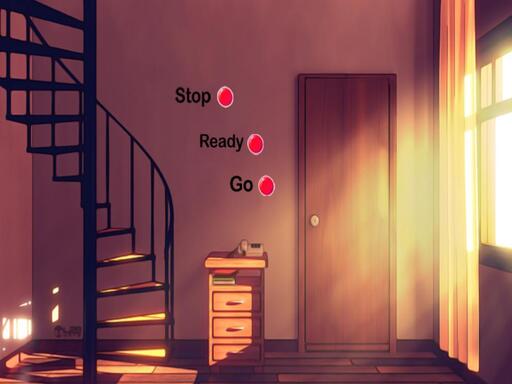
Gamer Boy Escape is a point-and-click escape game from 8BGames. You visit the gamer boy’s house to play, discover that he is stuck in his room, then search the space for hidden objects and interesting clues that can help him get out. The listed control is simple mouse interaction.
Gamer Boy Escape is presented as a Puzzles title with Escape and Point And Click tags. The official description says it was developed by 8BGames and frames the story around visiting a gamer boy’s house to play with him, only to find that he has become stuck in his room. The player’s job is to look for hidden objects, connect them with interesting clues, and use those discoveries to escape the Gamer Boy. The listing gives an 800 x 600 play area and keeps the input simple: mouse interaction.
Your goal
The goal is to free the gamer boy from his room. To do that, scan the scene, find hidden objects, and solve the interesting clues described in the listing. Each useful discovery should move you closer to opening the way out, while the mouse is the only control method supplied rather than relying on speed or extra buttons.
How to play Gamer Boy Escape
1. Use the mouse to interact with the room, since the supplied instruction is “Mouse Interact.”
2. Inspect the gamer boy’s room carefully and look for hidden objects mentioned in the description.
3. Click suspicious details or items to check whether they connect to an interesting clue.
4. Link each found object with the clue it seems to explain, then keep searching for missing pieces.
5. Continue solving the room’s clues until the gamer boy can escape.
Controls and device support
Mouse: Interact
- Controls: Mouse or touch
- Device support: Browser
- Game frame: 800 x 600
Rules to keep in mind
- Use mouse interaction to examine and select details in the room.
- Progress is tied to finding hidden objects and solving interesting clues.
- The win condition is helping the gamer boy escape from his room.
What makes the challenge interesting
The focus is observation rather than reflexes. As a point-and-click escape puzzle, the game asks you to read the room, notice objects that may be hidden in plain sight, and connect them to clues. The description does not lay out a complex control scheme, so the challenge comes from patient searching and deciding which discoveries belong together. Keep the premise in mind: the gamer boy is stuck, and every useful clue should bring his escape closer.
Tips for Gamer Boy Escape
- Move the cursor slowly across the room and click anything that looks unusual; hidden-object scenes often reward patient, systematic checking more than fast random clicking.
- When you find an object, connect it mentally to the clue that seems related before moving on, so small details are not forgotten.
- If progress feels stalled, recheck earlier areas with fresh eyes; the listing emphasizes hidden objects and clues rather than timers or penalties.
The skills behind the game
Within Puzzles, the Escape and Point And Click tags place this in the room-escape tradition: a confined space, a clear problem, and progress through observation. The description supports that reading by making the gamer boy’s trapped room the central situation and by naming hidden objects and clues as the route out.
Who will enjoy this game
Natural phrasing for this page includes “gamer boy escape,” “gamer boy escape game,” “puzzle game online,” and “hidden object game,” because the title, escape premise, hidden-object clue play, and puzzle category line up with those terms without implying measured search demand.
Frequently asked questions
What is Gamer Boy Escape? Gamer Boy Escape is an 8BGames point-and-click escape puzzle about visiting a gamer boy’s house, finding him stuck in his room, and using hidden objects and clues to free him.
How do you play Gamer Boy Escape? Use the mouse to interact with the room, search for hidden objects, and connect them with interesting clues until the gamer boy can escape.
Something not right?
Tell us if the game does not load, the information is wrong or the content needs review.
Report a problem ›