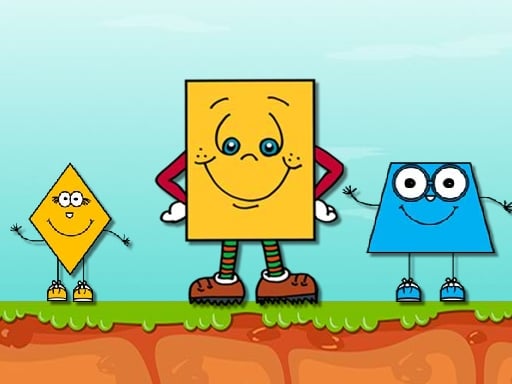
About Funny Shapes
Funny Shapes is an educational online matching game created for young children and toddlers who are learning to identify geometric figures. Players engage with simple puzzle activities where the goal is to match distinct shapes into their corresponding frames. With straightforward mouse or tap inputs, the game provides an accessible, family-friendly learning environment.
Funny Shapes offers an interactive early-learning experience tailored specifically for little kids. The title centers around educational puzzle play, encouraging young learners to explore, recognize, and pair various geometric shapes with their correct outlines. Through a series of approachable matching activities, children can practice visual discrimination and hand-eye coordination in a friendly setting. Because the mechanics revolve around placing shapes into their proper frames, the gameplay remains intuitive and easy to grasp for beginners. Parents and teachers can use this title as a digital teaching tool to introduce basic shapes, foster early cognitive development, and reinforce pattern recognition. The game runs directly in browser environments across desktop and mobile platforms using straightforward tap and click controls.
Your goal
The primary objective in Funny Shapes is to correctly recognize each presented figure and match it into its fitting frame. Players inspect the available shapes on the screen, identify their distinct contours, and place them into the matching silhouette slots. Successfully completing these educational activities reinforces shape recognition skills, providing a satisfying learning milestone for toddlers and young children as they finish each matching exercise.
How to play Funny Shapes
1. Start Funny Shapes in your browser and examine the puzzle activity presented on the screen.
2. Look at the empty frames and observe their outlines to identify which geometric shapes they require.
3. Select a shape using your mouse cursor on desktop or by tapping on your mobile touch screen.
4. Move the selected shape into its corresponding frame until it sits properly within the silhouette.
5. Continue matching all remaining pieces into their proper frames to complete the educational learning activity.
Controls and device support
Mouse: Select and place shapes into frames
Tap: Select and place shapes into frames
- Controls: Mouse or touch
- Device support: Desktop + mobile
- Game frame: 854 x 480
Rules to keep in mind
- Each shape must be placed into its proper matching frame to complete the activity.
- Players interact with puzzle elements using mouse clicks on desktop or screen taps on mobile.
- All shapes in the activity must be sorted into their correct frames to finish the matching task.
What makes the challenge interesting
Gameplay in Funny Shapes emphasizes calm, educational interaction rather than intense reflex challenges or high-pressure obstacles. The core loop concentrates on visual sorting and shape association, making it well-suited for early childhood learning. Players take their time examining geometry, comparing corners and curved edges against the target frames. Because control is handled entirely through single clicks or screen taps, little ones can manipulate game pieces independently or alongside a parent. The steady rhythm of identifying silhouettes and slotting items into place builds foundational spatial reasoning and confidence, offering an accessible puzzle format where children can learn through trial and error.
Tips for Funny Shapes
- Encourage young learners to say the name of each shape aloud before moving it, which reinforces vocabulary alongside visual silhouette recognition.
- Examine the borders and curves of the empty frames first so children can deduce which piece fits before attempting to place it.
- Play together with little kids during their initial sessions, guiding their mouse movement or finger taps until they become confident with sorting.
The skills behind the game
As an entry in the puzzle and educational genre, Funny Shapes showcases how browser-based games can serve as gentle instructional tools for early childhood development. While many puzzles test speed or intricate logical deduction, educational shape-matching titles prioritize clarity, repetition, and cognitive reinforcement. By presenting basic silhouettes in an engaging digital format, these games help young children transition from tactile wooden block toys to early interactive digital problem-solving on modern web browsers.
Who will enjoy this game
Players searching for funny shapes or a casual puzzle game online will find this title focused squarely on foundational learning. Unlike complex puzzle titles, a funny shapes game provides approachable mechanics centered on silhouette alignment and spatial awareness for preschoolers. The gameplay provides a safe, accessible online activity where little kids can practice visual matching without confusing interfaces, timer pressures, or complicated control schemes.
Frequently asked questions
What is the main goal in Funny Shapes? The main goal is to match loose shapes into their corresponding frames. By fitting every shape into its correct outline across different activities, children learn basic shape recognition in a simple setting.
What age group is Funny Shapes designed for? Funny Shapes is an educational game designed for babies, toddlers, and young school children who are just starting to learn about different geometric shapes and visual matching.
How do you control Funny Shapes on mobile and desktop? You can play Funny Shapes on desktop computers using a mouse to click and drag pieces, or on mobile devices like phones and tablets using simple touch taps.
Something not right?
Tell us if the game does not load, the information is wrong or the content needs review.
Report a problem ›