Official listing
Game description
A full featured coloring game with 18 nice sketches of fruits and vegetables, You can save or print your colored image.
Puzzles game
Fruits Coloring is a casual digital coloring game featuring eighteen distinct sketches of fruits and vegetables. Players can explore the provided outlines, apply creative color palettes to each produce illustration, and complete artwork at their own pace. Once finished, you can save or print your completed designs directly from the game.
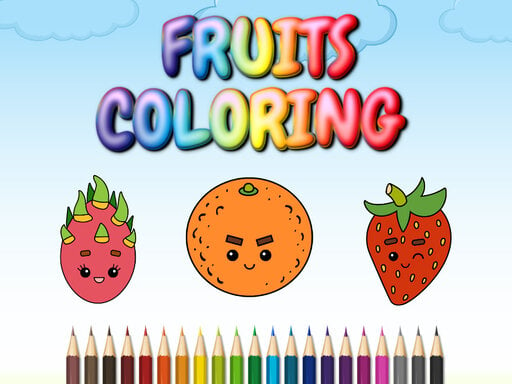
Choose Play now to load the game.
Official listing
A full featured coloring game with 18 nice sketches of fruits and vegetables, You can save or print your colored image.
From the game listing
Use mouse or touch pad to play this game
Open this card to load the gameplay video.
Fruits Coloring is a casual digital coloring game featuring eighteen distinct sketches of fruits and vegetables. Players can explore the provided outlines, apply creative color palettes to each produce illustration, and complete artwork at their own pace. Once finished, you can save or print your completed designs directly from the game.
Fruits Coloring delivers a relaxed art experience built around a gallery of eighteen charming fruit and vegetable drawings. Designed as an accessible browser-based puzzle and coloring activity, it provides straightforward tools for players of all ages looking to create vibrant custom illustrations.
Using mouse or touchpad controls, you can pick any sketch from the available collection and begin filling in the line art. The game allows you to experiment freely with different hues across various sections of each image. When your piece is complete, built-in features let you save the digital image to your device or print it out to share and display.
The primary objective in Fruits Coloring is to select and completely color any of the eighteen available fruit and vegetable sketches. Players aim to fill the blank outlines with pleasing color combinations to finish each produce drawing, after which they can save the completed artwork or print physical copies of their final creations.
1. Select one of the eighteen fruit or vegetable sketches from the game menu.
2. Use your mouse or touchpad to choose colors and apply them to the sketch.
3. Fill in the various sections of the produce outline until your artwork is complete.
4. Use the save or print options to preserve your finished colored image.
Mouse / Touchpad: Select colors and fill sections of the sketch
The gameplay of Fruits Coloring centers on relaxed creativity and uncomplicated coloring mechanics. Rather than racing against timers or navigating complex rule sets, players focus entirely on selecting shades and applying them to clear outlines of diverse produce. With eighteen sketches available, you can spend time personalizing everything from crisp vegetables to fresh fruits. The inclusion of direct save and print capabilities gives each session a tangible outcome, making the coloring loop rewarding for kids and casual puzzle enthusiasts looking for a creative outlet.
Classified within the puzzle and coloring category, Fruits Coloring emphasizes low-pressure visual problem solving and artistic expression. Digital coloring titles provide an accessible alternative to traditional logic puzzles by focusing on spatial division, aesthetic balance, and pattern decoration. In this genre, players enjoy self-directed pacing and straightforward input methods, making it ideal for casual audiences and younger players practicing basic creative engagement.
Players searching for a casual fruits coloring game or online coloring game will find an accessible, produce-themed art suite here. Offering eighteen varied sketches, it caters to fans of relaxing browser activities that require no complicated downloads. The title bridges creative coloring with casual puzzle enjoyment, delivering straightforward tools to paint, save, and print fresh fruit illustrations directly on the web.
Happy Color: Like Happy Color, Fruits Coloring invites players to fill digital outlines with vibrant colors. However, while Happy Color relies on a color-by-number structure, Fruits Coloring offers freeform coloring across eighteen fruit and vegetable sketches with built-in printing and saving options.
How many sketches are available to color in Fruits Coloring? Fruits Coloring includes eighteen distinct sketches showcasing a variety of fruits and vegetables, allowing players to choose and color any illustration they prefer.
Can I save or print my finished artwork? Yes, the game includes built-in functions that allow you to save your colored fruit and vegetable images directly to your device or print them out.
What controls are used to play Fruits Coloring? You can play Fruits Coloring using a standard computer mouse or a touchpad to pick your desired colors and fill in the produce sketches.
Tell us if the game does not load, the information is wrong or the content needs review.
Report a problemExplore popular games by category, shared tags and site-wide activity.



















