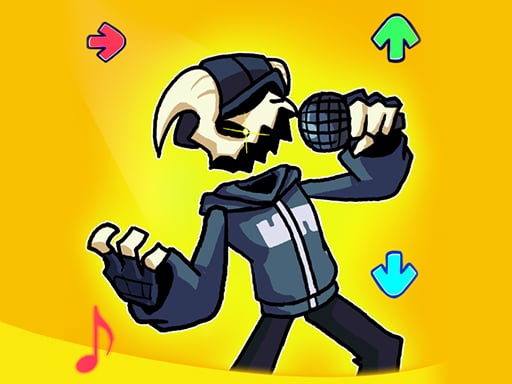
About Friday Night Funkin Portrait
Friday Night Funkin Portrait is a portrait-mode rhythm challenge built around simple, satisfying timing. Click arrows at the best moment, follow the sounds and beats, and help Boyfriend move from Week 1 through Week 7 to win Girlfriend and stand up to her rockstar dad.
The source describes a very simple, satisfying portrait mode: sounds and beats drive the action while you click arrows at the best time. The story wrapper is Boyfriend trying to win Girlfriend out and beat her rockstar dad, with play framed from Week 1 to Week 7. It also notes later mod ideas, but the clear current loop is rhythm timing. On mobile you use the button on screen, while desktop uses arrow keys, so the skill is staying with the beat rather than learning complex commands for short repeatable rounds.
Your goal
Your goal is to keep Boyfriend on track by hitting each arrow at the best moment. Success means moving through the Week 1 to Week 7 run, winning Girlfriend out, and overcoming her rockstar dad through accurate rhythm clicks. The challenge is timing, not exploration: read the cue, answer with the supported input, and let the music set the pace.
How to play Friday Night Funkin Portrait
1. Start the portrait-mode game and choose the supported input for your device: the on-screen button on mobile or arrow keys on desktop.
2. Watch the arrow prompts and listen to the sounds and beats that drive each moment.
3. Click, tap, or press when the arrow is at the best time rather than spamming inputs.
4. Keep Boyfriend moving through the run from Week 1 toward Week 7.
5. Stay accurate to help Boyfriend win Girlfriend out and beat her rockstar dad.
Controls and device support
arrow keys: click arrows at the best time
the button on the screen: click arrows at the best time
- Controls: Keyboard
- Device support: Desktop + mobile
- Game frame: 600 x 960
Rules to keep in mind
- Hit arrows at the best time; the described play rewards timing to the beat.
- The stated run covers Week 1 through Week 7.
- Use the on-screen button on mobile devices or arrow keys on desktop.
What makes the challenge interesting
The focus is a clean rhythm loop: watch the arrow prompt, commit at the best time, and stay locked to the beat. Because the listing stresses simple satisfying play and portrait presentation, the appeal is immediate timing feedback rather than deep systems. Weeks give the run a beginning-to-end frame, while mobile buttons and desktop arrow keys keep input direct. Missing the moment breaks flow, so consistency matters more than speed. Each attempt is about reading cues quickly and calmly across the full week span.
Tips for Friday Night Funkin Portrait
- Treat the beat as your guide: press or tap only when arrows line up, because the description rewards clicking at the best time rather than fast random input.
- On mobile, use the on-screen button; on desktop, use arrow keys. Pick the option that keeps your eyes on the portrait playfield and your timing steady.
- If a week feels busy, narrow attention to the next arrow and sound cue; small consistent hits are safer than chasing every beat at once.
Stages and progression
The stated structure is a run from Week 1 through Week 7; no extra unlock rules, scoring tiers, or difficulty curves are specified.
Playing on different devices
The listing uses a 600 x 960 portrait format and gives separate input guidance: an on-screen button for mobile devices and arrow keys for desktop.
The skills behind the game
Tagged Hypercasual with music, arcade, clicker and cartoon context, this fits quick sessions built around a readable input loop. The portrait framing and simple arrow timing make it easy to understand: follow the beat, act at the right moment, and keep the Boyfriend’s challenge moving rather than complex menus or long setup.
Who will enjoy this game
Natural phrases such as 'friday night funkin portrait' and 'friday night funkin portrait game' match the exact title and the portrait-mode play described by the source for players searching by name. They are useful language cues only, not proof of demand, and should support clear wording rather than exaggerated claims.
Games with a similar feel
Cookie Clicker: Cookie Clicker shares the idea of simple repeated input, but it is built around accumulating resources and buying production upgrades. Friday Night Funkin Portrait instead centers on timing arrows to music across a stated Week 1 to Week 7 run.
Frequently asked questions
What is the goal in Friday Night Funkin Portrait? Help Boyfriend time arrow clicks to the music, progress from Week 1 to Week 7, win Girlfriend out, and beat her rockstar dad.
How do you control the game? On mobile devices the instructions say to use the button on the screen; on desktop you can use arrow keys for the same arrow-timing play.
Are the listed FNF mods current content? The description says future updates may add FNF mods such as Tabi, Flippy, Sunday, Shaggy, Agoti and Kapi, but it does not present them as current playable content.
Something not right?
Tell us if the game does not load, the information is wrong or the content needs review.
Report a problem ›