Official listing
Game description
Flatdoll is a stickman arcade game with ragdoll physics. You have to fight battles using the weapons created while you ragroll with his preparations with the right preparations.
Arcade game
Flatdoll is an action-oriented 2D arcade stickman game featuring ragdoll physics and arena combat. Players maneuver their flexible fighter across the screen, engaging in dynamic battles with weapons while balancing momentum and bouncing dynamics. Master fluid movements and trigger character skills at opportune moments to outlast opponents in fast-paced physical clashes.
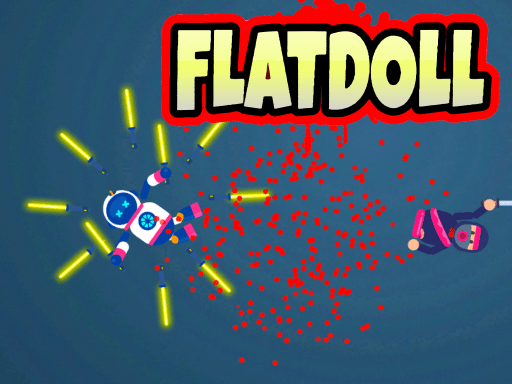
Choose Play now to load the game.
Official listing
Flatdoll is a stickman arcade game with ragdoll physics. You have to fight battles using the weapons created while you ragroll with his preparations with the right preparations.
From the game listing
PC Use left mouse for movement Press Space to activate the skill MOBILE Finger scrolling
Open this card to load the gameplay video.
Flatdoll is an action-oriented 2D arcade stickman game featuring ragdoll physics and arena combat. Players maneuver their flexible fighter across the screen, engaging in dynamic battles with weapons while balancing momentum and bouncing dynamics. Master fluid movements and trigger character skills at opportune moments to outlast opponents in fast-paced physical clashes.
Flatdoll delivers a physics-driven combat experience centered on stickman arena battles. Combining chaotic 2D ragdoll motion with real-time tactical movement, the game challenges you to guide a floppy warrior through unpredictable skirmishes. As you navigate the combat zone, your character reacts to impacts, bouncing surfaces, and physical balance forces while wielding weapons created for the fight. Success relies on reading the kinetic energy of each engagement, stabilizing your stickman amidst sudden momentum shifts, and executing timely skill activations to overcome adversaries in direct confrontation. Every clash tests your reflexes and handling under unstable physics conditions.
The primary objective in Flatdoll is to survive arena battles and eliminate opponents using weapon attacks and skill timing. You must maintain physical balance, manage bounce and momentum, and strike enemy fighters effectively. Achieving victory requires continuous positioning control and exploiting active combat opportunities while withstanding the chaotic physical forces acting on your stickman.
1. Start the match and observe your stickman's initial position within the 2D battle arena.
2. Direct your fighter's movement across the combat space using the left mouse button on PC or finger scrolling on mobile.
3. Maneuver near targets to engage in weapon-based clashes while adapting to ragdoll bounce and balance forces.
4. Press the Space key on desktop or use touch inputs to activate your character's special skill when ready.
5. Defeat opposing combatants while keeping your stickman upright and maneuvering through the arena.
Left Mouse Button: Move stickman character
Spacebar: Activate skill
Finger Scrolling / Touch Drag: Move character
Gameplay in Flatdoll centers on the interaction between direct player movement and unpredictable ragdoll physics. Because stickman limbs bend, swing, and recoil upon every surface contact or weapon strike, executing effective attacks requires adjusting to continuous kinetic momentum. Success hinges on tracking attack arcs, counteracting erratic bounces, and timing special skill triggers during high-impact moments. Mastering these dynamic physics interactions keeps your fighter balanced and effective against opponents in the chaotic arena. By blending careful steering with prompt skill usage, players maintain control amidst turbulent physical collisions.
As an arcade title, Flatdoll emphasizes quick reflex testing and accessible pick-up-and-play combat mechanics. Arcade games frequently focus on immediate action and intuitive input loops where players confront escalating challenges in confined spaces. The integration of 2D physics elements adds a layer of emergent unpredictability typical of modern physics-based arcade brawlers, demanding constant balance correction and spatial awareness throughout each battle.
Searching for the flatdoll game connects players with casual stickman physics action designed for quick browser sessions. When looking for an arcade game online, enthusiasts often seek fluid 2D arena combat with simple controls and reactive ragdoll animation. Flatdoll addresses this interest through accessible mouse and touch mechanics, pairing kinetic ragdoll physics with weapon brawling.
How do you control your character in Flatdoll? On PC, use the left mouse button to steer character movement and press the Space key to activate skills. On mobile devices, guide your stickman across the arena using finger scrolling.
What role do ragdoll physics play in combat? Ragdoll mechanics make character movement, balance, and weapon strikes dynamic and unpredictable. Collisions and arena bounces alter your trajectory, requiring responsive adjustments to keep your fighter on target.
How do you use skills in the game? Skills are triggered using the Space key on desktop or the corresponding touch action on mobile, providing an activated ability to support your stickman in battle.
Tell us if the game does not load, the information is wrong or the content needs review.
Report a problemExplore popular games by category, shared tags and site-wide activity.