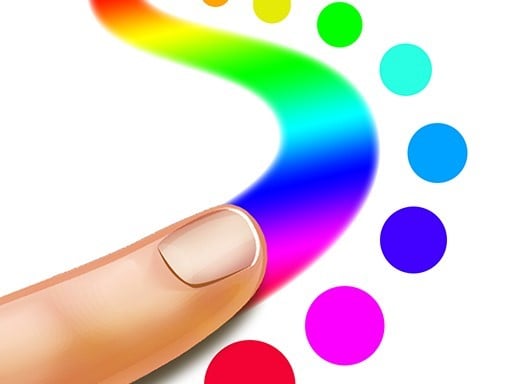
About Finger Painting Master
Finger Painting Master is a casual art and drawing experience designed for players of all ages to express their creativity. You can pick your preferred painting mode, experiment with a palette of vibrant colors, draw freehand designs, and color your work. The game also lets you save your finished creations to celebrate your artistic imagination.
Finger Painting Master brings the tactile joy of finger art into a digital creative space. Categorized under arcade and kid-friendly drawing titles, it offers an accessible canvas where anyone can sketch whatever they imagine. The experience emphasizes friendly, relaxing creative play without high-pressure challenges or complicated requirements. Players begin by selecting a painting mode, followed by picking out vivid shades to bring their concepts to life. Whether sketching simple shapes, detailing whimsical figures, or filling in colorful outlines, the platform supports varied styles of artwork. Once you complete your colorful masterpiece, the option to save your work ensures your artistic efforts are preserved.
Your goal
The main objective in Finger Painting Master is to create, color, and preserve original artwork using digital painting tools. There are no restrictive time limits or win conditions; your personal goal is to select your favorite painting mode, apply bold and bright colors across the canvas, and save your completed picture when satisfied with your creative result.
How to play Finger Painting Master
1. Select your desired finger painting mode from the available options to begin your session.
2. Choose a vibrant color from the palette to start outlining or sketching your idea.
3. Draw whatever shapes, figures, or patterns you like directly across the drawing canvas.
4. Color in your drawings using contrasting tones to give your artwork depth and brightness.
5. Save your finished piece to preserve your artwork before starting your next colorful creation.
Controls and device support
- Controls: See in-game controls
- Device support: Browser
- Game frame: 800 x 600
What makes the challenge interesting
Gameplay in Finger Painting Master centers on creative freedom, vibrant coloring, and open-ended exploration. Rather than testing reflexes or speed, the activity invites players to slow down and enjoy the visual process of drawing. You start each project by choosing an operating mode and browsing colorful hues. As you sketch lines and fill shapes, you can switch between tones to achieve the look you want. The straightforward loop of outlining, coloring, and saving artwork makes it welcoming for younger players while offering relaxing casual art practice for anyone wanting to paint freely.
Tips for Finger Painting Master
- Plan your general outline first before adding darker hues, making it easier to fill in background elements and keep shapes clean.
- Combine contrasting bright and dark tones across your drawing to make individual features pop with vibrant energy on screen.
- Always remember to save your artwork once finished so you maintain a visual record of your favorite creative designs.
The skills behind the game
Although cataloged in the arcade category, Finger Painting Master fits neatly alongside accessible creative and drawing games aimed at children and casual artists. Digital art games provide immediate visual feedback and mess-free experimentation, letting users practice coordination, color awareness, and composition in an informal environment that values imagination over strict competitive scoring.
Who will enjoy this game
When searching for finger painting master, finger painting master game, or an approachable arcade game online, players usually look for casual entertainment centered on drawing and self-expression. Finger Painting Master responds to that interest by combining basic drawing, colorful painting tools, and an easy-to-use save feature suitable for family-friendly play sessions.
Frequently asked questions
Can I save my finished artwork in Finger Painting Master? Yes, the game includes a feature that lets you save your artwork once you finish drawing and coloring your creation, preserving your creative results.
What kind of pictures can you draw in this game? You can draw anything you like. The game provides open creative freedom, vibrant colors, and painting modes so you can create custom sketches, patterns, or scenes.
Is Finger Painting Master suitable for kids? Yes, the title is specifically tagged for kids and designed as an accessible, friendly coloring and drawing activity that encourages casual artistic expression without penalties.
Something not right?
Tell us if the game does not load, the information is wrong or the content needs review.
Report a problem ›