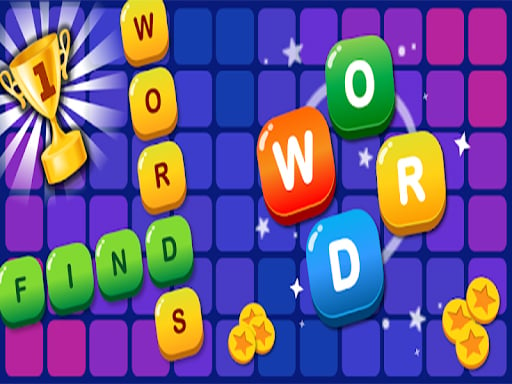
About Find Words
Find Words is a free browser puzzle game designed to train your mind by linking scrambled characters into complete terms. Players connect letters across an interactive layout to reveal hidden solutions, earn coins, and unlock subsequent stages. Designed for casual sessions, the title begins with approachable word boards before scaling into progressively challenging crossword layouts.
Find Words delivers an engaging vocabulary challenge centered on spelling, observation, and pattern recognition. Each session presents players with letter sets that must be combined to fill out crossword-style puzzle boards. By concentrating on possible anagrams and word lengths, players trace valid paths to discover every target term tucked into the board.
Successfully clearing boards grants in-game coins and special prizes, which serve as helpful resources as you progress from level to level. What starts as straightforward letter finding steadily increases in difficulty, testing your vocabulary depth and mental stamina. Built using HTML5 web technology, the game runs directly in modern desktop and mobile browsers without requiring additional installations.
Your goal
The main goal in Find Words is to identify all hidden words on the crossword grid by swiping between provided letters. Completing entire grids rewards coins and progression prizes, allowing you to advance through increasingly demanding puzzle tiers while sharpening your vocabulary and spelling accuracy.
How to play Find Words
1. Examine the available pool of letters and observe the blank spaces shown on the crossword puzzle board.
2. Swipe across adjacent letters in the correct spelling sequence to form an eligible word.
3. Release your swipe to verify the submission and fill the matching spaces on the puzzle layout.
4. Collect earned coins and prizes as each valid hidden word is revealed.
5. Complete all word slots across the grid to clear the puzzle and move forward to the next level.
Controls and device support
- Controls: See in-game controls
- Device support: Browser
- Game frame: 800 x 600
Rules to keep in mind
- Letters must be connected by swiping to register valid vocabulary entries on the puzzle board.
- Every hidden word in a stage must be uncovered to complete the crossword and progress onward.
- Coins and prizes are awarded upon discovering hidden words, assisting your advancement through future tiers.
- The difficulty scales up over time, moving from simple introductory layouts to complex crossword structures.
What makes the challenge interesting
Find Words emphasizes focused mental concentration and flexible linguistic recall. Rather than relying on fast reflexes, the game rewards systematic evaluation of prefixes, suffixes, and common letter pairings. Players must mentally rearrange the provided characters, testing combinations against the structural hints provided by the crossword slots.
Managing your pace is key as board complexity increases. Because later stages feature longer words and more intricate intersections, deliberate swiping and vocabulary exploration help prevent dead ends and maintain steady level advancement.
Tips for Find Words
- Look for brief two-letter and three-letter stems first to quickly reveal layout intersections and clarify remaining empty spaces.
- Mentally rearrange the letter wheel by vowel placement before swiping to uncover less obvious anagrams and combinations.
- Save coins and reward bonuses for later stages where crossword boards become substantially more demanding.
Stages and progression
Progression in Find Words is structured across sequential puzzle tiers. The experience begins with small, gentle letter sets that allow players to quickly build confidence. As you solve boards, you accumulate coins and prizes that support your journey toward more advanced, multi-word crossword puzzles.
The skills behind the game
Within the online puzzles category, word connection games hold a prominent place by combining anagram solving with crossword mechanics. Instead of handling physical puzzle books, browser players interact dynamically with letter pools, making the genre accessible for brief mental warm-ups or extended casual play sessions across devices.
Who will enjoy this game
Players searching for a find words game or an accessible puzzle game online often prioritize intuitive mechanics and clear progression. Find words style titles offer immediate satisfaction by transforming basic letter swiping into a rewarding vocabulary builder that balances relaxed hypercasual play with genuine mental training.
Games with a similar feel
Wordscapes: Like Wordscapes, Find Words tasks players with swiping across circular letter selections to populate an intersecting crossword grid. While Wordscapes incorporates thematic nature backdrops, Find Words emphasizes a lightweight hypercasual interface focused purely on rapid level progression.
Cookie Clicker: Find Words shares the tag-driven appeal of steady accumulation with Cookie Clicker through collectible coins and prizes. However, Cookie Clicker focuses entirely on automated incremental resource production, whereas Find Words depends on active spelling and word-puzzle problem solving.
Frequently asked questions
How do you form words in Find Words? Players form words by swiping continuously through the provided letters on the screen to spell out valid terms that fit the empty crossword slots.
What are coins used for in the game? Coins and stage prizes are collected by discovering hidden words and help players advance smoothly as level challenges grow progressively harder.
Is Find Words free to play online? Yes, Find Words is completely free to play directly within standard web browsers without requiring fees or mandatory software downloads.
Something not right?
Tell us if the game does not load, the information is wrong or the content needs review.
Report a problem ›