About Find the Ostrich tag
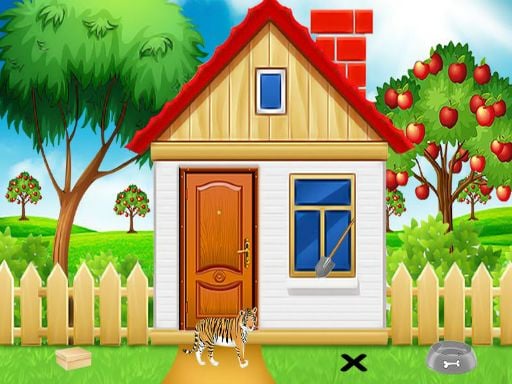
Find the Ostrich tag is a point and click escape game developed by 8B Games and Games2Mad. Set in a puzzle-filled environment, the player is tasked with locating a missing ostrich tag by uncovering hidden objects and solving brain teasers. Once discovered, the tag must be placed securely around the ostrich neck to successfully finish the challenge.
Developed as a browser puzzle adventure, Find the Ostrich tag drops players into an interactive scene centered on an unusual task: recovering a lost identification tag for an ostrich. Created by 8B Games and Games2Mad, the title combines classic room-escape mechanics with casual point-and-click investigation.
To make progress, players scan the surroundings to discover hidden items, decipher environmental clues, and overcome logic hurdles. Every solved riddle brings you one step closer to the missing tag. The experience emphasizes observation and deductive thinking, inviting players to methodically inspect each corner of the play area until the tag is found and returned to the ostrich neck.
Your goal
The primary objective in Find the Ostrich tag is to locate the lost tag and place it around the ostrich neck. Accomplishing this goal requires thoroughly exploring the interactive area, discovering concealed items, and solving various puzzles that guard key components. Once the missing tag is completely recovered, you must return it to the ostrich to finish the scenario.
How to play Find the Ostrich tag
1. Scan the surrounding scene using your mouse to spot interactive objects, strange markings, and concealed items.
2. Click on suspicious spots or items to inspect them closely and collect useful tools into your inventory.
3. Solve the environmental logic puzzles and brain teasers revealed throughout the play area.
4. Retrieve the lost ostrich tag once the final obstacle or compartment has been unlocked.
5. Put the recovered tag around the ostrich neck to complete the game successfully.
Controls and device support
Mouse: Interact
- Controls: Mouse or touch
- Device support: Browser
- Game frame: 800 x 480
Rules to keep in mind
- The lost tag must be located and placed around the ostrich neck to fulfill the scenario goal.
- All investigative actions, item collections, and puzzle manipulations are operated through direct mouse interaction.
What makes the challenge interesting
Gameplay in Find the Ostrich tag revolves around meticulous environmental exploration and thoughtful deduction. Rather than depending on fast reflexes, the experience challenges players to examine every part of the screen for subtle visual discrepancies. Players interact with diverse items to uncover hidden mechanisms, match patterns, and decode numerical or symbol-based puzzles embedded in the scenery. Each item collected serves a purpose, unlocking further compartments or revealing secondary clues. Patience and methodical trial are essential as you connect discovered hints to their matching locks, ultimately clearing the path to retrieve the ostrich tag.
Tips for Find the Ostrich tag
- Inspect the screen methodically from corner to corner, clicking on any unusual patterns or color differences that might conceal an item or clue.
- Remember recurring symbols, numbers, or directional arrows displayed in the scenery, as they often correspond directly to locked puzzles elsewhere.
- Try using collected inventory items on various locked mechanisms or interactive props whenever forward progress seems temporarily blocked.
The skills behind the game
As part of the puzzle and escape genre, Find the Ostrich tag embraces traditional point-and-click discovery mechanics. Escape titles typically challenge players to overcome confined scenarios by assembling scattered clues, decoding riddles, and opening secured locks. By combining these puzzle elements with hidden object searches, the game delivers an accessible mental challenge focused on deductive problem solving rather than fast-paced action.
Who will enjoy this game
Players searching for a hidden object game or a relaxing puzzle game online will find familiar mechanics in the find the ostrich tag game. The core adventure in Find the Ostrich tag tests visual attention through cryptic riddles and tucked-away items, offering escape-style engagement directly within an ordinary web browser window.
Frequently asked questions
Who created Find the Ostrich tag? Find the Ostrich tag was created by 8B Games and Games2Mad. It is designed as an interactive point-and-click escape experience centered on finding a lost item.
What is the main goal in Find the Ostrich tag? The primary goal is to search the area for hidden objects, solve environmental riddles, retrieve the missing ostrich tag, and place it securely around the ostrich neck.
How do you control Find the Ostrich tag? The game is played entirely using mouse interaction. You simply click on screen elements to explore clues, pick up tools, and manipulate different puzzle mechanisms.
Something not right?
Tell us if the game does not load, the information is wrong or the content needs review.
Report a problem ›