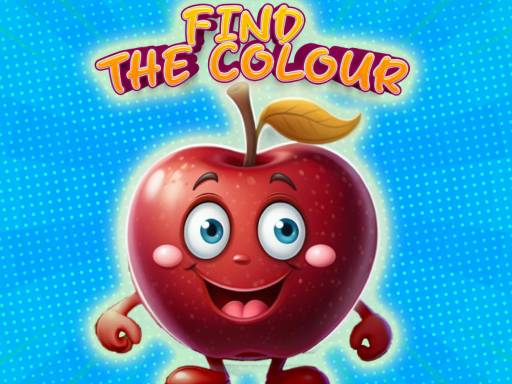
About Find The Color
Find The Color is an interactive educational browser game created to help toddlers, preschoolers, and young children explore and identify colors.
Designed with bright visuals and approachable interactions, Find The Color introduces early learners to color recognition through guided visual activities. The game provides a welcoming environment where young players can explore color names, distinguish between different shades, and match items based on their visual characteristics.
The core experience centers on simple interactive challenges tailored for early childhood development. By asking children to observe prompts on screen and make direct selections using straightforward inputs, the game supports basic visual differentiation and cognitive association without overwhelming players with complicated menus.
Your goal
The primary objective in Find The Color is to correctly identify, match, and distinguish target colors and shades as presented throughout the game's various activities. Players aim to reinforce their visual recognition skills and color vocabulary by successfully interacting with the matching prompts.
How to play Find The Color
1. Start the game to load the colorful activity screen.
2. Observe the on-screen visual prompt, requested color name, or target shade.
3. Scan the available colored options presented across the display.
4. Click or tap the matching color or item to submit your selection.
5. Continue through subsequent challenges to practice identifying a wide range of colors.
Controls and device support
Interact directly with on-screen items using mouse clicks on desktop or screen taps on touch-enabled mobile devices.
- Controls: Mouse or touch
- Device support: Desktop + mobile
- Game frame: 1280 x 720
What makes the challenge interesting
The gameplay focus of Find The Color revolves around early cognitive engagement and visual processing. Unlike fast-paced action titles, this educational experience emphasizes observation and recognition, encouraging young players to take their time inspecting distinct hues and matching them accurately.
Because the interface is intentionally streamlined for toddlers and preschoolers, players can focus entirely on the connection between spoken or written color concepts and visual shades. This deliberate pacing helps build confidence in early visual discrimination.
Tips for Find The Color
- Say the color names out loud during play to reinforce auditory and visual association.
- Take a moment to compare similar shades before tapping to avoid hurried visual mistakes.
- Encourage young learners to point out matching items in their real-world surroundings between rounds.
- Play at a steady, relaxed pace so the player can fully absorb each color activity.
The skills behind the game
Although listed within general arcade and puzzle collections, Find The Color functions primarily as an interactive early-learning tool. Educational games in this space bridge playful interaction and foundational concept discovery, providing young learners with an accessible digital sandbox where they can practice color naming and basic pattern matching.
Who will enjoy this game
Players looking for a find the color game online will appreciate the clean visual presentation and low-barrier mechanics. The game serves as a practical, lightweight session for parents and educators seeking casual visual identification exercises that run smoothly directly within standard web browsers.
Frequently asked questions
What is the primary objective in Find The Color? Players identify, differentiate, and match various colors and shades across interactive activities designed for early childhood learning.
Who is Find The Color designed for? The game is tailored specifically for toddlers, preschoolers, and young children who are beginning to explore color recognition and visual categorization.
How do players control the game on different devices? Players use a simple mouse click on desktop computers or a single tap on touchscreens to select colors and interact with on-screen prompts.
Something not right?
Tell us if the game does not load, the information is wrong or the content needs review.
Report a problem ›