Official listing
Game description
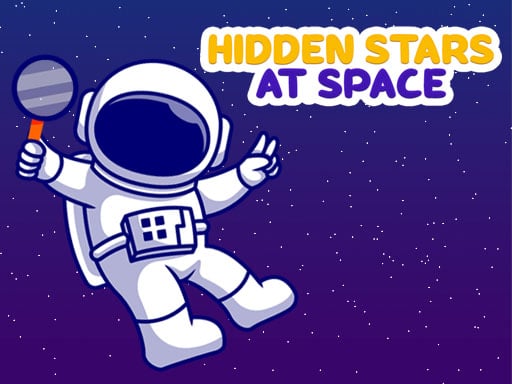
Find the stars in space. there are 10 hidden stars in each of the 6 different pictures. Find the hidden stars and unlock other levels.
Puzzles game
Find Hidden Stars at Space is a browser-based hidden object puzzle game set against cosmic scenery. Players inspect detailed space pictures to locate camouflaged stars scattered across each scene. Finding every target allows you to advance through the available stages, offering a focused visual challenge suitable for desktop and mobile players alike.
Choose Play now to load the game.
Official listing
Find the stars in space. there are 10 hidden stars in each of the 6 different pictures. Find the hidden stars and unlock other levels.
From the game listing
Left Click Touch for mobile
Open this card to load the gameplay video.
Find Hidden Stars at Space is a browser-based hidden object puzzle game set against cosmic scenery. Players inspect detailed space pictures to locate camouflaged stars scattered across each scene. Finding every target allows you to advance through the available stages, offering a focused visual challenge suitable for desktop and mobile players alike.
Find Hidden Stars at Space presents players with a relaxing yet demanding observation challenge across 6 distinct picture stages. Each illustration depicts a space-themed backdrop filled with intricate details where 10 hidden stars have been subtly placed. The goal in every stage is to scan the artwork carefully, identify the hidden shapes, and select them to clear the board.
Completing a picture requires finding all 10 stars, which subsequently unlocks subsequent levels for continued play. With simple point-and-click or tap mechanics, the game focuses entirely on visual acuity and patient scanning without complex control schemes.
The primary objective in Find Hidden Stars at Space is to locate and select all 10 hidden stars concealed across each of the 6 space-themed pictures. Successfully finding every target within an active image completes that stage and unlocks the subsequent levels, challenging you to fully complete all six visual puzzles.
1. Select an available space picture from the level selection screen to begin.
2. Examine the cosmic artwork carefully to spot the outline or silhouette of a hidden star.
3. Click with the left mouse button on desktop or tap the screen on mobile directly over the discovered star.
4. Continue scanning the scene until you successfully uncover all 10 hidden stars.
5. Complete the active picture to unlock and advance to the next level.
Left Click: Select hidden star
Touch: Select hidden star
Gameplay in Find Hidden Stars at Space centers on attentive visual scanning and patient observation. Because the stars blend naturally into the cosmic artwork, players must pay close attention to subtle variations in contrast, color, and background contours. The experience emphasizes calm exploration across 6 unique picture stages rather than rapid reflexes. Navigating each illustration requires dividing the screen into mental quadrants or scanning methodically from top to bottom, ensuring no concealed shape is overlooked before moving on to unlock the next level.
Progression in Find Hidden Stars at Space is structured across a total of 6 individual picture levels. Players start with the initial picture and must successfully find all 10 hidden stars to unlock and progress to the next puzzle.
The game runs in a standard 800 x 450 resolution window and supports both desktop browsers via left mouse clicks and mobile devices through direct touch controls.
As a title in the puzzle category, Find Hidden Stars at Space belongs to the popular hidden object subgenre. These games emphasize pattern recognition, concentration, and detailed observation. By swapping fast-paced action for methodical searching, puzzle games of this style provide an accessible mental workout suitable for players who enjoy relaxing, visual search challenges.
Players searching for a casual puzzle game online will find Find Hidden Stars at Space game to be a straightforward hidden picture experience. The title find hidden stars at space accurately describes the core loop of scanning cosmic scenes to reveal concealed targets, making it an easy pick-up-and-play browser game for hidden object enthusiasts.
How many levels and stars are in Find Hidden Stars at Space? There are 6 different picture levels in total, and each level contains exactly 10 hidden stars that you must find to complete the stage.
How do you unlock new levels in the game? You unlock new levels by successfully locating all 10 hidden stars in the current space picture, which opens up the next stage to play.
What controls are used to play Find Hidden Stars at Space? On a desktop computer, use the left mouse click to select stars. On mobile devices, simply touch the screen over the hidden star's location.
Tell us if the game does not load, the information is wrong or the content needs review.
Report a problemExplore popular games by category, shared tags and site-wide activity.