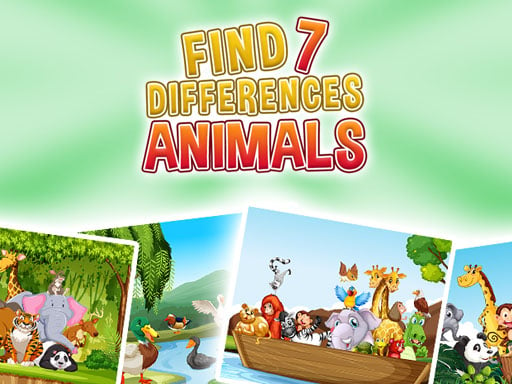
About Find 7 Differences - Animals
Find 7 Differences - Animals is a puzzle game for children built around comparing animal pictures and finding seven differences. The description highlights problem-solving ability and speed, and the listing states there are 10 beautiful levels for kids to play.
Find 7 Differences - Animals sits in the Puzzles category and uses an animal theme with difference-spotting play. The official description presents it as a game to help children improve their abilities and speed in solving problems, while keeping the tone friendly for kids. It also states that there are 10 beautiful levels to play with. Tags such as Animal, Arcade, Difference, Educational, HTML5 and School add genre context, suggesting a simple browser-style puzzle experience rather than a complex adventure.
Your goal
The stated objective is to find seven differences in animal-themed pictures. The game is framed for children, with an emphasis on building problem-solving ability and speed while playing through 10 levels.
How to play Find 7 Differences - Animals
1. Start a level and look carefully at the animal pictures presented for comparison.
2. Compare the two scenes for small changes in objects, shapes, colors or positions.
3. Use the listed input for your device: the instructions only state Desktop Mouse and Mobile Touch Buttons.
4. Identify each difference until you have found the seven differences named by the game.
5. Continue through the stated set of 10 beautiful levels for kids.
Controls and device support
- Controls: Mouse or touch
- Device support: Desktop + mobile
- Game frame: 1280 x 720
Rules to keep in mind
- The core task is to find seven differences, matching the exact game title and description.
- The source states there are 10 beautiful levels for kids to play with.
- The only listed inputs are Desktop Mouse and Mobile Touch Buttons.
What makes the challenge interesting
The play focus is careful visual comparison in an animal-themed puzzle setting. Because the description mentions improving abilities and speed in solving problems, the useful skill is not just spotting a change but doing it efficiently. The Difference, Educational and School tags support a learning-friendly context, while the Arcade tag suggests short, repeatable puzzle rounds rather than long story play.
Tips for Find 7 Differences - Animals
- Scan in a steady pattern, such as left to right and top to bottom, so you do not keep rechecking the same area.
- Compare one feature at a time, like animal position, background objects or small color changes, instead of looking at everything at once.
- Balance speed with accuracy: the description values faster problem solving, but careful checking is still the safer way to finish each puzzle.
Stages and progression
The source describes 10 beautiful levels for kids, giving the game a clear level-based structure. It does not provide additional progression details beyond that stated count.
Playing on different devices
The listing gives a 1280 x 720 size and labels desktop mouse and mobile touch buttons. No other device behavior is specified in the supplied facts.
The skills behind the game
The Puzzles category and Difference tag place this game in the spot-the-difference tradition, where players compare similar images and identify changes. Animal, Educational and School tags add a child-friendly learning context, while Arcade and HTML5 suggest accessible browser-style play.
Who will enjoy this game
Natural phrases for this page include the exact title, the title plus game, and broader puzzle game online wording. These are seed phrases only, so they should guide clear language rather than imply search volume, ranking or traffic.
Frequently asked questions
What is the goal in Find 7 Differences - Animals? The goal is to compare animal-themed pictures and find seven differences. The description frames it as a children's puzzle game that supports problem-solving ability and speed.
How many levels are listed? The official description states that there are 10 beautiful levels for kids to play with. No extra stage, unlock or difficulty details are provided in the source.
What controls are mentioned? The supplied instructions only say Desktop Mouse and Mobile Touch Buttons. That indicates desktop and mobile input labels, but no detailed key list or gesture guide is given.
Something not right?
Tell us if the game does not load, the information is wrong or the content needs review.
Report a problem ›