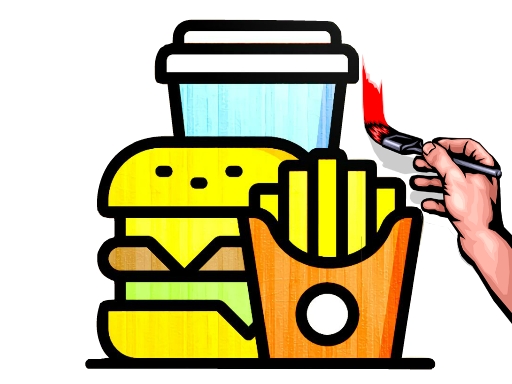
About Fast Food Coloring Book
Fast Food Coloring Book is a relaxed, single-player coloring game where players bring food illustrations to life. You choose from four distinct fast food outlines and use the bottom color palette alongside adjustable brush tips to color each picture. Designed for quick, creative browser play, it lets you customize artwork freely using simple mouse clicks or touchscreen taps.
Fast Food Coloring Book provides a digital art canvas centered around fast food snacks and meals. Upon launching the game, players are presented with four different food-themed line art images to color. A color bar positioned at the bottom of the display supplies the palette, while an adjustable tip sizing tool lets you alter brush thickness for either broad coverage or finer detail work. Because there are no timers, failure states, or restrictive scoring systems, you can take as much time as you like experimenting with vibrant shades. Once your artwork is finished, you can admire the completed fast food creation and share your colorful designs with friends and family across desktop or mobile devices.
Your goal
The primary objective in Fast Food Coloring Book is to complete and customize any of the four fast food drawings. Players aim to select colors from the bottom bar, adjust the brush tip to suit each section, and neatly fill in the line art to create polished, personalized food illustrations ready to share with friends and family.
How to play Fast Food Coloring Book
1. Select one of the four fast food illustrations from the main menu to open your coloring canvas.
2. Choose a color by clicking or tapping any shade from the palette situated along the bottom.
3. Adjust the brush tip size up or down to match larger areas or smaller details on the picture.
4. Apply your chosen colors across the line art using mouse clicks, drags, or touch taps.
5. Review your finished artwork and share your custom fast food masterpiece with family and friends.
Controls and device support
Mouse: Select food images, choose palette colors, adjust tip size, and paint the canvas
Tap / Touch: Pick images, select colors, modify brush tip size, and color on screen
- Controls: Mouse or touch
- Device support: Desktop + mobile
- Game frame: 854 x 480
Rules to keep in mind
- Image Selection: Players choose from a selection of four distinct fast food outline drawings.
- Palette Access: Colors must be chosen from the palette bar located at the bottom of the interface.
- Brush Adjustment: The brush tip size can be increased or decreased to alter color application coverage.
What makes the challenge interesting
Gameplay in Fast Food Coloring Book focuses on precision, color coordination, and self-paced creative expression. Without any rushing timers or strict penalties, the player's main engagement comes from deciding which color combinations fit each section of the fast food outline. Managing brush tip size is essential: expanding the tip allows you to fill large sections rapidly, whereas shrinking the tip offers greater control when working along borders or intricate segments. This simple, open-ended structure encourages relaxing experimentation, making it an accessible digital art activity for players of all ages.
Tips for Fast Food Coloring Book
- Use a larger tip size to fill wide background regions quickly, then reduce the tip size to carefully outline smaller edges.
- Try experimenting with contrasting shades from the bottom palette to make distinct layers of each fast food item stand out clearly.
- Take your time with each of the four drawings, as the absence of a time limit allows thorough, relaxed coloring.
The skills behind the game
Although cataloged under the Sports category in some listings, Fast Food Coloring Book primarily belongs to the digital coloring and arcade casual genres. It offers an easygoing, single-player creative environment focused on art rather than athletic competition or high-score chases. Such games serve as accessible pastime activities in HTML5 portals, providing kids and casual players with approachable drawing canvases that require minimal setup and intuitive controls.
Who will enjoy this game
Players looking for a fast food coloring book or an engaging coloring game online will find a focused, browser-based art activity here. The game emphasizes accessible controls, instant image selection, and customizable brush sizes, making it an appealing option for those seeking casual creative entertainment without complex mechanics or lengthy downloads.
Games with a similar feel
Happy Color: Like Happy Color, Fast Food Coloring Book provides a relaxing digital art canvas for coloring pictures. However, Happy Color uses structured color-by-number mechanics, whereas Fast Food Coloring Book offers freeform brush sizing and open palette choice across four fast food drawings.
Frequently asked questions
How many images can I color in Fast Food Coloring Book? The game provides four different fast food images to choose from, allowing you to select and color any picture using the bottom palette and adjustable brush tips.
How do I change the brush size in the game? You can increase or decrease the size of the tip using the on-screen controls, making it easier to fill wide areas or apply colors to delicate outlines.
What controls are supported on mobile and desktop devices? Fast Food Coloring Book supports mouse clicks and drags on desktop computers, as well as tap and drag gestures on touchscreen mobile devices.
Something not right?
Tell us if the game does not load, the information is wrong or the content needs review.
Report a problem ›