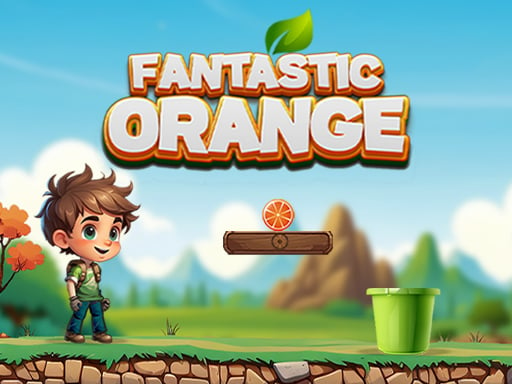
About Fantastic Orange
Fantastic Orange is a 2D physics-based casual puzzle game where players help a student named Richer unwind by navigating fruit across movable platforms. Your main goal is to balance rolling oranges from one block to another until they settle safely inside the target bucket. Precision and spatial awareness are essential, as any miscalculated tilt can send the orange plunging directly into hazardous spikes.
The game frames its puzzle challenges around Richer, whose grandfather suggests taking a break from busy study routines with an engaging mental diversion. Players take on the task of maneuvering blocks beneath loose oranges, using momentum and careful leveling to guide the fruit toward the goal container. The core loop revolves around assessing platform positions, predicting rolling physics, and adjusting block alignments to create safe travel paths.
While the presentation is clean and straightforward, the physical movement of the fruit introduces constant tension. Because momentum builds quickly on sloped surfaces, keeping the orange steady across gaps requires measured adjustments. Environmental hazards like sharp spikes punish careless platform movement, demanding thoughtful problem-solving and patient balance control on every attempt.
Your goal
The primary objective is to successfully transfer the orange across the stage blocks and deposit it into the designated bucket without touching hazards. Players aim to refine their platform adjustments, maintaining total control over the fruit's speed and trajectory while steering clear of destructive spikes that instantly ruin the delivery.
How to play Fantastic Orange
1. Examine the layout of the blocks, the position of the collection bucket, and any nearby spikes before moving.
2. Use the directional controls to shift or tilt the movable blocks left or right beneath the orange.
3. Allow the orange to roll gently along the platform toward the next transfer point, monitoring its speed.
4. Steer clear of any spike obstacles positioned between the platforms and the target area.
5. Drop the orange cleanly into the specified bucket to finish the quest.
Controls and device support
On PC, press the Left Arrow and Right Arrow keys to move or balance the blocks. On Android mobile devices, tap the on-screen touch buttons to steer the platforms.
- Controls: Keyboard
- Device support: Desktop + mobile
- Game frame: 1080 x 1920
Rules to keep in mind
- The orange must be guided across the blocks and collected inside the specified bucket.
- Direct collision with spikes instantly destroys the orange.
- Platform adjustments must balance the fruit continuously to prevent uncontrolled falls.
What makes the challenge interesting
Fantastic Orange centers on kinetic awareness and measured mechanical input. Unlike fast-paced twitch action games, the main challenge here lies in managing gradual momentum. Because gravity continually pulls the round fruit, every block adjustment alters the orange's acceleration and roll angle. Overcorrecting a tilt can launch the orange too quickly toward a hazard, while hesitant movement may leave it stranded or falling short of the next platform. Balancing stability against steady forward progress forms the core rhythm of each puzzle attempt.
Tips for Fantastic Orange
- Make short, gentle platform taps rather than holding directional inputs continuously. Over-tilting builds excessive roll speed that makes avoiding spikes much harder.
- Study spike placements before shifting the initial block. Knowing where danger lies helps you decide when to slow the orange down before dropping.
- Use horizontal platform leveling to stabilize the fruit. Flattening the surface gives you time to assess the next gap without rushing your input.
- Guide the orange toward the center of the bucket opening rather than skimming the edge, ensuring the drop registers cleanly inside the container.
Stages and progression
The game features varied quest setups that task players with finding efficient paths into the bucket. As you tackle different puzzle layouts, the arrangement of blocks and spike hazards requires increasingly precise balancing techniques. Players can structure their practice by focusing on gentle platform control, aiming to complete each puzzle with fewer erratic corrections and a smoother roll path from start to finish.
Playing on different devices
Desktop players control block movement using the Left Arrow and Right Arrow keys, offering tactile digital input for steady balancing. On mobile web browsers, dedicated on-screen touch buttons provide direct thumb-driven navigation suited for portrait or responsive display orientations.
The skills behind the game
Classified under hypercasual and casual 2D puzzle genres, Fantastic Orange embraces clean mechanics that are quick to learn yet require thoughtful balance. Casual physics games emphasize clear cause-and-effect interactions, where gravity and surface angles dictate success. By combining intuitive controls with hazardous obstacles, the game offers accessible bite-sized puzzle solving suitable for brief practice sessions.
Who will enjoy this game
Players searching for Fantastic Orange or seeking a lighthearted Fantastic Orange game experience are typically looking for straightforward physics balance puzzles. The title fits well for anyone wanting casual, relaxing brain teasers that test balance coordination and spatial planning without complicated control schemes.
Frequently asked questions
What happens if the orange hits a spike? The orange is destroyed immediately upon colliding with any spike hazard, requiring the player to restart the puzzle and adjust their platform balancing strategy.
How do you control the platforms on desktop computers? On a computer, press the Left Arrow and Right Arrow keys on your keyboard to move and tilt the blocks beneath the rolling orange.
Can Fantastic Orange be played on mobile touchscreen devices? Yes, Android and other mobile devices use on-screen touch buttons designed to control platform positioning directly on the display.
Something not right?
Tell us if the game does not load, the information is wrong or the content needs review.
Report a problem ›