Official listing
Game description
Play the most popular game of recent times in the new season.
Racing game
Fall Race : Season 2 brings players into a vibrant 3D racing environment packed with dynamic action challenges. Designed as a single-player experience with .io style gameplay, this seasonal entry invites runners to navigate obstacle-laden courses using responsive directional movement and jumping mechanics to finish strong.
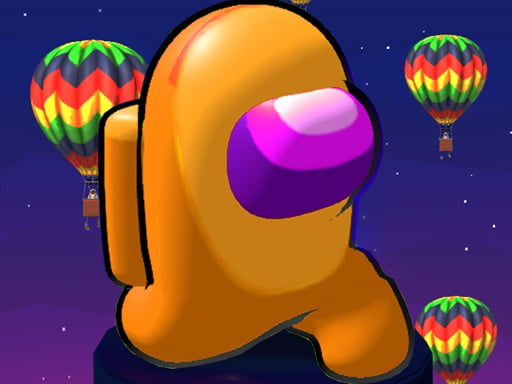
Choose Play now to load the game.
Official listing
Play the most popular game of recent times in the new season.
From the game listing
Move Arrow Keys Jump Space Key
Open this card to load the gameplay video.
Fall Race : Season 2 brings players into a vibrant 3D racing environment packed with dynamic action challenges. Designed as a single-player experience with .io style gameplay, this seasonal entry invites runners to navigate obstacle-laden courses using responsive directional movement and jumping mechanics to finish strong.
Fall Race : Season 2 delivers fast-paced racing action within a colorful 3D world. As an update in the series, the game tasks players with steering their character across competitive layouts while timing jumps carefully across every section. Movement is handled directly through the keyboard arrow keys, while jumping is executed with the spacebar. Whether running along narrow pathways or dodging course obstacles, success relies on quick reaction times and consistent handling. Built with .io style running elements, the title offers straightforward arcade mechanics suitable for quick sessions in your browser window, emphasizing smooth navigation and continuous forward momentum throughout each competitive dash.
The primary goal in Fall Race : Season 2 is to guide your character through each 3D race course to reach the finish line safely. You must coordinate movement using the arrow keys and execute timely leaps with the space key to overcome track hazards, outmaneuver rivals, and complete the race as efficiently as possible.
1. Start the game to load your runner directly into the 3D race environment.
2. Use the Arrow Keys on your keyboard to navigate forward, steer left, or steer right.
3. Press the Space Key to jump across gaps and hurdle over obstacles along the track.
4. Maintain steady forward momentum while avoiding hazards that could slow your pace.
5. Cross the finish line to complete the course run.
Arrow Keys: Move
Space Key: Jump
Gameplay in Fall Race : Season 2 centers on continuous platform navigation and precise timing. Because the action takes place in a 3D space, reading depth and pacing your movements are essential for staying on track. Players must combine directional steering using arrow keys with timely jumps using the spacebar to clear elevated surfaces and avoid falls. Success depends on maintaining your running lines without oversteering around tight corners. The clean control scheme ensures immediate pickup-and-play accessibility, letting you focus on maneuvering cleanly through every racing obstacle.
As part of the racing and action categories, Fall Race : Season 2 emphasizes spatial awareness and reflex-driven navigation. Browser-based 3D racing games often challenge players to master basic movement inputs under dynamic conditions, offering accessible yet competitive obstacle-course fun that appeals to fans of casual arcade speedrunning and .io style multiplayer aesthetics.
Players searching for Fall Race : Season 2 game sessions or an engaging racing game online will find an approachable 3D platform experience. The core blend of simple arrow key steering and spacebar jumping mechanics ensures quick entry for single-player action enthusiasts looking for streamlined browser-based obstacle course racing challenges.
What controls are used to play Fall Race : Season 2? You control your runner using the keyboard Arrow Keys for movement and press the Space Key to jump over gaps and obstacles on the course.
What genre does Fall Race : Season 2 belong to? Fall Race : Season 2 is categorized as a 3D racing and action game, featuring single-player obstacle running with popular .io game aesthetic elements.
Is Fall Race : Season 2 playable on desktop browsers? Yes, the game is configured for browser play with dedicated keyboard controls for directional movement and jumping in an 800 by 480 display area.
Tell us if the game does not load, the information is wrong or the content needs review.
Report a problemExplore popular games by category, shared tags and site-wide activity.




















