Official listing
Game description
Face Changer is a fun puzzle game in which you have to correctly put together different faces in order to move to the next level or achieve new and better results in the training mode.
Puzzles game
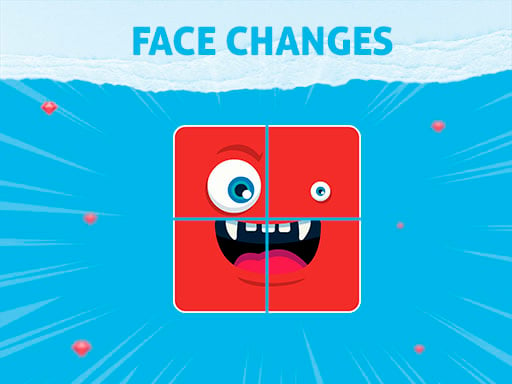
Face Changes is a browser-based visual puzzle game where players cycle through mixed facial features to assemble matching portraits. By clicking or tapping individual segments of a face, you work toward reconstructing the intended portrait to advance through sequential levels or practice your pattern recognition in training mode.
Choose Play now to load the game.
Official listing
Face Changer is a fun puzzle game in which you have to correctly put together different faces in order to move to the next level or achieve new and better results in the training mode.
From the game listing
PC Left Mous Click on part of face to change it Mobile Touch Screen on part of face to change it
Open this card to load the gameplay video.
Face Changes is a browser-based visual puzzle game where players cycle through mixed facial features to assemble matching portraits. By clicking or tapping individual segments of a face, you work toward reconstructing the intended portrait to advance through sequential levels or practice your pattern recognition in training mode.
In Face Changes, players are presented with scrambled portraits broken down into interchangeable visual components. The core gameplay loop centers on identifying mismatched facial sections and cycling through the available variations until every component harmonizes into a correct, coherent face.
The game provides two distinct ways to play: a standard level-based path where successful assembly unlocks the next stage, and a training mode where players can focus on refining their visual observation and striving for stronger results over time.
The primary objective is to accurately combine every facial piece to complete each portrait, enabling progression to subsequent puzzle stages or achieving better performance outcomes during dedicated training sessions.
1. Examine the scrambled character portrait on the screen to identify which facial sections appear misaligned or mismatched.
2. Click with the left mouse button on desktop or tap the touch screen on mobile directly over a specific facial part to cycle it to a new option.
3. Repeat your clicks or taps across all segments until every piece matches the target facial composition correctly.
4. Complete the full portrait assembly to transition into the next stage or record improved results in training mode.
On desktop computers, use the left mouse button to click on any part of the face to change it. On mobile devices, tap directly on the touch screen over the face segment you wish to swap.
Face Changes tests visual discrimination, short-term visual memory, and deliberate selection. Because each portrait is composed of several discrete segments, success depends on spotting subtle stylistic cues such as color palettes, art line thickness, and character expressions to determine which parts belong together.
The primary practical tradeoff involves deciding whether to cycle each section one by one until an exact visual fit is found or to establish a single anchor piece first before aligning neighboring features around it.
Progression in Face Changes is structured across sequential levels where completing one correct face puzzle unlocks the next portrait challenge. As players navigate through successive stages, the variety of facial combinations provides ongoing visual problem-solving.
Alongside standard stage progression, the separate training mode offers an ongoing practice environment. Players can use this mode to experiment with matching techniques and strive for more consistent assembly results across repeat sessions.
Face Changes runs within a vertical 720 by 1280 resolution layout, making it well suited for portrait orientation on mobile phones and tablets as well as centered display on desktop monitors.
Input handling is straightforward on both platforms: desktop users trigger piece swaps via precise mouse clicks, while mobile players interact by tapping individual facial components directly on touch screens.
Categorized under logic and puzzle games, Face Changes focuses on visual assembly and systematic feature matching. Rather than demanding rapid reflexes, the puzzle genre rewards careful observation, component recognition, and methodical trial-and-error reasoning.
Players looking for a face changes game or an accessible puzzle game online can enjoy Face Changes as a relaxed visual brain teaser. Its intuitive point-and-click mechanic makes it easy to jump into for brief casual sessions or extended pattern-matching practice.
What is the main goal in Face Changes? The main goal is to cycle through mixed facial components and reassemble them into complete, correctly matched portraits to complete stages or improve training results.
How do I switch individual facial parts on PC and mobile? On a computer, click the left mouse button on the facial segment you want to cycle. On a touch device, simply tap the specific face piece directly on your screen.
What is the difference between standard stages and training mode? Standard stages require assembling portraits correctly to advance to the next level, whereas training mode lets players practice matching faces and work toward achieving better personal results.
Tell us if the game does not load, the information is wrong or the content needs review.
Report a problemExplore popular games by category, shared tags and site-wide activity.