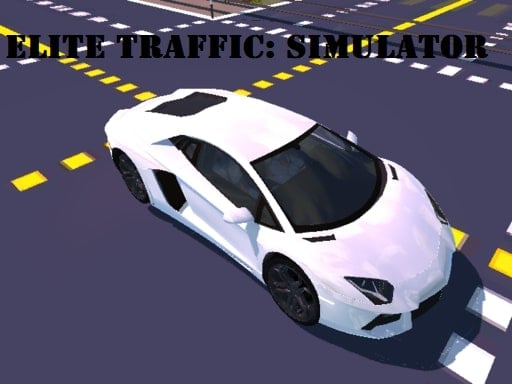
About Elite Traffic Simulator
Elite Traffic Simulator is a real-time traffic management game where you oversee road networks and maintain smooth vehicle movement. As vehicles travel across busy intersections, you take command of road flow by clicking or tapping individual cars to halt them or send them on their way, testing your timing and quick strategic decisions.
In Elite Traffic Simulator, players step into the role of a municipal traffic controller tasked with monitoring roads and preventing bottlenecks. Moving cars enter intersections from different directions, requiring constant observation to maintain an orderly pace. The core interaction revolves around managing each vehicle's forward momentum to prevent chaotic pileups.
The 3D environment puts your situational awareness to work across dynamic road setups. Because every vehicle responds instantly to your input, the experience demands split-second prioritization. Balancing high-volume traffic flows with sudden crossing conflicts forms the central rhythm of every session.
Your goal
Your primary goal is to maintain uninterrupted traffic flow across road networks by safely guiding vehicles through crossing points. You must actively evaluate closing distances between cars, stopping vehicles when a collision path emerges and releasing them once the junction clears. Success means keeping roads moving steadily under mounting cross-traffic pressure.
How to play Elite Traffic Simulator
1. Survey the road layout and identify which lanes carry the heaviest incoming vehicle traffic.
2. Watch moving cars as they approach intersections to spot potential crossing conflicts early.
3. Click or tap on a vehicle to bring it to a temporary complete stop before it enters danger.
4. Click or tap the stopped vehicle again to un-stop it once cross-traffic has cleared the area.
5. Repeat this start-and-stop control rhythm across all active lanes to keep the overall city moving.
Controls and device support
Click with your mouse or tap directly on any vehicle to stop it, and click or tap the vehicle again to un-stop it and resume movement.
- Controls: Mouse or touch
- Device support: Desktop + mobile
- Game frame: 800 x 600
Rules to keep in mind
- Vehicles continue moving along their lanes unless clicked or tapped by the player to stop.
- Clicking or tapping a stationary vehicle un-stops it, allowing it to proceed forward immediately.
- The controller must maintain traffic flow and prevent intersection chaos across active road networks.
What makes the challenge interesting
The primary skill in Elite Traffic Simulator is visual scanning and predictive timing. Rather than steering individual cars, you act as a bird's-eye coordinator managing spatial gaps. The core tradeoff lies between caution and throughput: holding vehicles back guarantees safety at the crossing point, but holding them too long creates tailbacks in active lanes. Mastering this balance requires anticipating approaching vehicles rather than reacting only after cars arrive at the junction.
Tips for Elite Traffic Simulator
- Halt the slower stream of cars rather than interrupting a fast-moving convoy, which keeps overall junction throughput high and minimizes stop-and-go delays.
- Release stopped vehicles the instant the crossing lane opens up; hesitating too long can cause unnecessary backups behind waiting cars.
- Focus your eyes on incoming approach lanes rather than staring at the center of the junction, giving you extra seconds to plan stops.
- Avoid clicking vehicles unnecessarily when crossing paths are naturally clear, as stopping smooth traffic creates artificial bottlenecks.
Stages and progression
As traffic flow intensifies with higher vehicle volume and more complex intersection activity, maintaining order requires a structured practice routine. Early runs allow players to get accustomed to the single-click stopping mechanic and vehicle speeds. Over time, practicing a steady scanning rhythm across multiple road branches helps you handle rush-hour density without losing track of waiting cars.
Playing on different devices
Elite Traffic Simulator is designed to run in standard browser windows with an 800x600 display resolution. Desktop players benefit from precise cursor targeting with a mouse, making it easy to select specific cars in close proximity. On touchscreen devices, direct tapping provides quick, intuitive stops and starts across the screen.
The skills behind the game
Traffic management titles bridge the gap between quick-reflex arcade games and strategic puzzle challenges. While grouped under click-driven web titles, the core appeal comes from active spatial coordination rather than passive accumulation. Players who enjoy real-time decision-making, pattern recognition, and managing moving systems will appreciate the immediate feedback of directing continuous road networks.
Who will enjoy this game
Players looking for an engaging clicker game online or a focused road management session can use Elite Traffic Simulator for short tactical warmups. Because the mechanics rely on clear point-and-click vehicle controls, anyone searching for an accessible elite traffic simulator game can jump straight into coordinating streets without complicated setup or long tutorials.
Games with a similar feel
Cookie Clicker: While Cookie Clicker centers on long-term resource accumulation and buying production upgrades through repeated clicks, Elite Traffic Simulator uses clicking as an immediate real-time control to stop and release moving cars. Cookie Clicker suits players who enjoy passive growth systems, whereas this title appeals to players wanting fast-paced spatial coordination.
Frequently asked questions
How do you control vehicles in Elite Traffic Simulator? You control vehicles by clicking with your mouse or tapping directly on them on mobile screens. Clicking a moving car halts it, and clicking the stopped car again allows it to continue moving.
What is the main objective during gameplay? Your objective is to oversee the road network and maintain smooth traffic flow. You must strategically stop and release vehicles to prevent intersection congestion and manage rush hour traffic.
Can you play Elite Traffic Simulator on both desktop and mobile devices? Yes, the game supports both mouse clicks on desktop computers and direct screen taps on touch-enabled mobile devices, offering responsive start-and-stop vehicle control across platforms.
Something not right?
Tell us if the game does not load, the information is wrong or the content needs review.
Report a problem ›