About Egg Challenge
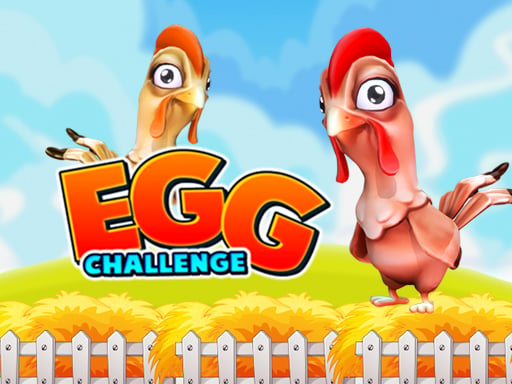
Egg Challenge is a lighthearted arcade contest where participants race to land eggs into a basket. Designed to accommodate one, two, or three players at a single screen, the game turns a simple press of a button into a competitive scramble. Whether you are racing against a chosen countdown clock alone or battling friends side by side to reach the ten-egg mark first, every toss tests your timing and poise under pressure.
Egg Challenge sets up a lively, fast-paced party atmosphere where the central task is straightforward: launch eggs directly toward a waiting basket. The game supports solo play as well as competitive two-player and three-player sessions, making it easy to jump into quick matches with friends or family members sharing the same keyboard.
In single-player mode, the challenge focuses on beating the clock. You pick an available time limit and attempt to sink ten eggs before that duration expires. In multiplayer setups, the dynamic shifts from a solo time trial to a direct race. Both two-player and three-player competitions task each participant with sinking ten eggs into the basket faster than their rivals. Because everyone competes simultaneously toward the same milestone, each round generates natural tension as throws fly toward the target.
Your goal
The core objective in Egg Challenge is to successfully throw ten eggs into the basket. When playing alone, your primary goal is to complete all ten successful tosses within the specific time limit you selected before the match started. In two-player and three-player modes, the objective becomes an outright race where victory goes to the first person who lands ten eggs in the basket ahead of all other competitors.
How to play Egg Challenge
1. Select your desired match format from the menu, choosing between one, two, or three participants.
2. If running a single-player round, choose your preferred time limit for the upcoming attempt.
3. Position hands comfortably on the assigned key for each player before the opening countdown concludes.
4. Press your designated button to launch an egg toward the basket during the match.
5. Track your successful tosses and continue throwing until ten eggs have landed in the basket.
Controls and device support
Player 1 presses W, Player 2 presses J, and Player 3 presses the Up Arrow key to launch eggs.
- Controls: Keyboard
- Device support: Browser
- Game frame: 800 x 600
Rules to keep in mind
- Matches support configurations for one, two, or three simultaneous players.
- In single-player mode, the player must land ten eggs into the basket within the chosen time limit.
- In two-player and three-player modes, the first competitor to reach ten eggs in the basket wins the match.
- Each participant operates an assigned input: W for Player 1, J for Player 2, and Up Arrow for Player 3.
What makes the challenge interesting
Egg Challenge revolves around deliberate timing under time pressure. Because each participant uses only a single dedicated key to toss an egg, the gameplay emphasizes hand readiness, rhythm, and composure rather than complicated input combinations. A frequent temptation during heated multiplayer races is to button-mash as quickly as possible, but erratic pressing can disrupt your consistency. Players who develop a stable cadence can keep up steady attempts toward the ten-basket threshold.
The shared-screen setup introduces a compelling social tradeoff. When your rivals are landing successful shots right next to you, matching their speed without losing focus becomes the defining challenge of each round. Balancing prompt reactions with disciplined button presses is essential to closing out the ten-point target ahead of opponents.
Tips for Egg Challenge
- Establish a smooth throwing cadence rather than hammering your key randomly. Frantic tapping often leads to mistimed releases, whereas a steady rhythm helps you stay consistent.
- Begin your practice in single-player mode with a generous time limit. This lets you observe the throw arc and basket landing without the immediate panic of a live opponent.
- Arrange keyboard space comfortably before starting three-player games. Cramping hands near W, J, and Up Arrow can cause missed inputs during intense finishes.
- Keep your eyes on your own target basket rather than watching an opponent's score. Getting distracted by a rival's progress breaks your concentration and slows your attempts.
Stages and progression
Progress in Egg Challenge is self-directed and built around player mode options. In solo play, you can adjust the challenge by choosing shorter time limits to test how rapidly you can reach the mandatory ten-egg quota. Shorter countdowns demand cleaner focus and swifter execution.
Multiplayer progression naturally evolves through head-to-head competition. Moving from two-player duels to three-player showdowns increases the density of action on screen and raises the competitive benchmark needed to claim victory before everyone else reaches ten baskets.
The skills behind the game
Categorized under multiplayer and party racing titles, Egg Challenge captures the essence of classic same-keyboard arcade gaming. By pairing a simple single-button throwing action with an accessible race format, it invites quick friendly rivalries without steep learning curves.
Shared-keyboard mini-games hold enduring appeal for casual group play and family settings. Because the inputs are separated across W, J, and the arrow cluster, participants can comfortably stand or sit together around one screen, transforming an ordinary desktop browser session into an active social contest.
Who will enjoy this game
Players looking up egg challenge or an egg challenge game are typically seeking rapid, accessible entertainment suitable for immediate group play or solo reflex training. Because the rules require no elaborate setup, the title functions as a dependable pick-and-play browser diversion for short classroom breaks, family game nights, or quick reflexes practice.
The straightforward goal of landing ten successful shots makes the game equally fitting for young children exploring digital games and adults wanting an uncomplicated party duel. Focusing on steady repetition and clean rhythm lets newcomers jump directly into the competition without needing extensive tutorials.
Frequently asked questions
How many eggs are needed to win a round in Egg Challenge? Every match requires landing ten eggs into the basket. In solo mode, you must achieve this before your chosen timer expires, while in multiplayer modes, you must reach ten baskets before your opponents.
Can three people play Egg Challenge together on the same computer? Yes, the game explicitly supports three-player matches on one device. Player 1 uses the W key, Player 2 uses the J key, and Player 3 uses the Up Arrow key to compete simultaneously.
What controls do players use in Egg Challenge? Control mappings rely on single keyboard buttons: W triggers tosses for Player 1, J controls Player 2, and the Up Arrow key handles throwing for Player 3.
How does single-player mode work compared to multiplayer? In single-player, you select a specific time limit and race against the clock to sink ten eggs. In two-player and three-player formats, there is no shared countdown; you directly race against the other players.
Something not right?
Tell us if the game does not load, the information is wrong or the content needs review.
Report a problem ›