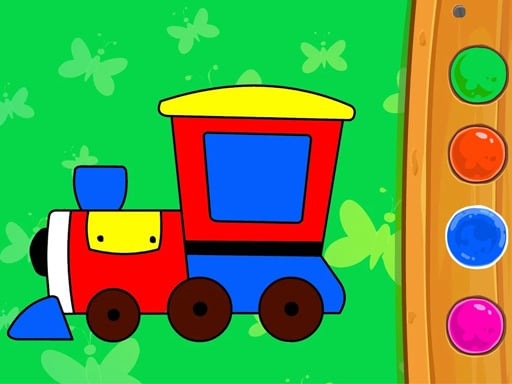
About Educational Games For Kids
Educational Games For Kids is a browser-based learning collection designed for toddlers and pre-k children. Players engage with simple interactive puzzles, connecting dots and solving jigsaw challenges to practice basic problem-solving skills in a friendly, approachable digital environment.
Educational Games For Kids brings together early-learning interactive mini-games tailored for young learners. Featuring activities such as connecting the dots, coloring, and assembling jigsaw puzzles, the title provides accessible educational entertainment. Children interact with visual elements directly on screen using straightforward tapping or clicking inputs, making it easy to practice shape recognition and hand-eye coordination without complex interfaces.
Your goal
The main goal in Educational Games For Kids is to complete each featured early-learning mini-game, such as connecting all sequential dots or assembling jigsaw pieces into whole images. Finishing each task helps toddlers practice visual recognition and fundamental cognitive skills.
How to play Educational Games For Kids
1. Launch Educational Games For Kids in your web browser.
2. Select an educational mini-game, such as a dot-connecting challenge or a jigsaw puzzle.
3. Use your mouse or touchscreen tap to interact with puzzle pieces, dots, or coloring areas.
4. Complete the visual activity by linking dots in order or placing all puzzle pieces correctly.
Controls and device support
Mouse click and drag: Interact with puzzle pieces, connect dots, and select on-screen items
Tap and drag: Touch the screen to connect dots, place jigsaw pieces, or navigate activities
- Controls: Mouse or touch
- Device support: Desktop + mobile
- Game frame: 800 x 504
Rules to keep in mind
- Interact with on-screen prompts using direct mouse clicks or touch taps to manipulate items.
- Connect dots sequentially and place matching puzzle segments to successfully complete each activity.
What makes the challenge interesting
Gameplay in Educational Games For Kids revolves around approachable, pre-k friendly interaction. By engaging with jigsaw puzzles and connect-the-dots modules, young players explore basic visual logic and shape association. The controls require only tapping or mouse input, keeping frustration low while encouraging self-paced discovery. The variety of activities, from coloring themes to puzzles, offers varied learning exercises suited for early childhood development.
Tips for Educational Games For Kids
- Take time to observe the outline of jigsaw pieces before placing them on the board.
- Follow numbered or visual cues carefully when connecting dots to complete the full picture.
- Encourage younger players to explore different activities freely without rushing their choices.
Playing on different devices
Educational Games For Kids runs within standard HTML5 web browsers and supports both desktop mouse controls and mobile touch inputs with a native resolution of 800 x 504.
The skills behind the game
Within the broader girls and casual educational genres, titles like Educational Games For Kids prioritize accessible, low-pressure interaction. They emphasize creative engagement through coloring, decorating, and solving basic jigsaw puzzles to support early childhood curiosity and fine motor skills.
Who will enjoy this game
For families looking for educational games for kids or a quick jigsaw puzzle online, this collection offers accessible toddler learning games. The inclusion of coloring and dot-connecting modes provides a comprehensive digital playroom for early learners.
Games with a similar feel
Happy Color: Both titles offer accessible visual coloring and picture-based activities, but Happy Color focuses specifically on detailed paint-by-number artwork while Educational Games For Kids provides broader pre-k mini-games including jigsaws and dot connections.
Frequently asked questions
What types of activities are included in Educational Games For Kids? The title includes early-learning activities such as connecting the dots, jigsaw puzzle solving, and creative coloring tasks designed for pre-k children.
How do players control the mini-games? Players interact with the game using a computer mouse on desktop browsers or direct screen taps on mobile devices.
Can Educational Games For Kids be played on mobile devices? Yes, the HTML5 title supports touchscreen tap controls on mobile devices as well as mouse input on desktop computers.
Something not right?
Tell us if the game does not load, the information is wrong or the content needs review.
Report a problem ›