About Easy Bratz Coloring
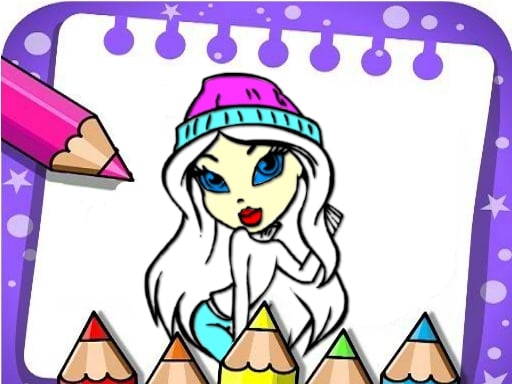
Easy Bratz Coloring is a creative browser activity where players bring stylized Bratz character portraits to life through digital art tools. Designed around accessibility and creative expression, the game allows you to choose from hand-drawn character illustrations and experiment with different coloring techniques. Using simple mouse controls, players can apply broad color fills or sketch delicate free-hand strokes, making it an engaging creative outlet for practicing precision, shape recognition, and visual styling.
Easy Bratz Coloring provides a straightforward digital canvas featuring popular Bratz characters. The core gameplay loop centers on selecting an available line-art image and applying your preferred palette across various sections of the drawing. Players are free to explore their visual creativity without strict timers, countdowns, or pressure, encouraging a relaxing and artistic rhythm.
The experience offers two primary methods for applying color: a paint bucket and free-hand brushes. The bucket tool is ideal for filling large clothing sections, hair, or backgrounds instantly within defined line boundaries. In contrast, the brush tool allows direct drawing and manual shading, letting players practice finer motor control and detail work across the canvas.
Your goal
The primary objective in Easy Bratz Coloring is to complete hand-drawn character illustrations with your choice of vibrant colors and personal styling touches. Rather than competing for high scores or beating artificial clocks, your goal is to practice color harmony, hand-eye coordination, and neat line filling. Players can aim to finish full portrait sets, experiment with contrasting palettes, and refine steady brush handling across each selected artwork.
How to play Easy Bratz Coloring
1. Browse the gallery of hand-drawn Bratz character illustrations and select the drawing you wish to color.
2. Examine the outline art to identify major sections such as hair, outfits, accessories, and background elements.
3. Choose your desired color shade from the available on-screen palette using the mouse.
4. Switch to the paint bucket tool to rapidly fill expansive outlined areas with solid color.
5. Select the brush tool to draw free-hand details, create highlights, or practice precise line work.
6. Review your completed portrait, adjust any missed sections, or pick a new image to start another design.
Controls and device support
Use the mouse to navigate menus, select character outlines, switch between brush and bucket tools, and apply colors directly onto the canvas.
- Controls: Mouse or touch
- Device support: Browser
- Game frame: 1024 x 768
What makes the challenge interesting
The core appeal of Easy Bratz Coloring lies in balancing quick fill mechanics with free-hand artistic precision. Using the bucket tool allows players to establish a coherent base palette across broad costume areas, hair segments, and skin tones within seconds. Meanwhile, the brush tool introduces deliberate fine-motor practice, challenging players to guide mouse strokes steadily to add custom patterns, accents, and textures. This tool contrast provides a satisfying rhythm where players can easily alternate between swift, clean fills and detailed manual drawing.
Tips for Easy Bratz Coloring
- Fill larger background and clothing areas with the bucket tool first. This establishes an underlying color theme early and prevents free-hand brush marks from getting accidentally overwritten later.
- Use the brush tool strictly for fine accents, highlights, or custom patterns. Trying to paint expansive areas manually with a small brush can lead to uneven coverage and unnecessary hand fatigue.
- Plan a complementary color palette before applying paint to accessories. Picking matching shades for shoes, jewelry, and outfits creates a cohesive look across the entire Bratz illustration.
- Move your mouse in short, controlled strokes when using the free-hand brush near outlines. Long, sweeping motions increase the risk of stray marks crossing over existing line work.
The skills behind the game
As part of the casual coloring and drawing genre, Easy Bratz Coloring emphasizes creative freedom, visual experimentation, and low-stress play. Casual coloring titles provide accessible digital canvases that encourage young players and fans of character art to explore color coordination, line boundaries, and motor precision. By combining beloved character illustrations with intuitive point-and-click tools, the game fits naturally alongside artistic sandbox activities that prioritize player expression over competitive tension.
Who will enjoy this game
Players looking for an easy Bratz coloring game online typically want an accessible, lightweight activity that runs instantly in a browser without complicated setups. Easy Bratz Coloring addresses this intent by delivering immediate access to hand-drawn fashion character templates and straightforward painting tools. Whether practiced casually during study breaks or used to train basic mouse control and shape recognition, it offers a reliable and creative digital painting session.
Games with a similar feel
Happy Color: Easy Bratz Coloring and Happy Color both revolve around bringing line art to life through digital color. While Happy Color guides players using structured color-by-number zones, Easy Bratz Coloring emphasizes personal creative choice by providing free-hand brushes and flexible bucket fills. Players who enjoy open-ended artistic freedom on fashion character portraits will appreciate the unrestricted styling format here.
Frequently asked questions
What tools are available to paint the pictures in Easy Bratz Coloring? The game provides both a free-hand brush tool for manual sketching and detail work, as well as a fill bucket tool for instantly coloring larger outlined regions across the character drawings.
How do you control the drawing and coloring tools? All navigation, color selection, and drawing actions are handled using the mouse. Simply click your chosen color and tool, then click or drag across the drawing canvas to paint.
Are there time limits or scoring penalties while coloring? No. The game is designed as a relaxing creative activity focused on coordination, color exploration, and shape recognition without countdown clocks or scoring penalties.
Something not right?
Tell us if the game does not load, the information is wrong or the content needs review.
Report a problem ›