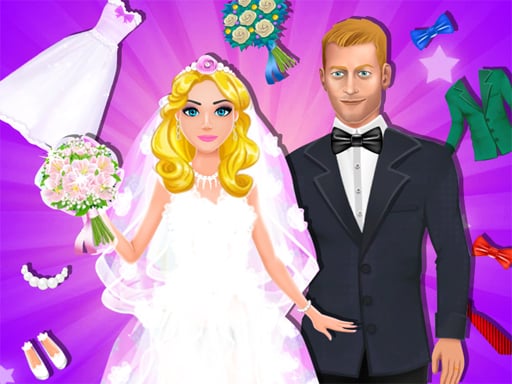
About Dream Wedding Planner
Dream Wedding Planner is a 2D creative simulation where players design and customize a complete wedding celebration across multiple preparation stages. You can select from four different characters and coordinate six distinct aspects of their special day, from choosing the bridal dress and arranging flowers to decorating the ceremonial cake. Designed with accessible drag-and-tap interactions, it invites players to experiment freely with decorative styles and personalized themes.
Dream Wedding Planner places you in charge of organizing a full wedding event from start to finish. Players begin by picking one of four available characters and then work step-by-step through six central planning activities. These stages encompass key celebration elements, including assembling elegant wedding dresses, styling fresh flower arrangements, and baking or decorating celebratory cakes. Each activity presents specialized tools and items that you can pick up and apply to build a unique visual aesthetic.
The game prioritizes creative flexibility over high-pressure challenges. If you want to bypass a particular task or move directly to the next stage, a pink arrow indicator at the top of the screen allows you to skip the current scene immediately. After finishing a step, you can capture or print your completed creation before deciding whether to modify your design or proceed forward. This open structure lets players design completely different wedding concepts for each of the four characters.
Your goal
Your primary goal is to guide your chosen character through all six wedding preparation stages to assemble a complete, harmonious celebration. You aim to combine dresses, floral centerpieces, and cake decorations into a cohesive style that matches your personal taste. Because you can alter plans freely and switch between four distinct characters, the broader objective is to explore varied design combinations and create a personalized celebratory look for each individual profile.
How to play Dream Wedding Planner
1. Select one of the four available characters from the main screen to begin planning their wedding.
2. Enter the active planning scene, focusing on specific tasks such as dressing the character, arranging flowers, or decorating the cake.
3. Tap to select tools or cosmetic items from the on-screen trays, and drag them into position to complete each stage.
4. Use the pink arrow located at the top of the screen if you prefer to skip the current activity and jump ahead.
5. Save or print your completed scene after finishing a step, and adjust any decorative choices as you see fit.
Controls and device support
On both PC and mobile devices, tap or click to select items and drag to move decorative pieces or interactive tools across the canvas.
- Controls: Keyboard
- Device support: Desktop + mobile
- Game frame: 750 x 1334
Rules to keep in mind
- Players can choose from four distinct characters, each supporting separate design plans.
- The planning sequence covers six distinct wedding categories, including dress selection, cake decorating, and floral styling.
- Tapping the top pink arrow skips the active scene, allowing players to navigate through preparation steps at their own pace.
- Completed scenes can be printed or captured after each step, and design elements can be altered whenever you wish.
What makes the challenge interesting
Dream Wedding Planner emphasizes creative decision-making and visual coordination rather than speed or mechanical execution. The core engagement comes from balancing colors, patterns, and themes across several preparation domains. When designing a wedding, players choose whether to follow a unified aesthetic—matching the floral bouquet palette to the gown trim and confectionery accents—or experiment with bold, contrasting styles across different stations.
Because every stage provides specialized decorative tools, the physical rhythm involves selecting accessories, dragging them into proper alignment, and reviewing the overall balance. The built-in scene skipper removes friction, allowing players who enjoy dress customization or culinary decorating to focus primarily on the creative disciplines they find most engaging.
Tips for Dream Wedding Planner
- Establish a color palette during the dress-up phase and carry those tones into the flowers and cake decorations to create a visually unified event theme.
- Use the screen capture feature after finishing each scene so you can compare finished looks across all four characters without losing earlier styling work.
- Experiment with different placement angles when dragging decorative items into place to prevent busy scenes from cluttering the main focal points.
- Take advantage of the top pink skip arrow if you want to test specific outfit or floral combinations without manually redoing every preceding mini-game.
Stages and progression
Progression in Dream Wedding Planner is organized through six structured wedding aspects across four selectable characters. Rather than locking content behind strict score thresholds or timed tests, the game guides players sequentially through dress styling, floral arrangement, cake decoration, and related celebration prep.
Players can navigate this pathway at their own pace, moving through each craft sequentially or utilizing the top pink navigation arrow to jump directly between scenes. This allows for repeated playthroughs where you can establish completely different stylistic themes for each of the four characters.
Playing on different devices
The game operates in a vertical orientation formatted at 750 by 1334 pixels, making it well-suited for mobile screens while remaining fully functional on desktop browser windows. Direct touch inputs on mobile allow intuitive dragging of tools and accessories, whereas desktop users can achieve similar precision using standard mouse clicks and drags.
The skills behind the game
Within casual creative titles, event simulation games blend dress-up aesthetics with hands-on crafting mini-games. Dream Wedding Planner combines classic character customization with decorative cooking and flower arrangement, giving players a broader scope of design tasks than standalone wardrobe titles.
This multi-stage format appeals to players who enjoy casual aesthetic coordination, offering low-stress creative play where self-expression and visual experimentation take priority over competitive scores or strict fail states.
Who will enjoy this game
Players looking for a relaxing dream wedding planner game often seek titles that provide diverse styling options without complicated rule sets. Engaging with multi-step preparation games offers a fun way to practice color balancing and decorative styling across varied formats.
Whether exploring dress up game mechanics or crafting festive culinary centerpieces, the straightforward tap-and-drag controls make it simple for players of all ages to jump in and design personalized wedding scenes on demand.
Games with a similar feel
Cooking Mama: Like Cooking Mama, Dream Wedding Planner includes food-preparation activities such as decorating a wedding cake using interactive tools. However, while Cooking Mama focuses on fast-paced culinary tasks, Dream Wedding Planner integrates cake preparation into a broader celebration workflow alongside fashion and floral styling.
Love Nikki-Dress UP Queen: Similar to Love Nikki-Dress UP Queen, this title invites players to select garments and coordinate outfits for distinct characters. Dream Wedding Planner offers a more relaxed, casual sandbox focused on multi-stage event design, whereas Love Nikki emphasizes dedicated competitive fashion styling.
Frequently asked questions
How many characters can you style in Dream Wedding Planner? You can pick between four different characters and create distinct wedding plans, outfits, and decorative arrangements for each one.
What activities are included in the planning process? The game includes six distinct planning aspects, such as choosing wedding dresses, arranging floral bouquets, and decorating custom wedding cakes with interactive tools.
Can you skip a stage if you only want to focus on styling dresses or cakes? Yes, you can skip your active scene at any point by tapping the pink arrow located at the top of the game screen.
How do you control tools and place items in the game? You simply tap or click to select decorative items or tools from the interface and drag them into position on both mobile and PC.
Something not right?
Tell us if the game does not load, the information is wrong or the content needs review.
Report a problem ›