About Drawing Rainbow Rescue
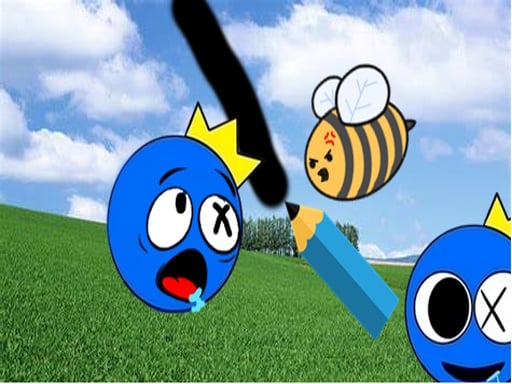
Drawing Rainbow Rescue is a physics puzzle game where players sketch custom barriers to shield a vulnerable Rainbow character from attacking swarms of bees. By assessing the layout of each stage, you must trace protective shapes or distraction obstacles that prevent incoming threats from making contact with the target. Quick spatial thinking and sturdy barrier design are essential to solving every level.
Set within a bright and colorful world, Drawing Rainbow Rescue challenges players to solve defensive spatial puzzles. In each scenario, hostile bees attempt to reach and harm the Rainbow figure. Your primary tool is the ability to freely draw physical barrier structures onto the screen using direct cursor or touch input.
Every line or object drawn instantly becomes a solid collision element within the scene. Players must evaluate the trajectory of the bee swarms, account for open angles around the Rainbow, and sketch structures capable of withstanding pressure. Success depends on crafting stable enclosures or deflection ramps that keep the character completely safe until the danger passes.
Your goal
The primary objective in Drawing Rainbow Rescue is to keep the Rainbow character completely safe from incoming bees across every stage. To achieve this, you must analyze the hazard paths, sketch creative protective barriers or decoy obstacles, and maintain a solid defensive perimeter that deflects all incoming threats.
How to play Drawing Rainbow Rescue
1. Inspect the level layout to locate the Rainbow character, the bee spawn points, and any surrounding environmental obstacles.
2. Click and drag with your mouse or trace with your finger to draw a continuous defensive line or enclosed shape.
3. Release your input to finalize the barrier and activate active collision physics against the approaching swarm.
4. Observe how the bees interact with your drawn barrier, ensuring no gaps allow them to slip through to the target.
5. Advance to the next puzzle stage once the Rainbow is successfully preserved and protected.
Controls and device support
The game tracks mouse cursor and touchscreen movement to dynamically generate solid barrier elements with specific height, width, and collision properties based on your continuous drawing input.
- Controls: Mouse or touch
- Device support: Desktop + mobile
- Game frame: 800 x 600
Rules to keep in mind
- Defend the Rainbow: Bees must not be allowed to make physical contact with the Rainbow character.
- Dynamic Barrier Collision: Drawn input creates physical solid objects that interact directly with moving bees and scene elements.
- Distraction and Blocking: Drawn objects can be used either as direct defensive domes or as redirection barriers to divert bees away.
What makes the challenge interesting
The core gameplay of Drawing Rainbow Rescue revolves around spatial awareness and structural stability under pressure. Because incoming bees exert force against drawn barriers, simply drawing a thin or open line is rarely sufficient. Players must balance the speed of their sketch with structural integrity, often relying on curved arches, anchor hooks, or full enclosures to prevent the barrier from tipping over or leaving exposed angles.
This setup rewards experimental problem-solving. Each layout invites different protective concepts, whether building a rigid fortress directly over the Rainbow or constructing deflection funnels that guide the swarm harmlessly away into open space.
Tips for Drawing Rainbow Rescue
- Anchor your lines around existing scene structures to prevent the barrier from rolling away when bees push against it. A floating, unsupported shape can easily collapse under swarm pressure.
- Aim to draw complete, closed loops or deep domes around the Rainbow. Leaving small openings near the edges is a common mistake that allows aggressive bees to squeeze inside.
- Consider drawing angled deflection ramps when bees arrive from high velocities. Deflecting their trajectory away from the target reduces direct impact stress on your defensive structure.
- Analyze the bee hive positions before drawing your first stroke. Rushing into a hasty sketch without checking all threat directions often leaves one side completely undefended.
Stages and progression
Drawing Rainbow Rescue features a series of puzzle stages designed to test defensive creativity. As players advance through the game, layouts present different spatial configurations, requiring new drawing approaches to keep the Rainbow secure against threatening swarms.
When tackling subsequent stages, focus on refining barrier stability. If a previous sketch failed due to shifting weight or gaps, practice adapting your lines with wider foundation bases and tighter seals to overcome trickier puzzle arrangements.
Playing on different devices
The game operates within an 800 by 600 display canvas and supports standard mouse clicks and touch events. Desktop users can sketch precise geometric lines using cursor dragging, while mobile and tablet players can draw directly on screen with touch gestures.
The skills behind the game
Drawing Rainbow Rescue belongs to the physics drawing puzzle category, blending creative line drawing with obstacle deflection mechanics. Rather than relying on fixed puzzle pieces, the genre empowers players to create their own solutions dynamically on the canvas, testing basic principles of balance, coverage, and collision.
Who will enjoy this game
Players looking for a fun puzzle game online can enjoy Drawing Rainbow Rescue for quick, casual brain-teaser sessions. The accessible drawing controls make it easy to jump in and practice spatial reasoning, architectural stability, and quick problem-solving across varied puzzle challenges.
Frequently asked questions
What is the main goal in Drawing Rainbow Rescue? The main goal is to protect the Rainbow character from hostile bees by drawing custom collision barriers, shapes, and distracting obstacles across each puzzle stage.
How do controls work in the game? You draw barriers by clicking and dragging with a mouse or sliding your finger across a touchscreen. The game generates dynamic solid barriers with collision properties along your path.
Why do bees breach my drawn barriers? Bees can push unsecured shapes or slip through tiny gaps. Drawing fully enclosed domes or anchoring your lines to stable environmental points helps prevent breaches.
Something not right?
Tell us if the game does not load, the information is wrong or the content needs review.
Report a problem ›