About Drawing Carnival
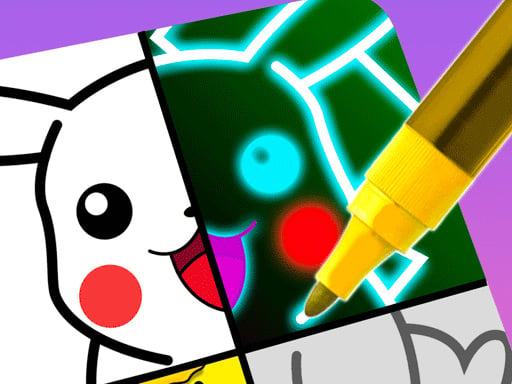
Drawing Carnival is a creative coloring game that blends drawing exercises with puzzle-solving art activities. Players outline shapes and apply vibrant fills to bring pictures to life across engaging creative modes. Whether you want to practice your digital line work or relax while matching colors, the game offers a colorful and accessible creative outlet right inside your web browser.
Drawing Carnival presents an approachable digital art space centered on expressive creativity, drawing, and puzzle-style coloring. The experience combines active sketching with structured coloring match and draw-it activities, giving players diverse ways to interact with illustrations.
The core loop revolves around tracing clean paths, sketching lines, and filling empty sections with vibrant palettes. Players navigate each project by selecting appropriate shades and applying inputs smoothly across the portrait-oriented canvas. The resulting gameplay delivers a relaxing rhythm suitable for casual doodlers, young artists, and anyone seeking a calming break through hands-on digital crafts.
Your goal
Your main objective in Drawing Carnival is to complete featured artwork by drawing required lines and filling segments with matching colors. Players strive to improve their line tracing accuracy, coordinate appropriate color choices during coloring match tasks, and finish neat decorative pieces across available creative modes.
How to play Drawing Carnival
1. Launch the game in your browser and inspect the creative illustration or puzzle prompt displayed on the canvas.
2. Select your active drawing tool or required color swatch from the available palette options.
3. Trace guided outlines or sketch designated contours carefully using smooth cursor or touch movements.
4. Fill bounded areas with matching colors to complete the artwork and evaluate your finished decorative design.
Controls and device support
Use the mouse to draw lines and fill colors when playing in desktop web browsers, or use your finger on touchscreen mobile devices.
- Controls: Mouse or touch
- Device support: Desktop + mobile
- Game frame: 504 x 800
What makes the challenge interesting
Drawing Carnival emphasizes deliberate hand-eye coordination and visual recognition over quick-reflex pressure. The primary skill involves executing smooth, steady strokes to define outlines accurately before filling in complementary color tones. Players encounter an engaging rhythm balancing careful tracing in draw-it prompts with thoughtful color selection in coloring match challenges.
A key tradeoff centers on speed versus precision. Rushing through strokes can result in uneven lines or misaligned fills, while taking a measured, continuous approach produces polished illustrations. This makes the game rewarding for players who appreciate relaxed, low-stress creative pacing.
Tips for Drawing Carnival
- Maintain a steady dragging speed when sketching contours. Jerky or hasty cursor movements often lead to crooked outlines, whereas a uniform glide produces neat, well-defined boundaries.
- Examine target reference patterns before applying paint. Double-checking shaded zones in coloring match modes helps you avoid selecting conflicting tones that disrupt the final piece.
- Complete line work before tackling broad color fills. Establishing outer edges first gives you a structured framework that simplifies filling enclosed segments cleanly.
- Adjust your grip or mouse sensitivity to maintain comfortable control. Slipping off the intended path is common when using overly sensitive pointer settings during fine tracing tasks.
Stages and progression
Drawing Carnival structures its player journey around distinct creative activities, notably coloring match puzzles and draw-it drawing sessions. Rather than tracking rigid tournament ladders, player progression is felt through exploring varied decorative subjects and tackling more intricate illustration outlines.
As you move between pieces, aim to establish a disciplined practice routine. Focus on producing smoother continuous lines on initial attempts and refining your eye for color balance, turning each completed canvas into a showcase of steady creative growth.
Playing on different devices
Drawing Carnival is built in HTML5 with a portrait-oriented canvas of 504 by 800 pixels, making it naturally suited for both desktop browsers and mobile touchscreens. Desktop users benefit from the fine pointing accuracy of a computer mouse, which helps maintain steady lines during intricate sketching.
On mobile devices, direct finger taps and drag gestures provide an intuitive, tactile drawing feel. Ensure your screen is clean and hold the device in portrait mode for an unobstructed view of the creative workspace.
The skills behind the game
Digital coloring and drawing games offer accessible creative sandboxes that appeal to both young learners and adults seeking light relaxation. By removing messy physical supplies and offering guided interactive canvases, these titles allow players to explore artistic color harmonies and freehand sketching at their own pace.
Drawing Carnival incorporates cute and decorative themes alongside puzzle-style color matching. This blend fits naturally into casual creative spaces where self-expression, pattern completion, and soothing visual feedback form the core entertainment.
Who will enjoy this game
Players searching for an enjoyable coloring game online or looking into the drawing carnival game experience are typically looking for quick, browser-based creative relaxation. These games serve as excellent casual tools for practicing hand coordination, testing color palettes, or unwinding during short breaks.
Whether you are a casual player interested in cute decorative projects or someone seeking a low-friction drawing carnival experience, browser-based art activities provide immediate engagement without software installations.
Games with a similar feel
Love Nikki-Dress UP Queen: Love Nikki-Dress UP Queen centers on fashion styling, outfit coordination, and wardrobe collection. While Drawing Carnival shares cute decorative and fashion-adjacent visual themes, it focuses primarily on the direct physical act of drawing lines and filling color palettes rather than assembling multi-piece garment sets.
Happy Color: Happy Color provides a dedicated color-by-number experience where players fill detailed numbered sections to reconstruct complex imagery. In contrast, Drawing Carnival incorporates active line drawing and draw-it sketching alongside color matching, giving players a broader mix of tracing and coloring tasks.
Frequently asked questions
What is the main goal in Drawing Carnival? The main goal is to complete colorful artwork by drawing outlines and filling in matching colors across different art modes such as coloring match and draw-it activities.
How do you control drawing and coloring in the game? On desktop computers, use your mouse to trace lines and click to apply colors. On smartphones and tablets, simply use your finger to draw and tap to fill sections.
Can I play Drawing Carnival on mobile devices? Yes, Drawing Carnival is an HTML5 browser title designed with a portrait layout that runs on mobile devices using intuitive touchscreen swipe and tap controls.
What types of art modes are available in Drawing Carnival? The game features creative options including draw-it sketching tasks and coloring match puzzle challenges that combine traditional coloring with visual matching.
Something not right?
Tell us if the game does not load, the information is wrong or the content needs review.
Report a problem ›