About Draw Save Puzzle
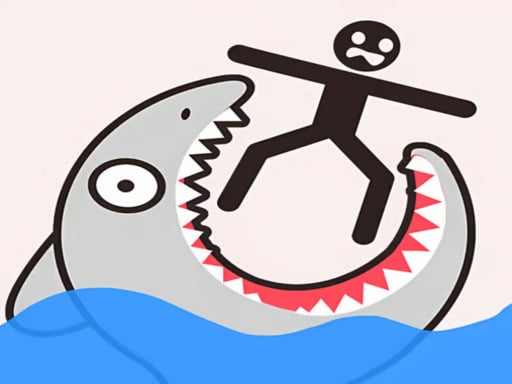
Draw Save Puzzle is a 2D physics puzzle game where players must protect a vulnerable stickman character from dangerous incoming threats such as bombs, swords, and bullets. By sketching exactly one continuous line across the screen, you craft custom structural shields to deflect danger. Every level presents an open-ended puzzle scenario with multiple valid protective solutions.
In Draw Save Puzzle, each stage places the stickman in immediate peril surrounded by environmental hazards and attacking objects. The core challenge requires analyzing the incoming angles of weapons like falling bombs or flying bullets, then drawing a custom defensive barrier that can withstand the physics forces at play.
Because the game incorporates a 2D physics system, drawn lines behave like solid objects once completed. Players have complete creative freedom to sketch roofs, curved enclosures, or wedged anchors, provided the entire barrier is drawn in a single unbroken stroke. The open-ended design means there is never just one rigid answer to solve a scenario.
Your goal
The primary objective is to keep the stickman safe from all lethal threats across numerous puzzle levels. You succeed by drawing a durable barrier that stops incoming projectiles and environmental hazards without crushing or damaging the character with your own drawn structure.
How to play Draw Save Puzzle
1. Examine the stage setup to identify where the stickman is standing and where threats like bombs, swords, or bullets will strike.
2. Plan a protective shape that will block or deflect incoming attacks without collapsing directly onto the stickman.
3. Draw your defense in a single continuous line without releasing your cursor or lifting your finger.
4. Release your stroke to let physics take effect and observe how your drawn shelter withstands the incoming assault.
5. Advance to the next level once the stickman successfully survives the barrage without sustaining damage.
Controls and device support
Draw one continuous line on screen using your mouse or touch input to form a protective physics barrier.
- Controls: See in-game controls
- Device support: Browser
- Game frame: 800 x 600
Rules to keep in mind
- You must complete the entire defensive structure using only one continuous line per attempt.
- The drawn barrier must not harm, crush, or damage the stickman you are trying to protect.
- The stickman must survive all active threats, including bombs, swords, and bullets, to finish the stage.
- Multiple distinct drawing shapes and solutions are accepted for every puzzle challenge.
What makes the challenge interesting
The core appeal of Draw Save Puzzle lies in combining spatial logic with freeform structural design. Because drawn lines are subject to physical forces, players cannot simply draw a floating line; they must consider how gravity, momentum, and impact angles will shift the barrier when bombs or swords strike.
The central tradeoff involves drawing a structure sturdy enough to deflect strong attacks while avoiding making the shape so top-heavy that it falls inward and crushes the stickman. Success requires balancing defensive coverage with structural stability.
Tips for Draw Save Puzzle
- Anchor your lines against surrounding terrain or level walls. Creating hooks or resting brackets prevents heavy impacts from knocking your shield directly into the stickman.
- Use angled roofs rather than flat horizontal covers. Slanted barriers deflect incoming bombs and bullets away from the target, reducing direct downward pressure.
- Leave breathing room around the stickman. Drawing a line too tightly around the character can cause the barrier itself to clip or crush the stickman upon falling.
- Experiment with alternate shapes when an initial idea fails. Since multiple valid solutions exist, trying a dome, hook, or wedge can solve tricky hazard angles.
Stages and progression
Draw Save Puzzle features a series of distinct levels that challenge players with evolving hazard placements and danger types. As you complete earlier scenarios, new puzzle layouts introduce different combinations of swords, explosive bombs, and projectile trajectories.
A good practice approach is to observe the movement patterns of incoming threats on failed attempts, then refine your line geometry on subsequent tries to achieve a more stable defensive enclosure.
The skills behind the game
While cataloged under fighting themes due to the incoming weapons and combat threats, Draw Save Puzzle is fundamentally a physics-based 2D brain teaser and casual arcade title. The central gameplay revolves around spatial reasoning, structural problem-solving, and creative line drafting.
Fans of stickman puzzle games will appreciate how weapon threats such as swords and bombs turn each screen into a quick engineering test, bridging arcade survival action with relaxed, single-player logic puzzles.
Who will enjoy this game
Players looking for a draw save puzzle game often seek quick, accessible browser puzzles that reward lateral thinking rather than fast button inputs. The format provides low-stress sessions where anyone can test barrier concepts against simulated physics forces.
Whether practicing structural support shapes or discovering alternate routes to protect the stickman, the single-line constraint offers engaging mental exercise suitable for casual puzzle enthusiasts of all ages.
Frequently asked questions
Can I draw more than one line to solve a puzzle in Draw Save Puzzle? No. The game rules require you to complete each level's protective barrier using only one continuous stroke without lifting your input.
What happens if my drawn line falls onto the stickman? Your line must not damage the stickman. If a heavy or unstable shape collapses onto the character, the defense fails and must be redrawn.
Are puzzle solutions fixed to one specific drawing? No. There can be more than one correct answer. Any creative shape that successfully shields the stickman from danger is accepted as a valid solution.
Something not right?
Tell us if the game does not load, the information is wrong or the content needs review.
Report a problem ›