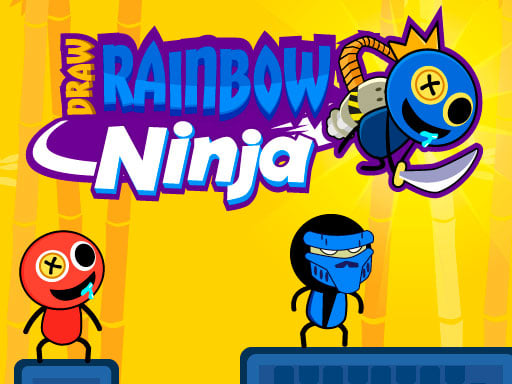
About Draw Rainbow Ninja
Draw Rainbow Ninja is a casual action puzzle title where your finger or cursor dictates the exact movement of your warrior. Instead of relying on traditional directional buttons, you clear encounters by plotting clean flight paths directly across the screen. Each stage invites you to analyze enemy formations and draw a trajectory that lets your ninja slice through every foe in a single decisive strike.
In Draw Rainbow Ninja, the primary gameplay mechanic revolves around drawing a continuous line that serves as the ninja's movement and attack path. Positioned within compact battle setups, your objective is to clear out opposing targets by charting lines that cut through enemy positions.
The core loop focuses on spatial awareness and line drawing. Before making a move, players assess where opponents stand across the playing field. Once you trace a route with your mouse or touchscreen, the ninja follows the designated trajectory to slice through the targets. Combining straightforward line-drawing controls with rapid ninja action, each encounter provides a quick, satisfying puzzle-action cycle.
Your goal
The central goal in Draw Rainbow Ninja is to eliminate all enemy targets on the screen by drawing precise cutting trajectories. Players aim to plan clean lines that intercept every opponent efficiently, refining their route planning to complete each puzzle-like combat layout with minimal wasted motion.
How to play Draw Rainbow Ninja
1. Scan the screen to locate the ninja's starting position and the placement of all visible enemies.
2. Visualize a continuous line that passes through each target without unnecessary detours.
3. Click and drag your mouse cursor or drag your finger across the touchscreen to trace the trajectory.
4. Release your input to send the ninja darting along the drawn line to slice through the opposing targets.
5. Review the outcome of the attack run and prepare your next trajectory for subsequent enemy formations.
Controls and device support
Draw Rainbow Ninja uses direct drawing controls across all platforms. On desktop computers, use the mouse to click and drag your trajectory across the screen. On mobile or touchscreen devices, tap and drag directly on the display to draw the path.
- Controls: Mouse or touch
- Device support: Desktop + mobile
- Game frame: 800 x 600
Rules to keep in mind
- The ninja travels along the exact path drawn by the player rather than moving via directional buttons.
- Enemies are eliminated when the drawn trajectory slices directly through their coordinates.
- A round is successfully resolved by eliminating the hostile targets present on the field.
What makes the challenge interesting
The core skill in Draw Rainbow Ninja combines spatial visualization with smooth line tracing. Because your attack success depends entirely on where your line passes, taking a brief moment to plan the entire attack vector before drawing pays off consistently. Rushing a line can lead to missing outlying enemies or cutting corners too sharply.
There is a satisfying rhythm in transitioning from quiet analysis to rapid action execution. Players balance geometric planning with fluid hand-eye coordination, learning how to connect multiple targets in a single elegant stroke while adjusting to varied enemy placements.
Tips for Draw Rainbow Ninja
- Map your entire route visually before touching the screen. Tracing without a plan often leaves the final enemy stranded out of reach.
- Draw through the center of enemy models rather than grazing their edges to ensure every slice registers cleanly along the trajectory.
- Use smooth, steady strokes when drawing complex curves. Erratic or jagged cursor movements make it harder to hit tightly clustered targets.
- Identify outlying enemies first and plan your path to finish near them, preventing awkward backtracking across the stage layout.
Stages and progression
As players move through successive encounters, enemy arrangements demand more deliberate line planning. Starting layouts allow for simple straight-line slashes, while subsequent setups position targets in scattered formations that require compound curves and multi-angle routes.
Progressing effectively comes down to refining your trajectory discipline. Players can challenge themselves across repeat attempts by visualizing cleaner paths, minimizing unnecessary line loops, and finding the most direct multi-target slicing routes possible.
Playing on different devices
On desktop setups, a physical mouse provides steady control for drawing precise geometric lines and sharp angles without blocking the 800 x 600 play area.
Touchscreen devices offer immediate, tactile line tracing by tapping and sliding directly on the display. When playing on mobile screens, keep your hand positioned so it does not obscure upcoming target locations while tracing.
The skills behind the game
Draw Rainbow Ninja fits squarely within the hypercasual and casual action genre, where intuitive one-touch mechanics meet quick-burst puzzle solving. The drawing mechanic lowers the barrier to entry, enabling anyone to pick up the game instantly while still offering satisfying tactical decision-making.
By blending cute visual styling with ninja-themed slashing action, the game delivers accessible, bite-sized play sessions ideal for short breaks. Players who appreciate drawing-based puzzle mechanics and fast combat resolution will find a lighthearted and responsive experience.
Who will enjoy this game
Players searching for draw rainbow ninja or looking to try the draw rainbow ninja game online are typically looking for quick, accessible browser gameplay centered on line-drawing combat. This guide provides clear instructions on trajectory controls, planning tips, and target-slicing strategies.
Whether practicing route visualization on a computer or enjoying quick casual sessions on a mobile touchscreen, understanding how to construct efficient attack paths will help you clear stages with precision and consistency.
Frequently asked questions
How do you control the ninja in Draw Rainbow Ninja? You control the ninja by drawing a line on the screen. On desktop, click and drag with your mouse; on touch devices, tap and drag across the screen to create your attack path.
What is the main objective in each level? The main objective is to eliminate all enemies on the screen by drawing an accurate trajectory that allows your ninja to slice through every target.
Can I play Draw Rainbow Ninja on both desktop and mobile devices? Yes. The game supports both mouse input for desktop web browsers and touchscreen tap-and-draw controls for mobile and tablet devices.
Something not right?
Tell us if the game does not load, the information is wrong or the content needs review.
Report a problem ›