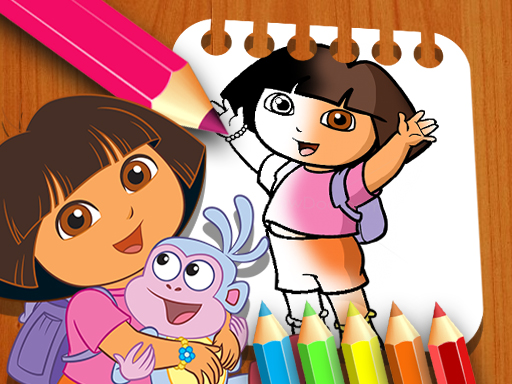
About Dora the Explorer the Coloring Book
Dora the Explorer the Coloring Book is a creative browser game designed for kids and adults who enjoy digital painting. Players can select from eight different coloring pages, pick colors from the bottom palette, and drag their cursor to color the sheets freely. With adjustable brush point sizes and an eraser tool, you have full freedom to paint each illustration.
Dora the Explorer the Coloring Book provides a straightforward digital art studio directly inside your web browser. When launching the game, you are presented with eight distinct outline pages ready to be filled with color. The interface places all creative tools right beneath the artwork, including an extensive color palette, an adjustable brush size selector, and an eraser for fixing mistakes. Unlike automated tap-to-fill titles, this game lets players freely click, hold, and drag the pointer to color anywhere on the canvas just like a traditional physical coloring book. It offers an open-ended, relaxing experience suitable for young fans and casual players looking for an accessible artistic activity.
Your goal
The main objective is to complete and customize any of the eight available coloring pages using your own creative choices. You select a page, pick your preferred colors, adjust the point size for broad strokes or finer details, and apply pigment across the screen until your finished Dora artwork looks vibrant and complete.
How to play Dora the Explorer the Coloring Book
1. Select one of the eight illustration pages from the game screen to begin coloring.
2. Click any color swatch located on the bottom toolbar to load it onto your brush.
3. Choose your desired brush point size from the bottom menu to adjust stroke thickness.
4. Click and hold the mouse button while dragging across the page to paint the drawing.
5. Select the eraser tool from underneath the page whenever you need to remove stray marks or clear an area.
Controls and device support
Left Mouse Button (Click and Drag): Draw and apply color onto the selected page
Left Mouse Click: Select color swatches, change point size, or choose the eraser tool
- Controls: Mouse or touch
- Device support: Browser
- Game frame: 800 x 600
Rules to keep in mind
- Players can freely choose between any of the eight included coloring pages.
- Color is applied by clicking, holding, and dragging the pointer over the canvas.
- The bottom toolbar allows swapping between available color swatches, brush point sizes, and the eraser tool at any time.
What makes the challenge interesting
Dora the Explorer the Coloring Book emphasizes freeform creativity and steady pointer coordination over timers or score pressure. Because coloring requires dragging across the canvas, players can experiment with different stroke sizes for varied artistic effects. Selecting a larger point allows you to quickly cover wide background spaces, while switching to a smaller brush tip enables careful detailing around character outlines. The inclusion of an eraser provides room for experimentation, allowing you to refine lines and recolor sections without worrying about irreversible mistakes, making the overall experience calm and accessible.
Tips for Dora the Explorer the Coloring Book
- Start by coloring larger background sections with a bigger brush point size to fill space quickly before working on fine details.
- Switch to a smaller brush point size when working close to black outlines to keep your colors tidy and precise.
- Keep the eraser tool handy to tidy up accidental strokes or clear an area if you decide to change your color scheme.
The skills behind the game
Categorized under puzzles and casual browser games, digital coloring activities provide relaxing creative engagement. While listed with puzzle tags, Dora the Explorer the Coloring Book functions primarily as an interactive art canvas. Instead of assembling jigsaw pieces or solving logic riddles, players engage in spatial awareness and color selection, creating a low-stress pastime suitable for players of all ages looking for peaceful browser gameplay.
Who will enjoy this game
Players searching for a casual coloring game online or puzzle game online will find an approachable freehand painting experience in Dora the Explorer the Coloring Book. Rather than requiring complex controls, this coloring title relies on simple click-and-drag mechanics that work directly in the browser, offering eight themed pages without download requirements.
Games with a similar feel
Happy Color: Both games focus on bringing illustrated outlines to life with vibrant palettes. However, Happy Color utilizes a guided tap-to-fill color-by-number format, whereas Dora the Explorer the Coloring Book provides freehand brush dragging with adjustable stroke sizes and an eraser.
Frequently asked questions
How many coloring pages are included in Dora the Explorer the Coloring Book? The game features eight different illustration pages that you can freely choose from when starting your coloring session.
How do you change the brush thickness in the game? You can adjust the brush size by selecting how big you want the point to be using the options located beneath the coloring page.
Can you erase mistakes while coloring? Yes, an eraser tool is available underneath the page so you can easily wipe away unwanted marks and correct mistakes.
Something not right?
Tell us if the game does not load, the information is wrong or the content needs review.
Report a problem ›