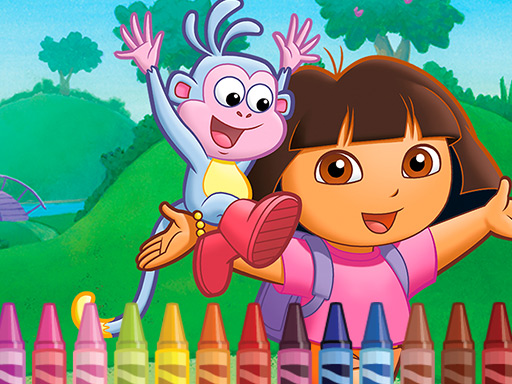
About Dora the Explorer 4 Coloring
Dora the Explorer 4 Coloring is a gentle kids’ coloring book game built around one unfinished canvas. The picture shows Dora and the Slipper, and the artist needs help filling every white area. Pick colors from the palette, brush them onto the drawing, and make the scene bright.
The source describes a simple coloring book for young children: an easel already holds a canvas with Dora and the Slipper, but the picture is unfinished. Your job is to use a brush and a palette of colors to paint over the white areas in any colors your imagination suggests. The listing is categorized as Puzzles and tagged Coloring, Fun, HTML5, Kids, and Mobile, so the appeal is relaxed creative completion rather than a difficult logic challenge.
Your goal
Complete the unfinished canvas by filling all white areas of the Dora and Slipper drawing. Choose a color from the palette, move the brush to the area you want to paint, and repeat until the picture looks alive with bright colors.
How to play Dora the Explorer 4 Coloring
1. Open the coloring canvas and look at the unfinished picture of Dora and the Slipper on the easel.
2. Use the mouse or tap the screen to control the coloring action.
3. Pick a desired color from the palette with the brush.
4. Move that color to a white area of the drawing and paint it in.
5. Keep choosing palette colors and filling white spaces until the drawing feels bright and complete.
Controls and device support
Mouse: Use mouse
Screen: tap the screen
- Controls: Mouse or touch
- Device support: Desktop + mobile
- Game frame: 960 x 540
What makes the challenge interesting
The focus is freeform coloring rather than winning, losing, or solving a stated puzzle. Children can decide which colors belong on Dora, the Slipper, and the surrounding white spaces, using the palette as the only stated source of color. Because the description emphasizes imagination and bright results, the fun comes from experimenting with choices and watching the unfinished canvas gradually fill in.
Tips for Dora the Explorer 4 Coloring
- Start with the largest white areas first, then move toward smaller details so the canvas quickly stops looking unfinished.
- Try a few contrasting palette colors on separate areas; the source encourages using any colors your imagination suggests.
- If playing with a child, let them name each color choice before tapping or clicking, keeping the activity creative and relaxed.
Playing on different devices
The listing is tagged HTML5 and Mobile, and the instructions name mouse or tap, so it is presented for pointer and touch play. The source lists a 960 x 540 size but gives no extra device requirements.
The skills behind the game
Although the listing sits under Puzzles, the described activity is closer to a kids’ coloring book than a logic puzzle. The “puzzle” feel is simply completing an unfinished picture: find white areas, choose colors, and fill the canvas. Tags such as Coloring, Kids, Fun, HTML5, and Mobile better explain the gentle, creative play style.
Who will enjoy this game
Natural phrases for this page include the exact title, “Dora the Explorer 4 Coloring game,” and broader wording such as “coloring game online.” These are only seed phrases, not measured search data. The page should stay specific: a kids’ coloring canvas, palette colors, brush actions, and mouse or tap control.
Games with a similar feel
Happy Color: Happy Color shares the broad idea of filling picture regions with color. The meaningful difference is that Happy Color is associated with numbered color regions, while this source describes free palette choices on a Dora and Slipper canvas with no numbering stated.
Frequently asked questions
What do you do in Dora the Explorer 4 Coloring? You finish an unfinished canvas showing Dora and the Slipper by choosing colors from a palette and painting over the white areas until the drawing looks bright and complete.
How do you control the coloring? The supplied instructions say to use the mouse or tap the screen, matching simple pointer play on desktop and touch play on mobile-style screens.
Something not right?
Tell us if the game does not load, the information is wrong or the content needs review.
Report a problem ›