About DIY Slime Art
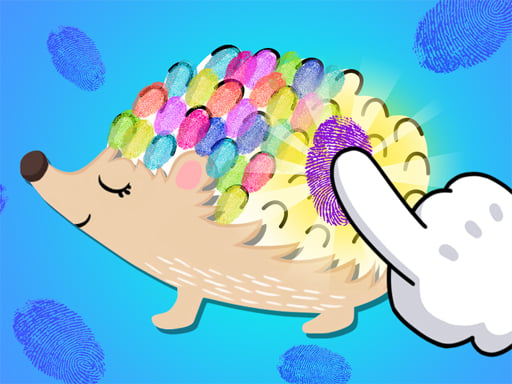
DIY Slime Art is a relaxing crafting simulation where players design and manipulate tactile virtual creations. From simple geometric outlines like stars and hearts to intricate animal figures such as peacocks and hedgehogs, the game invites you to craft, decorate, and knead your own customized models at your own pace.
DIY Slime Art offers an accessible virtual workshop centered on sensory exploration and artistic freedom. Players begin each project by selecting a base template from a broad collection of silhouettes, including geometric molds like rounds, hearts, and stars, alongside detailed animal forms such as peacocks, hedgehogs, and mergansers. The game also provides themed level selections featuring characters, sugarplums, and decorative trees.
Once a model is selected, the crafting phase begins. Players bring their creation to life by applying custom decorations to finalize the visual presentation. After finishing the assembly, the experience transitions into an open-ended tactile phase where you can stretch and knead your finished piece as much as you like, delivering satisfying visual feedback and casual DIY enjoyment directly in the browser.
Your goal
The primary goal in DIY Slime Art is to complete custom craft projects by picking a mold, assembling the piece, adding your favorite decorative accents, and enjoying the finished texture through kneading. Rather than racing against timers or chasing competitive high scores, players focus on exploring diverse model styles, refining visual combinations, and enjoying a soothing creative process from start to finish.
How to play DIY Slime Art
1. Browse the selection menu and pick a base model shape, such as a heart, star, peacock, hedgehog, or themed level figure.
2. Initiate the crafting process by preparing the base material into the chosen silhouette.
3. Select and place your preferred decorative accents onto the formed model.
4. Interact with your completed creation by kneading, pressing, and reshaping it freely.
Controls and device support
Interact with menus, tools, decorations, and slime materials using mouse clicks on desktop or screen taps on mobile devices.
- Controls: Mouse or touch
- Device support: Desktop + mobile
- Game frame: 1080 x 1290
What makes the challenge interesting
The core appeal of DIY Slime Art lies in its pressure-free simulation rhythm and visual payoff. Instead of challenging reflexes or complex logistical planning, the gameplay emphasizes aesthetic choice and tactile satisfaction. Players experience a smooth three-stage creative cycle: template selection, decorative personalization, and sensory interaction.
Balancing color choices, surface embellishments, and distinct mold types allows players to experiment freely without the risk of failure or resource loss. The concluding kneading sequence rewards visual creativity with responsive manipulation, making each finished project feel distinct and rewarding.
Tips for DIY Slime Art
- Start with simpler geometric molds like rounds or stars to get comfortable with the decorating process before moving on to detailed animal outlines.
- Experiment with different decorative pieces on each model to see how varied embellishments complement different shapes like peacocks or sugarplums.
- Spend ample time in the kneading phase after crafting to explore the full visual response of your finished model without rushing into the next project.
- Sample diverse category themes across sessions, alternating between animal silhouettes, decorative trees, and character figures to keep the creative cycle fresh.
Stages and progression
Progression in DIY Slime Art is driven by exploring a wide catalog of model categories rather than conquering punitive difficulty curves. The game features distinct levels and themes, ranging from basic geometric molds to complex small animals, sugarplums, trees, and character designs. Players advance naturally by creating different projects across these themes, using each completed craft as an opportunity to test new decorative combinations.
Playing on different devices
Built with a portrait layout of 1080 x 1290, DIY Slime Art is well suited for vertical mobile screens and touch-enabled tablets. Tapping directly on the screen provides an intuitive, hands-on feel during the kneading and decorating stages. On desktop browsers, standard mouse clicks offer precise cursor placement when picking fine decorations from the interface.
The skills behind the game
While categorized under casual browser puzzles, DIY Slime Art belongs firmly to the creative simulation genre. Simulation games emphasize interactive processes, sandbox customization, and sensory engagement rather than strict logic tests or time trials. In this setting, players engage in hands-on crafting steps, from selecting molds to decorating and kneading, offering a peaceful break for fans of creative digital arts and crafts.
Who will enjoy this game
Players looking for a relaxing DIY slime art game online will appreciate the accessible structure of this digital workshop. It suits casual players, crafting enthusiasts, and anyone seeking stress-free creative play during short daily breaks. Without demanding complex inputs or memorization, it provides a clean, visual canvas for designing virtual crafts across desktop and mobile browsers.
Frequently asked questions
What kind of shapes can I craft in DIY Slime Art? You can craft geometric shapes like rounds, hearts, and stars, animal molds such as peacocks, hedgehogs, and mergansers, as well as themed levels featuring sugarplums, trees, and character models.
Can you knead the creations after making them? Yes. Once your model is formed and decorated, the game allows you to knead and manipulate the finished slime creation as much as you want.
Are there time limits or penalties while playing? No. DIY Slime Art is an open-ended creative crafting simulation designed for visual enjoyment and relaxing play, allowing you to design and interact at your own speed.
Something not right?
Tell us if the game does not load, the information is wrong or the content needs review.
Report a problem ›