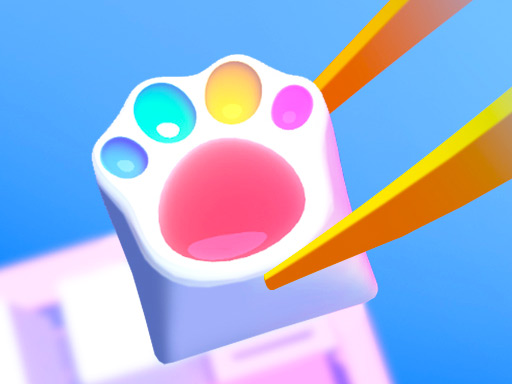
About Diy Keyboard
Diy Keyboard is a creative art and design game where players construct and decorate custom keyboards. Using hands-on manufacturing methods like resin pouring, acrylic styling, stencil art, pop it molding, and detailed ornamentation, you can personalize keycaps with vibrant colors, transparent finishes, and cute decorative accessories directly in your web browser.
Diy Keyboard invites players to unleash their creative drawing and crafting talents by building unique, stylish computer keyboards from scratch. The title features five distinct manufacturing methods to explore: Resin, Acrylic, Pop it, Stencil, and Decor. Each method presents a fresh way to mold, shape, and style individual keys.
Beyond shaping keys, the game offers a wide palette of colors including classic white, blue, red, and clear transparent effects. Players can complete their artistic creations by attaching a rich assortment of beautiful ornaments, making every finished keyboard an eye-catching, personalized piece of digital art.
Your goal
The main objective in Diy Keyboard is to craft aesthetic, fully customized keyboards by experimenting with different materials and decorative styles. Choose your preferred manufacturing technique, apply custom paint colors or transparent coatings, and place ornamental items to achieve a satisfying, cohesive desktop art piece.
How to play Diy Keyboard
1. Select one of the five available manufacturing methods: Resin, Acrylic, Pop it, Stencil, or Decor.
2. Follow the crafting prompts using mouse clicks or touchscreen taps to prepare your keyboard base and keycaps.
3. Apply your chosen colors, choosing from solid shades such as red, blue, or white, or select a transparent finish.
4. Use stencils, pop it textures, or drawing tools to add unique patterns and creative accents across the keys.
5. Browse the ornamental collection and place cute decorative items onto the keyboard to finalize your design.
Controls and device support
Mouse Click / Drag: Select tools, apply crafting materials, paint colors, and position decorative ornaments.
Tap / Drag: Interact with manufacturing stations, spray or paint keys, and place ornaments on touchscreens.
- Controls: Keyboard
- Device support: Desktop + mobile
- Game frame: 504 x 800
What makes the challenge interesting
Gameplay in Diy Keyboard centers on casual creativity, artistic self-expression, and satisfying craft simulation. Instead of racing against timers or avoiding hazards, you focus entirely on the aesthetic process of transforming plain components into stylish keyboards. The core loop guides you through pouring resin, smoothing acrylic, pressing pop-it bubbles, stenciling artistic motifs, and coloring individual keys. With a broad selection of ornamental embellishments, players can create endless custom combinations at their own relaxing pace.
Tips for Diy Keyboard
- Test all five manufacturing methods to see which styling technique—such as clear resin or textured pop it—matches your desired design.
- Combine contrasting colors like bold red and cool blue with transparent keycaps to make individual keys stand out visually.
- Plan your theme before placing ornamental pieces so the decorative accents complement your base stencil patterns seamlessly.
The skills behind the game
Categorized under Girls and Kids creation titles, Diy Keyboard emphasizes cute aesthetic customization, drawing, and crafting. Rather than testing reflexes, games in this genre encourage artistic experimentation through relaxing, multi-step makeover and crafting mechanics.
Who will enjoy this game
Players looking for a fun diy keyboard game or an interactive coloring game online will appreciate the freedom to design custom computer hardware using stencils, acrylic paints, and decorative accessories directly in an HTML5 browser window.
Games with a similar feel
Happy Color: Like Happy Color, Diy Keyboard focuses on relaxing visual art and vibrant coloring; however, Diy Keyboard involves multi-step 3D craft simulation and decorating rather than filling pre-numbered 2D color regions.
Frequently asked questions
What crafting methods are available in Diy Keyboard? Players can experience five distinct manufacturing methods: Resin, Acrylic, Pop it, Stencil, and Decor, each offering unique ways to style custom keycaps.
Can I make transparent keyboards in the game? Yes, along with solid drawing colors like white, blue, and red, Diy Keyboard allows you to make your keyboard transparent for a clean, glassy finish.
How do you control the tools in Diy Keyboard? You can play the game using straightforward mouse clicks and drags on desktop computers, or direct tap gestures on mobile touchscreen devices.
Something not right?
Tell us if the game does not load, the information is wrong or the content needs review.
Report a problem ›