About Diy Joystick
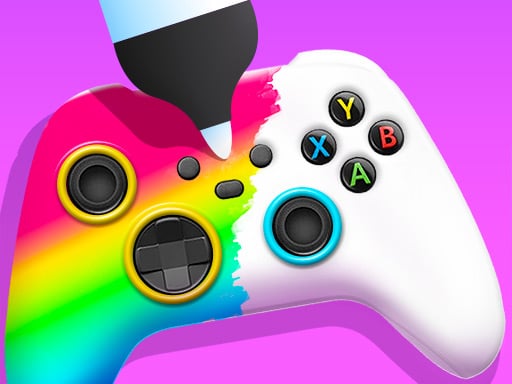
Diy Joystick is a creative decorating game where you step into the shoes of an artisan crafting fashionable game controllers. Customers bring in plain or worn-out joysticks hoping for a fresh makeover, giving you the chance to apply vibrant spray paint, add stylish stickers, and experiment with fun customization techniques to produce eye-catching gaming gear.
In Diy Joystick, players run an artistic workshop dedicated to transforming uninspired controllers into colorful statement pieces. The core experience revolves around receiving plain joysticks from visiting clients and revitalizing them with specialized tools. Equipped with a paint sprayer, a palette of bright tones, and a variety of decorative stickers, you work through several production stages to revamp every item. Players can choose to tailor each project to match the requested style of their visitors or explore their own personal aesthetics freely. With simple touch or mouse controls, the game emphasizes relaxed, accessible creative expression for anyone who enjoys design and craft activities.
Your goal
The primary objective in Diy Joystick is to craft appealing custom controllers by painting surfaces and applying decorative elements. You aim to satisfy incoming customer requests by tailoring designs to their preferred styles or freely express your own imagination by combining vibrant colors and themed stickers into complete decorative masterpieces.
How to play Diy Joystick
1. Accept a controller project brought in by a visiting customer.
2. Pick up your paint sprayer tool to prepare the gamepad surface.
3. Apply your chosen spray colors evenly across the joystick body.
4. Select decorative stickers and place them onto the painted controller.
5. Review the completed custom design to conclude the makeover.
Controls and device support
Mouse Left Click & Drag: Select tools, spray paint, and position stickers on the controller
Tap & Drag: Choose colors, use the paint sprayer, and attach decorative items
- Controls: Mouse or touch
- Device support: Desktop + mobile
- Game frame: 504 x 800
Rules to keep in mind
- Designs can be tailored to meet specific customer style preferences or crafted using completely freeform artistic choices.
- Decorating involves using available workshop materials, including paint sprayers, color palettes, and adhesive stickers.
What makes the challenge interesting
The focus of Diy Joystick centers on tactile artistry and customization. Rather than demanding rapid reflexes, gameplay unfolds at a relaxing pace as you test different color palettes and accessory placements. Using the sprayer offers immediate visual feedback, allowing you to coat surfaces in bright hues before adding finishing touches like stickers. Balancing client expectations with your own personal artistic flair provides a satisfying creative rhythm throughout each controller renovation session.
Tips for Diy Joystick
- Consider testing complementary spray paint shades before placing stickers to ensure your background highlights the decorative decals cleanly.
- Take note of any specific stylistic cues requested by your customers to ensure the finished controller matches their expectations.
- Experiment with different sticker placements across the gamepad body to find an arrangement that balances color and shape nicely.
The skills behind the game
Categorized under decoration and creative craft titles, Diy Joystick emphasizes hands-on customization over high-pressure challenges. These experiences appeal to players who enjoy styling everyday objects, offering an artistic outlet where color selection and design layout take center stage in a relaxing environment.
Who will enjoy this game
For players searching for a fun diy joystick game or an enjoyable coloring game online, this title delivers an engaging digital workshop. It blends coloring, spray painting, and sticker decoration into an approachable web-based craft experience suitable for casual designers.
Games with a similar feel
Happy Color: Like Happy Color, Diy Joystick centers on creative color application, but it focuses on 3D gamepad spraying and sticker placement rather than filling numbered 2D picture regions.
Love Nikki-Dress UP Queen: Similar to Love Nikki-Dress UP Queen, this game involves tailoring fashionable aesthetics to meet client tastes, yet it applies those design concepts to game controllers instead of character wardrobes.
Frequently asked questions
What tools are used to customize controllers in Diy Joystick? Players use a paint sprayer along with a variety of paint colors and decorative stickers to redesign each controller presented in the workshop.
Can I design controllers according to my own taste? Yes, while you can style joysticks to suit visiting customers, the game also fully allows you to follow your own creative heart and artistic ideas.
What input methods does Diy Joystick support? The game supports straightforward mouse controls on desktop computers as well as direct tap and drag inputs on touch-enabled mobile devices.
Something not right?
Tell us if the game does not load, the information is wrong or the content needs review.
Report a problem ›