Play now

Adventure game

Dead Faces : Horror Room

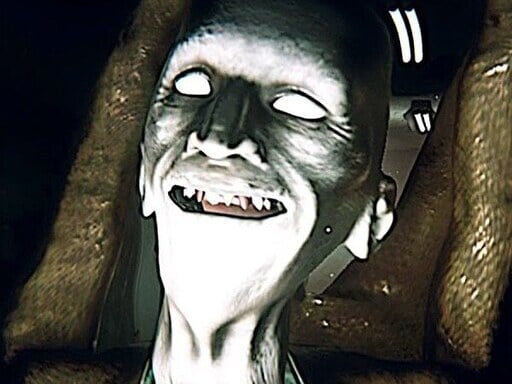
Object collecting, mystery solving, terror, and intrigue are all elements in the dark horror 3D game Dead Faces Clone Online. Any web browser will allow you to play it without spending a dime. In this game, you take control of a...

More Adventure
AdventureDead Faces : Horror Room

Choose Play now to load the game.

Open source

Official listing

Game description

Object collecting, mystery solving, terror, and intrigue are all elements in the dark horror 3D game Dead Faces Clone Online. Any web browser will allow you to play it without spending a dime. In this game, you take control of a protagonist who finds themselves in a building where a lot of unusual things are occurring. She must explore, discover the objects by following the directions, and overcome each level without fear.

From the game listing

Instructions and controls

Controles W A S D to walk aroundMouse to Look aroundLeft Mouse Button to FireRight Mouse Button to AimMouse Wheel To Change WeaponsR to ReloadE to Interact Pickup ItemsLeft Shift to RunLeft C to CrouchSpace to Jump

Watch before you play

How to play Dead Faces : Horror Room

See the official game walkthrough for the objective, controls and useful gameplay ideas.

Video guide

About Dead Faces : Horror Room

Object collecting, mystery solving, terror, and intrigue are all elements in the dark horror 3D game Dead Faces Clone Online. Any web browser will allow you to play it without spending a dime. In this game, you take control of a...

Dead Faces : Horror Room is listed in the Adventure games collection. The listing also includes the Escape, Horror, kiz10, and Room tags, which help connect it with nearby game pages.

How to play Dead Faces : Horror Room

Controles W A S D to walk aroundMouse to Look aroundLeft Mouse Button to FireRight Mouse Button to AimMouse Wheel To Change WeaponsR to ReloadE to Interact Pickup ItemsLeft Shift to RunLeft C to CrouchSpace to Jump

Controls and device support

The listing currently identifies Browser support, mouse or touch controls and a 900 x 600 game frame. These details come from the supplied game information and may change when the source listing is updated.

  • Controls: Mouse or touch
  • Device support: Browser
  • Game frame: 900 x 600

Something not right?

Tell us if the game does not load, the information is wrong or the content needs review.

Report a problem