Official listing
Game description
Cute Puzzles is a classic jigsaw game. Arrange the jigsaw pieces of a picture to form the original picture. There are 2 modes in the games. Each mode has 24 levels. You must complete a level within time limits.
Puzzles game
Cute Puzzles presents a classic jigsaw puzzle experience where players reconstruct fragmented illustrations under active time limits. Operating directly in your web browser, each stage gives you a collection of scattered pieces that must be arranged into their original formation. With two distinct game modes offering twenty-four levels apiece, the title combines friendly image assembly with steady pacing for casual puzzle fans.
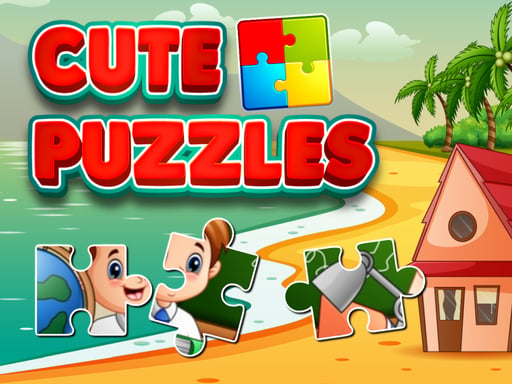
Choose Play now to load the game.
Official listing
Cute Puzzles is a classic jigsaw game. Arrange the jigsaw pieces of a picture to form the original picture. There are 2 modes in the games. Each mode has 24 levels. You must complete a level within time limits.
From the game listing
Use a mouse or touchpad to Arrange the jigsaw pieces of a picture to form the original picture
Open this card to load the gameplay video.
Cute Puzzles presents a classic jigsaw puzzle experience where players reconstruct fragmented illustrations under active time limits. Operating directly in your web browser, each stage gives you a collection of scattered pieces that must be arranged into their original formation. With two distinct game modes offering twenty-four levels apiece, the title combines friendly image assembly with steady pacing for casual puzzle fans.
Cute Puzzles invites players to take part in traditional jigsaw construction with an arcade twist. In every puzzle, an image is divided into jigsaw pieces that you must reorder and fit together until the complete scene is restored. The visual presentation is lighthearted and family-friendly, catering to casual sessions whether during a quick school break or a relaxing afternoon at home.
The primary gameplay loop revolves around inspection, piece selection, and spatial positioning against a running clock. Players select a level, observe the scattered components, and systematically move matching segments into their corresponding spots. Because each stage imposes a time limit, the relaxed activity of traditional table jigsaws takes on an engaging sense of urgency. Successfully concluding an illustration allows you to advance through the catalog of challenges spread across the title's two dedicated modes.
Your objective in Cute Puzzles is to reconstruct the original image by correctly organizing all jigsaw pieces before the round's time limit expires. Achieving this requires keen visual scanning and efficient positioning. You aim to complete all twenty-four stages within each mode, improving your problem-solving speed and spatial awareness as you move from one completed picture to the next.
1. Select one of the two available game modes from the main menu screen to begin your run.
2. Pick an active level among the twenty-four stages available within your chosen mode.
3. Survey the layout of scattered jigsaw tiles and take note of the running time limit for the stage.
4. Use your mouse cursor or touchpad to grab individual jigsaw pieces and drag them across the board.
5. Align interlocking fragments and connect matching visual details to recreate the complete original image.
6. Lock all remaining parts into position before the timer runs out to successfully clear the stage.
Control the board using your mouse or touchpad to drag and arrange the jigsaw pieces until they form the original picture.
Cute Puzzles tests visual recognition, shape matching, and rapid physical coordination. Unlike physical jigsaw puzzles that allow leisurely experimentation, the presence of a time limit introduces a clear operational tradeoff: spending too long inspecting individual pieces risks running out the clock, whereas hasty, random placements can waste precious seconds without securing fits. Success depends on quickly scanning colors, contours, and edge lines to build an efficient reconstruction routine.
Cute Puzzles organizes its content across two distinct modes, with each mode containing twenty-four levels to complete. As you work through the stages, your personal progression comes from building faster recognition habits and developing an organized approach to newly revealed puzzle layouts.
To conquer all forty-eight total boards, approach each level as practice for your visual sorting speed. If a particular board feels rushed under the timer, replay the stage with a firmer focus on framing borders first, steadily training your rhythm across both game modes.
Cute Puzzles runs in an 800 by 450 resolution window built on HTML5 web standards. When playing on desktop computers or laptops, a traditional optical mouse or responsive touchpad offers precise control for selecting and positioning jigsaw pieces.
The title is also tagged for mobile play. On touchscreen devices, the drag-and-drop mechanics translate intuitively to direct finger input, making it easy to tap and slide puzzle pieces into position wherever you are.
As part of the puzzle and arcade category, Cute Puzzles embodies the enduring appeal of visual reconstruction games. Jigsaw puzzles have long served as foundational activities for spatial cognition, pattern recognition, and hand-eye coordination. By embedding these tactile exercises within an arcade structure marked by a countdown timer, the game bridges thoughtful problem-solving with reactive execution.
The lightweight HTML5 presentation makes it accessible across desktop and mobile browsers alike. Whether used as an engaging cognitive break in a school setting or as a simple mental warmup for casual puzzle lovers, the core mechanic remains intuitive: identify where parts belong and assemble them into a cohesive whole.
Players looking for a cute puzzles game or searching for a jigsaw puzzle online will find in Cute Puzzles an uncomplicated, pick-up-and-play format. It strips away complicated menus and complex rules in favor of direct board interaction, letting players jump straight into sorting and placing picture pieces.
For anyone seeking a casual puzzle game online to sharpen mental clarity and mouse precision, this title provides structured practice. The blend of cute visuals and running timers delivers just enough challenge to test your visual processing speed without demanding hours of dedicated setup.
How many levels are included in Cute Puzzles? Cute Puzzles includes two distinct game modes, each offering twenty-four levels, giving players a total of forty-eight puzzles to solve.
Do I have to complete each puzzle within a time limit? Yes, completing each level within its allocated time limit is a mandatory requirement described in the game rules.
What controls do I use to move the jigsaw pieces? You can play using a standard desktop mouse or laptop touchpad to pick up, move, and arrange each jigsaw fragment into place.
Is Cute Puzzles suitable for quick casual practice? Yes, its approachable jigsaw structure, short timed rounds, and browser-based accessibility make it well suited for quick observation and coordination exercises.
Tell us if the game does not load, the information is wrong or the content needs review.
Report a problemExplore popular games by category, shared tags and site-wide activity.