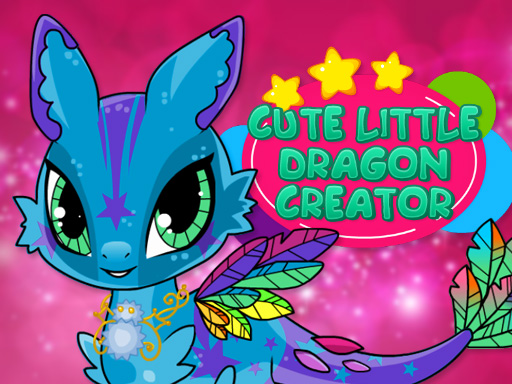
About Cute Little Dragon Creator
Cute Little Dragon Creator is a creative dress up and customization game where players design their own fantasy baby dragon. Using intuitive touch or mouse inputs, you can choose custom colors, decorate body patterns, and select unique wings, eyes, tails, and accessories to bring your magical creature to life.
In Cute Little Dragon Creator, players dive into a whimsical fantasy styling experience focused entirely on creature customization. The game provides a complete character creation suite where you can explore a wide variety of aesthetic options for your dragon. You can test different body colors, apply decorative patterns, and mix and match distinct body parts such as wings, tails, and expressive eyes. Beyond the physical features, the game offers various decorative accessories to complete the look. With accessible controls across desktop and touch displays, anyone can easily experiment with diverse monster and animal designs, resulting in a charming dragon ready to be captured via screenshot.
Your goal
The main objective is to design a unique and visually appealing baby dragon by selecting your favorite combination of colors, patterns, and features. Since there are no timers, failure states, or restrictive rules, the goal centers on creative expression—choosing matching wings, eyes, tails, and accessories until your custom fantasy dragon looks exactly the way you envision.
How to play Cute Little Dragon Creator
1. Select your dragon's base body color and decorative patterns from the interface.
2. Browse and choose distinct facial features, including custom eyes.
3. Equip a set of fantasy wings and pick a matching tail shape.
4. Add extra accessories and final decorative details to finish the design.
5. Review the completed look and capture a screenshot to share your creation.
Controls and device support
Left mouse button: Select and apply colors, patterns, dragon parts, and accessories.
Touch: Tap on menu options to choose colors, body parts, and accessories.
- Controls: Mouse or touch
- Device support: Desktop + mobile
- Game frame: 800 x 600
Rules to keep in mind
- All dragon customization parts, colors, and accessories can be chosen freely without fixed restrictions.
- Selections can be changed at any point during creation by clicking or tapping alternative options.
What makes the challenge interesting
Gameplay in Cute Little Dragon Creator centers around artistic freedom, experimentation, and creature styling. Players interact with menu categories to modify distinct aspects of the dragon's appearance. Every selection immediately updates the dragon on screen, allowing you to preview how patterns contrast against base skin tones or how various wing styles complement different tail designs. The accessible interface ensures a relaxed pacing where you can take your time exploring all available accessories and decorative items, making it an engaging creative outlet for fans of fantasy character creators.
Tips for Cute Little Dragon Creator
- Establish a clear color palette first, then choose matching patterns and wings so that your dragon's overall design feels harmonious.
- Experiment with contrasting eye colors and distinct wing shapes to give your little dragon an expressive and memorable personality.
- Test various accessory combinations against your chosen skin patterns to ensure that your decorative items stand out clearly.
The skills behind the game
Cute Little Dragon Creator is categorized under Girls and dress up games, expanding traditional fashion gameplay into fantasy monster design. Rather than dressing human avatars in everyday clothing, it channels creative styling mechanics toward mythical creatures, offering players an entertaining design canvas focused on colors, accessories, and imaginative decorative themes.
Who will enjoy this game
Players searching for a cute little dragon creator or a charming dress up game will appreciate the focused styling options available here. The cute little dragon creator game experience emphasizes accessible fantasy character design, giving players the tools to decorate and personalize their own magical companion right in their web browser.
Games with a similar feel
Love Nikki-Dress UP Queen: Like Love Nikki-Dress UP Queen, this title focuses on visual customization and aesthetic coordination. However, Cute Little Dragon Creator centers on designing a fantasy baby creature rather than dressing human fashion models for competitive themes.
Frequently asked questions
Can I customize both the colors and body parts of the dragon? Yes, you can choose any color and select from multiple patterns, decorations, eyes, wings, tails, and accessories to build a completely unique fantasy dragon.
How do I control the game on desktop or mobile devices? You can play seamlessly by clicking menu options with the left mouse button on PC or by tapping directly on the screen when using a touch device.
Can I save or share my completed dragon design? While the game encourages sharing creations in the comments, you can capture and save your finished dragon design by taking a screenshot on your device.
Something not right?
Tell us if the game does not load, the information is wrong or the content needs review.
Report a problem ›