About CrazyCraft
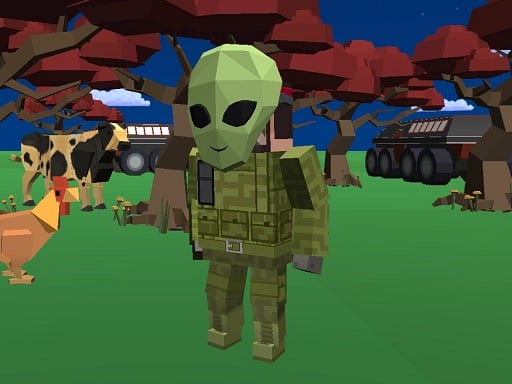
CrazyCraft is a free 3D sandbox crafting and building game where players design custom structures without the threat of monster attacks. Whether constructing a cozy house, building a castle, or exploring mines, you can gather various block types, interact with pets, drive cars, and explore shared multiplayer worlds alongside your friends.
CrazyCraft provides an open creative environment centered on designing, building, and exploring. Players can erect houses, decorate interiors with furniture, and work toward larger architectural projects like massive castles and sanctuary temples. The game offers a wide range of square block materials extending from everyday grass blocks to precious stones and sanctuary blocks. Alongside solo building, the experience emphasizes social and dynamic elements. You can visit worlds created by other players, help friends complete their sprawling constructions, and communicate through an in-game chat system. Exploration also includes friendly companions like dogs, mice, and horses, plus the ability to hop into cars and drive across the terrain without worrying about hostile enemy combat.
Your goal
Your main objective in CrazyCraft is to assemble unique structures and shape the landscape using diverse block types. Create personalized houses, grand castles, and decorative rooms while expanding your building repertoire. Complement your architectural goals by exploring the map, discovering friend-built realms, collaborating on large structures, and enjoying a stress-free sandbox setting free from hostile monster encounters.
How to play CrazyCraft
1. Navigate your character across the terrain or steer vehicles using the WASD keys.
2. Press Q to open the crafting menu and select materials or items for your project.
3. Lay down diverse block types like grass, sanctuary stone, and precious stones to construct houses and castles.
4. Press E near a vehicle when the key icon appears to get in and drive around the world.
5. Open the chat by pressing Enter to coordinate building plans and share messages with other players.
Controls and device support
WASD: Move character or drive car
Tab: Open menu
Q: Open craft menu
E: Enter car when key icon is shown
C: Show 3D character
Enter: Open and send chat message
- Controls: Mouse or touch
- Device support: Browser
- Game frame: 800 x 600
Rules to keep in mind
- Players can freely build, place blocks, and decorate structures without worrying about hostile monster interference.
- Entering vehicles requires approaching a car until the key icon appears before pressing the interact key.
- Text communication is sent and received in multiplayer sessions via the integrated chat window.
What makes the challenge interesting
Gameplay in CrazyCraft balances creative freedom with cooperative multiplayer exploration. Because the world is free of hostile monster threats, players can focus entirely on planning, resource placement, and architectural styling. Block varieties allow for distinct visual designs, ranging from simple residential homes to elaborate castles and underground mines. Mobility options like driving vehicles and switching views to inspect your 3D character enhance map navigation. Furthermore, multiplayer interactions let you tour neighbor builds, assist friends in completing expansive projects, and use in-game chat to collaborate smoothly on large-scale construction ventures.
Tips for CrazyCraft
- Start with small base foundations before tackling ambitious multi-room castles so you can easily plan room layouts and furniture placements.
- Use different square block textures like grass and sanctuary stone together to give your structures depth and distinct visual contrast.
- Hop into available cars when you need to travel across large distances quickly to check on friends' building sites.
The skills behind the game
As a multiplayer sandbox title, CrazyCraft fits within the broad genre of social world-building games. Unlike survival games driven by combat or scarcity, this multiplayer experience emphasizes shared creativity, cooperative building, and casual map exploration. Players share an open 3D space where they can showcase custom designs, assist with complex structures, and interact via text chat and drivable vehicles.
Who will enjoy this game
Players searching for crazycraft game experiences often seek accessible, browser-friendly block construction with immediate multiplayer access. CrazyCraft fulfills this interest by delivering a monster-free building sandbox where players can experiment with varied block varieties, craft items via quick menus, drive vehicles, and collaborate on shared architectural projects without complex setup requirements.
Games with a similar feel
Minecraft: Both CrazyCraft and Minecraft feature block-based 3D construction, terrain exploration, and animal companions. However, CrazyCraft operates as a casual browser experience with drivable cars and no hostile monsters, whereas Minecraft includes deep survival mechanics, hostile mob combat, and extensive crafting trees.
Terraria: CrazyCraft and Terraria both emphasize creative world manipulation, crafting systems, and multiplayer collaboration. While Terraria focuses on 2D side-scrolling exploration filled with boss battles and weapon progression, CrazyCraft offers a peaceful 3D environment centered purely on architectural construction and driving.
Frequently asked questions
Are there hostile monsters attacking players in CrazyCraft? No, CrazyCraft is designed without hostile monsters, allowing players of all ages to focus peacefully on building, decorating, and exploring sandbox worlds without combat pressure.
Can I drive cars in the game? Yes, you can enter cars when the key icon appears on screen and steer them around the map using standard WASD movement controls to explore faster.
How do I play and interact with friends in CrazyCraft? You can visit worlds constructed by your friends, help them finish large castles, and communicate directly using the in-game text chat activated with the Enter key.
Something not right?
Tell us if the game does not load, the information is wrong or the content needs review.
Report a problem ›