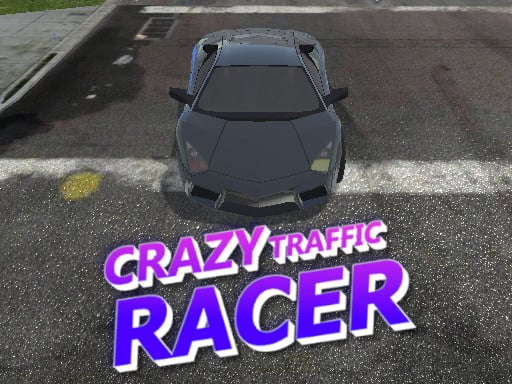
About Crazy Traffic Racer
Crazy Traffic Racer puts players behind the wheel for a fast-paced 3D driving experience built around vehicle handling and traffic navigation. The core challenge centers on controlling your car's speed and position on the road, balancing rapid acceleration with timely steering and braking inputs to maneuver around other vehicles safely.
In Crazy Traffic Racer, players navigate a 3D road environment filled with dynamic driving challenges. The game emphasizes responsive car handling across turns, high-speed straightaways, and sudden stops as you react to the flow of traffic ahead.
The continuous loop tests situational awareness and vehicle control. Drivers must monitor the surrounding roadway, commit to lane choices, and manage their throttle to avoid collisions during high-speed runs. Because every turn and sudden slowdown directly impacts your run, smooth inputs and forward planning remain essential from the moment you hit the accelerator.
Your goal
The primary goal in Crazy Traffic Racer is to drive as smoothly and effectively as possible through active traffic conditions. Players aim to maintain strong forward momentum using the throttle while adjusting lane positioning and braking when necessary to negotiate tight spaces and avoid crashes on the open road.
How to play Crazy Traffic Racer
1. Start your run by engaging the throttle to build initial driving speed along the open road.
2. Scan the road ahead to identify open lanes and spot slower-moving traffic early.
3. Use steering inputs to change lanes smoothly when approaching vehicles in your current path.
4. Apply the brakes when traffic tightens and a clear passing lane is not immediately available.
5. Accelerate out of maneuvers once you clear obstacles to regain steady forward driving momentum.
Controls and device support
Desktop drivers accelerate with W or Up Arrow, turn left with A or Left Arrow, turn right with D or Right Arrow, and brake using S or Down Arrow. Mobile and tablet players steer using on-screen Left and Right buttons, and brake by pressing both buttons simultaneously.
- Controls: Keyboard
- Device support: Desktop + mobile
- Game frame: 800 x 600
What makes the challenge interesting
The defining skill in Crazy Traffic Racer is proactive speed management. Maintaining maximum acceleration offers the thrill of high-speed racing, but it drastically reduces your reaction window when cars block forward lanes. Successful navigation relies on anticipating gaps several car lengths ahead, allowing you to feather the brakes or make measured lane transitions rather than frantic last-second swerves that risk severe crashes.
Tips for Crazy Traffic Racer
- Look far down the highway rather than directly in front of your bumper. Spotting slow traffic early lets you adjust your lane cleanly without sudden emergency braking.
- Brake briefly before entering tight spaces between vehicles. Tapping the brake restores steering control and prevents overshooting into neighboring lanes.
- Avoid continuous lane weaving without clear gaps. Changing lanes erratically increases the risk of clipping oncoming or adjacent traffic compared to holding a steady course.
- Commit to one side of the road when traffic clusters heavily. Sticking near an open shoulder often provides an easier escape route than driving dead center.
Playing on different devices
Crazy Traffic Racer features dedicated input layouts for different platforms. Keyboard players can choose between standard WASD keys or arrow keys for acceleration, steering, and braking. On touchscreen devices like smartphones and tablets, dedicated on-screen steering buttons provide direction, while pressing both buttons at once acts as the vehicle brake.
The skills behind the game
As a 3D racing and driving title, Crazy Traffic Racer focuses on quick reflex management and road awareness. Rather than competing on closed circuit laps with predetermined cornering lines, traffic-centric driving games challenge players with unpredictable obstacles and variable road density. This setup appeals to fans of casual arcade driving who enjoy testing their reaction speed, precision lane changes, and throttle control in rapid, pick-up-and-play sessions.
Who will enjoy this game
Players looking for an accessible racing game online often seek fast-paced sessions where they can jump straight into the driver's seat without lengthy setup. Crazy Traffic Racer delivers immediate driving action focused on dodging vehicles at high speeds. Whether practicing smooth steering lines on desktop or enjoying quick mobile sessions, the game provides straightforward reflex practice centered on road positioning and reactive braking.
Games with a similar feel
Asphalt: Like Asphalt, Crazy Traffic Racer puts players in control of fast cars in a 3D environment centered on speed and reflex-driven driving. However, while major arcade racing titles often focus on circuit competition and extreme track stunts, Crazy Traffic Racer emphasizes direct roadway navigation and traffic dodging, offering a streamlined casual driving experience focused entirely on steering and braking around obstacles.
Frequently asked questions
How do you control your car in Crazy Traffic Racer? On desktop, steer with A/D or the Left/Right arrows, accelerate with W or the Up arrow, and brake with S or the Down arrow. On mobile screens, tap directional buttons to steer or tap both to brake.
Can you play Crazy Traffic Racer on mobile devices? Yes, the game supports mobile and tablet play with specialized on-screen controls, allowing you to steer using directional touch buttons and brake by pressing both buttons together.
What is the best way to handle dense traffic? Maintain a forward view of the road, ease off the accelerator, and use your brakes early to match road pace until an open lane appears for overtaking.
Something not right?
Tell us if the game does not load, the information is wrong or the content needs review.
Report a problem ›