Official listing
Game description
Create your puzzle logic room with Crazy Room. Enjoy a new style of play with great puzzle logic. Puzzle your next room.Combine objects to discover new and fascinating items.
Puzzles game
Crazy Room 3D invites players to construct thoughtful indoor arrangements by combining objects to discover new items. Operating through direct drag-and-drop interactions, the game centers on spatial experimentation where players resolve room layouts and prepare their next living area. Blending light action with calm spatial sorting, it provides an accessible room-building puzzle experience suited for quick browser sessions across desktop and mobile screens.
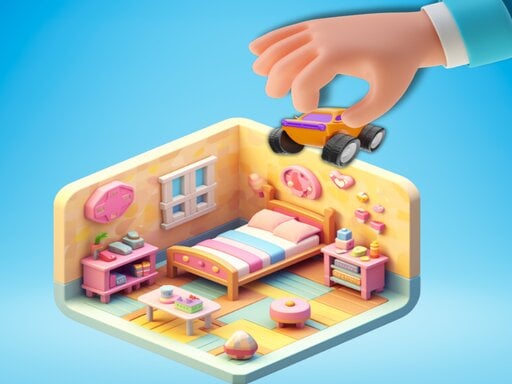
Choose Play now to load the game.
Official listing
Create your puzzle logic room with Crazy Room. Enjoy a new style of play with great puzzle logic. Puzzle your next room.Combine objects to discover new and fascinating items.
From the game listing
Mouse click or tap to play HOLD AND DRAG AND DROP
Open this card to load the gameplay video.
Crazy Room 3D invites players to construct thoughtful indoor arrangements by combining objects to discover new items. Operating through direct drag-and-drop interactions, the game centers on spatial experimentation where players resolve room layouts and prepare their next living area. Blending light action with calm spatial sorting, it provides an accessible room-building puzzle experience suited for quick browser sessions across desktop and mobile screens.
In Crazy Room 3D, each session revolves around handling decorative and functional house items within an interior environment. Players inspect available pieces, hold and move them across the room, and merge compatible objects together. Combining matching or related items reveals fresh objects, allowing the room layout to evolve naturally as players work toward completing their indoor space.
The primary loop encourages curiosity and deliberate physical placement. Rather than managing complex menus, players interact directly with items in the three-dimensional space using intuitive drag-and-drop mechanics. Successfully pairing items rewards players with new pieces to arrange, unlocking progress toward the next room challenge in a relaxed, domestic setting.
The central goal in Crazy Room 3D is to solve each room layout by systematically combining available objects into newly discovered items. Players aim to assemble cohesive room spaces while figuring out which pieces interact with one another. Progress involves steadily working through each logic room challenge, keeping the interior organized, and successfully completing arrangements to move forward into the next room.
1. Scan the current room environment to identify all loose objects and open interior spaces.
2. Click or tap and hold onto a target object to lift it from its resting spot.
3. Drag the item across the screen toward compatible pieces or intended decorative locations.
4. Release or drop the object onto another piece to test for successful item combinations.
5. Inspect the newly discovered items that appear and position them cleanly within the room.
6. Continue merging and organizing furnishings until the room requirements are satisfied to proceed to your next room.
The game uses unified pointer controls: click and hold with the mouse to pick up an item, drag it to the desired target, and release to drop or combine. Touchscreen players can tap, hold, and drag directly on display surfaces.
Crazy Room 3D centers on visual deduction and tactile manipulation. Instead of relying on fast reflexes, the core skill involves recognizing patterns among domestic objects and systematically experimenting with potential combinations. Players must balance spatial tidiness with trial-and-error discovery, as dragging items around the room requires clear floor and table space.
The satisfying rhythm comes from the transformation cycle: taking disparate, cluttered elements and merging them into higher-tier furnishings or specialized tools. This mechanic turns interior decoration into an engaging logic exercise, rewarding patient observation over hasty movement.
Progression in Crazy Room 3D unfolds sequentially as players complete each logic room and move on to the next. Early layouts introduce basic combination principles with straightforward domestic pieces. As players unlock subsequent rooms, the complexity of item arrangements naturally expands, presenting fresh combinations and new interior themes.
Rather than racing against a clock, players can structure their personal improvement around methodical problem solving. Developing consistent sorting habits and observing object similarities helps streamline progression through each successive living space.
Crazy Room 3D supports both desktop and mobile environments using identical hold, drag, and drop mechanics. The game is authored with a 1920 by 1080 canvas, providing a crisp, wide-aspect perspective that lets desktop mouse users navigate wide interior spaces comfortably.
On touchscreen tablets and phones, tap-and-drag interactions feel direct and responsive. Holding devices in landscape orientation preserves clear visibility of all room corners and loose items, preventing fingers from obstructing essential puzzle pieces during merges.
Situated within the casual puzzle genre, Crazy Room 3D emphasizes creative spatial arrangement rather than high-pressure time trials. While tagged with action and casual labels, its heart belongs to the domestic logic tradition, where players enjoy bringing order to chaotic environments.
By fusing merge mechanics with house decoration, the title appeals to players who enjoy steady visual progress. The focus on discovering new objects through experimentation offers a relaxing, bite-sized brain workout that fits comfortably into casual browser play sessions.
Players looking for a crazy room 3d game often seek an entertaining mix of household organizing and item discovery. The experience satisfies those hunting for a relaxing puzzle game online that requires no cumbersome downloads or steep learning curves.
Whether testing quick combinations during a short break or unwinding after work, engaging with room-based logic provides an approachable mental reset. The clear hold-and-drag interactions ensure that players of all experience levels can dive straight into solving rooms.
What kind of game is Crazy Room 3D? Crazy Room 3D is a casual room-building puzzle game where players hold, drag, and drop household items to combine them and discover brand new objects for their interior spaces.
How do you combine items in Crazy Room 3D? To combine objects, simply click or tap to hold a piece, drag it across the screen, and drop it onto another object. If the pieces form a valid pairing, a new item appears.
Can I play Crazy Room 3D on both desktop and mobile? Yes. The controls accommodate mouse clicks as well as touchscreen taps, enabling smooth drag-and-drop gameplay across desktop web browsers and handheld mobile devices alike.
What is the best way to approach a new room? Begin by sorting loose objects into open spaces according to their visible type. Grouping items makes it much easier to test deliberate pairings without accidentally misplacing pieces.
Tell us if the game does not load, the information is wrong or the content needs review.
Report a problemExplore popular games by category, shared tags and site-wide activity.

















