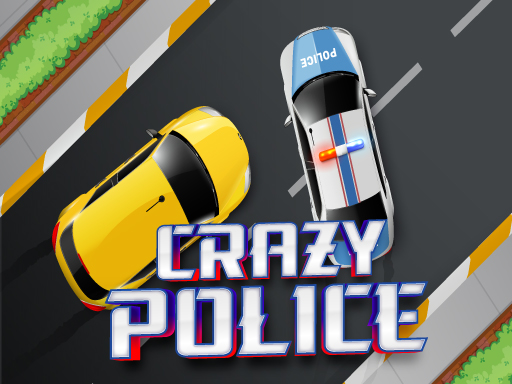
About Crazy Police
Crazy Police delivers an action-focused challenge where your core mission is to eliminate invading zombies across distinct stages. Players react quickly to targets appearing on the screen to defend allies and push through challenging levels, keeping track of their active progress and scoring as each round unfolds.
In Crazy Police, players engage in responsive tap-and-click action centered on defending friends from persistent zombie threats. The official game loop tasks you with eliminating targets swiftly to progress through sequential stages, creating an accessible experience designed for interactive play. Each encounter presents fresh target opportunities where rapid input is key to clearing the active area.
The interface keeps essential session metrics directly visible during action. Current level numbers and score tallies remain displayed in the upper middle area of the screen, while a dedicated pause control sits in the upper left corner. This clean layout ensures you can focus entirely on targeting threats as they appear across the vertical playfield.
Your goal
The main objective in Crazy Police is to make it through every challenging level by eliminating all target zombies to save your friends and protect the world. Success requires clearing each active wave efficiently while maintaining an accurate score and advancing steadily through each consecutive stage.
How to play Crazy Police
1. Launch Crazy Police in your web browser to enter the starting level.
2. Locate incoming zombie threats as they emerge across the game screen.
3. Use your designated control input to eliminate targets as rapidly as possible.
4. Monitor your running score and current stage number in the upper middle display.
5. Use the pause button in the upper left corner whenever you need a quick break.
6. Clear all required enemies to complete the level and advance to the next challenge.
Controls and device support
Right click button: Kill the zombies
Tap screen: Kill the zombies
- Controls: Mouse or touch
- Device support: Desktop + mobile
- Game frame: 720 x 1280
Rules to keep in mind
- You must eliminate active zombie targets to complete levels and progress through the game.
- Current stage progression and accumulated score points are tracked in the upper middle area of the screen.
What makes the challenge interesting
Gameplay in Crazy Police prioritizes quick reflexes and sustained accuracy across challenging stages. Players must continuously scan the display and execute immediate inputs to eliminate zombie enemies before they overwhelm the field. With direct input mechanics on both desktop and mobile layouts, the challenge revolves around keeping pace with incoming waves and consistently hitting targets to secure higher scores.
Tips for Crazy Police
- Maintain focus on the center of the vertical screen so you can react immediately whenever new targets appear.
- Keep an eye on the upper middle indicator to track your score progression and prepare for subsequent stage transitions.
- Utilize the pause button in the upper left corner if you need to pause during intense action sequences.
Stages and progression
Progress in Crazy Police is structured around completing sequential, challenging levels by eliminating required zombie waves. As you clear each stage, your score updates in the upper middle display, marking your advancement toward finishing all available stages in the game.
Playing on different devices
The game runs in a vertical 720 x 1280 resolution. Desktop players utilize right-click mouse inputs to eliminate targets, while touchscreen mobile players tap directly on the screen to strike enemies.
The skills behind the game
Although listed under racing and police tags, Crazy Police centers on target elimination mechanics. Players looking for online action titles find quick session loops where fast reactions and continuous target clearance drive progression across challenging individual stages.
Who will enjoy this game
Players searching for the Crazy Police game or discovering it through online browser game catalogs can jump directly into stage-based zombie defense. The straightforward mechanics make it easy to start playing instantly without complex setups.
Whether exploring casual action games or catalog listings under racing game online categories, this title offers immediate right-click and tap-to-target gameplay suitable for quick browser sessions on desktop or mobile screens.
Games with a similar feel
Asphalt: While Asphalt centers on high-speed vehicle driving and competitive racing tracks, Crazy Police focuses on direct screen-targeting action where players eliminate waves of zombie enemies across consecutive levels.
Frequently asked questions
What is the main goal in Crazy Police? The objective is to eliminate all zombies across every challenging level to save your friends, protect the world, and earn higher stage scores.
How do you attack enemies on desktop and mobile? On desktop, use the right-click mouse button to defeat zombies. On mobile devices, tap directly on the screen where targets appear.
Where can I see my current score and level? Your current level and accumulated points are shown in the upper middle section of the screen, right beside the upper-left pause control.
Something not right?
Tell us if the game does not load, the information is wrong or the content needs review.
Report a problem ›