Official listing
Game description
Upgrade your speed, blocky shoes and energy capacity to become the ultimate champion of the Craft Runners!
Hypercasual game
Craft Runner - Mine Rush is a fast-paced 3D arcade runner where players race down multi-lane block courses. Steer across lanes, utilize timely braking, and unleash nitro boosts to stay in the race. Upgrade your speed, blocky shoes, and energy capacity as you push your skills forward to claim the title of ultimate champion.
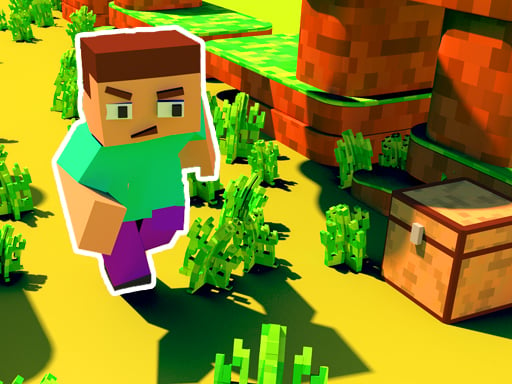
Choose Play now to load the game.
Official listing
Upgrade your speed, blocky shoes and energy capacity to become the ultimate champion of the Craft Runners!
From the game listing
Swipe left or right to change the lane tap and hold to brake and swipe up to use nitro on mobile Press left or right key to change the lane press space key to brake and press up key to use nitro on desktop
Open this card to load the gameplay video.
Craft Runner - Mine Rush is a fast-paced 3D arcade runner where players race down multi-lane block courses. Steer across lanes, utilize timely braking, and unleash nitro boosts to stay in the race. Upgrade your speed, blocky shoes, and energy capacity as you push your skills forward to claim the title of ultimate champion.
Craft Runner - Mine Rush merges classic block aesthetics with high-energy arcade racing action. Players guide a runner across active lanes while navigating obstacles and managing dynamic movement. The core loop revolves around swift maneuvering: swapping lanes instantly to avoid collisions, hitting the brakes when speed becomes risky, and triggering nitro when open tracks appear.
Between runs, progression centers on enhancing your runner's base performance. By upgrading speed attributes, equipping blocky shoes, and expanding your energy capacity, your runner handles tough stretches with greater efficiency. Designed for accessible solo play, it provides quick, responsive sessions that test lane discipline and rapid reflexes.
The main objective in Craft Runner - Mine Rush is to navigate dynamic block courses while avoiding hazards through precise lane changes. Balance high-speed nitro bursts with careful braking to survive longer runs. Progress by upgrading your character's speed, blocky shoes, and energy capacity to establish yourself as the ultimate champion among all runners.
1. Change lanes quickly using Left or Right Arrow keys on desktop or swiping left and right on mobile.
2. Slow down and manage tricky sections by holding the Space key on desktop or tapping and holding the mobile screen to brake.
3. Trigger a burst of speed by pressing the Up Arrow key on desktop or swiping up on mobile to activate nitro.
4. Upgrade your runner's speed, blocky shoes, and energy capacity to boost your overall performance.
Left Arrow / Right Arrow: Change lane
Space: Brake
Up Arrow: Use nitro
Swipe Left / Swipe Right: Change lane
Tap and Hold: Brake
Swipe Up: Use nitro
Gameplay in Craft Runner - Mine Rush focuses on quick reaction timing, lane positioning, and speed regulation. Unlike standard runners where speed is constant, having dedicated brake and nitro inputs allows deliberate pacing adjustments. You must evaluate oncoming lane patterns in real time, deciding whether to surge forward with nitro or decelerate to negotiate narrow passages safely. Managing your character's energy capacity ensures you have boost power when straight paths open up, creating an engaging rhythm between conservative navigation and aggressive acceleration.
Progression centers around character upgrades that directly boost your run performance. Players can enhance their overall speed, equip better blocky shoes, and expand their energy capacity. These upgrades allow runners to withstand faster gameplay pacing and deploy nitro power more effectively over time.
Craft Runner - Mine Rush offers tailored control schemes across both desktop and mobile layouts. Desktop users steer via arrow keys and the spacebar, while touchscreen users navigate with intuitive directional swipes and tap-and-hold braking.
As a hypercasual arcade running title, Craft Runner - Mine Rush delivers immediate, pickup-and-play mechanics combined with responsive 3D action. The hypercasual genre thrives on clear control schemes and instant feedback, allowing players of any skill level to jump directly into the run without complicated tutorials while still rewarding quick reflexes and lane awareness.
Players searching for craft runner - mine rush or seeking an engaging craft runner - mine rush game will discover a fast-paced 3D arcade runner. Blending voxel-inspired block aesthetics with responsive racing mechanics like braking and nitro acceleration, the game delivers an accessible yet challenging single-player obstacle course.
Minecraft: Both titles feature distinctive blocky, voxel-style visual themes, but Craft Runner - Mine Rush focuses exclusively on fast-paced arcade lane racing and stat upgrades rather than open-world sandbox building and survival exploration.
Asphalt: Both games emphasize high-velocity racing dynamics and strategic nitro boosting, but Craft Runner - Mine Rush is a blocky runner focused on lane dodging rather than realistic motorsport physics and supercar racing circuits.
How do you activate nitro in Craft Runner - Mine Rush? On desktop, press the Up Arrow key to use nitro. On mobile devices, swipe up across your screen to trigger your nitro speed boost during the run.
What stats can you upgrade for your runner? You can upgrade your runner's speed, blocky shoes, and energy capacity. These upgrades help you handle high velocities and become the ultimate champion.
How does braking work during a run? To brake and slow down on desktop, press the Space key. On mobile devices, tap and hold anywhere on the screen to reduce speed.
Tell us if the game does not load, the information is wrong or the content needs review.
Report a problemExplore popular games by category, shared tags and site-wide activity.


















