Official listing
Game description
Counter Craft: Battle Royale is a first person shooter game which features blocky zombie shooting and gun searching across vast map. Your mission is to survive and shoot 100 zombies in order to win.
Shooting game
Counter Craft: Battle Royale drops players into a vast blocky environment overrun by hostile undead. Combining first-person shooter action with wide-area exploration, your mission is simple yet demanding: navigate the terrain, scour the area for useful firearms, and defeat 100 zombies to secure victory.
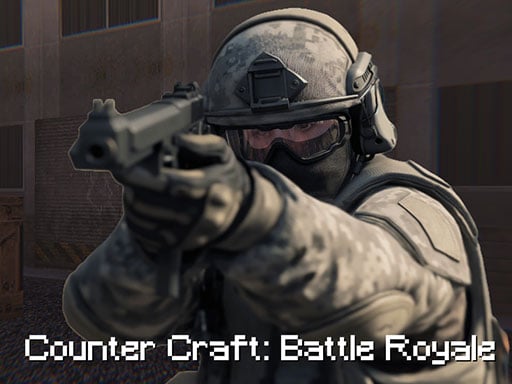
Choose Play now to load the game.
Official listing
Counter Craft: Battle Royale is a first person shooter game which features blocky zombie shooting and gun searching across vast map. Your mission is to survive and shoot 100 zombies in order to win.
From the game listing
WASD - Move LMB - Shoot RMB - Aim R - Reload G - Grenade Space - Jump F - Use C - Crouch
Open this card to load the gameplay video.
Counter Craft: Battle Royale drops players into a vast blocky environment overrun by hostile undead. Combining first-person shooter action with wide-area exploration, your mission is simple yet demanding: navigate the terrain, scour the area for useful firearms, and defeat 100 zombies to secure victory.
Counter Craft: Battle Royale puts you directly into a large-scale 3D battleground rendered in a distinctive blocky visual style. As a solo combatant on a sprawling map, you must stay alert while scouting out guns and managing constant encounters against encroaching zombie targets.
The core loop revolves around continuous movement, searching for armaments, and engaging enemy groups from safe distances. Survival depends on balancing offensive firepower with tactical positioning across the terrain, using jumps, crouching, and precise aiming to neutralize threats before they can overwhelm your position.
Your clear goal in Counter Craft: Battle Royale is to survive the hostile environment and successfully eliminate a total of 100 zombies. Winning requires sustained endurance, steady aim, and proactive weapon collection as you navigate across the broad open map.
1. Enter the map and establish immediate situational awareness by surveying your surroundings for incoming blocky zombies.
2. Use movement keys to traverse the expansive environment while searching for available firearms and ammunition.
3. Interact with items in the environment using the interaction key to equip your loadout.
4. Engage hostile zombies by lining up your sights with precision aiming and firing controlled shots.
5. Deploy grenades against clustered enemies and reload during calm moments to maintain constant combat readiness.
6. Maintain defensive movement using jumps and crouching while pushing your total elimination tally toward the target of 100 zombies.
The game uses standard desktop first-person shooter inputs: WASD to move, Left Mouse Button to shoot, Right Mouse Button to aim, R to reload, G to throw a grenade, Space to jump, F to use or interact, and C to crouch.
The defining dynamic of Counter Craft: Battle Royale is the interplay between territorial exploration and constant defensive readiness. Because firearms are scattered across a vast map, players cannot simply hold one static position; they must actively search the landscape while staying vigilant against zombie ambushes.
Combat demands disciplined weapon handling. Utilizing aiming down sights improves shot accuracy, while movement mechanics like jumping and crouching offer agility when maneuvering around terrain obstacles or avoiding swarms. Managing reloads and grenade timing during high-pressure engagements forms the primary tactical rhythm.
Progression in a session is tracked directly through your elimination total as you work towards the 100-zombie threshold. A solid player strategy involves establishing a safe patrol route, systematically clearing zombie pockets, and consistently upgrading or restocking weapons across the vast map.
With repeated attempts, focus on improving your map familiarity and engagement pacing, refining how quickly you locate firearms and how efficiently you neutralize targets without taking unnecessary damage.
Counter Craft: Battle Royale is configured for desktop keyboard and mouse controls, designed to run in a 960 by 600 canvas. A physical mouse provides the precision needed for aiming and shooting, while standard keyboard keybinds handle tactical movement, jumping, crouching, interaction, and grenade throws.
Within the 3D shooting category, games that combine open-area navigation with wave survival provide an approachable blend of exploration and combat. First-person shooter fans often enjoy the tactical freedom of choosing their own engagement ranges, whether picking off targets from elevated ground or engaging in intense close-quarters skirmishes.
The addition of blocky visual stylings gives this zombie shooter an accessible, arcade-like atmosphere while retaining standard first-person mechanics such as precision aiming, crouching, and explosive ordnance management.
Players looking for an accessible shooting game online can jump directly into the action without complex setups. Counter Craft: Battle Royale offers a straightforward challenge that suits quick casual practice sessions or extended survival attempts.
The clear objective of reaching 100 zombie eliminations provides a concrete milestone for players who want a defined combat goal paired with wide-area exploration.
DOOM: DOOM is renowned for intense first-person combat against hostile hordes where continuous movement and precision shooting are essential. Counter Craft: Battle Royale shares that fundamental focus on survival against enemy swarms, but presents a lighter, blocky sandbox setting centered on exploring a wide map and reaching an elimination quota.
Minecraft: Minecraft popularized block-based voxel aesthetics and open-world terrain exploration. While Counter Craft: Battle Royale adopts a similar blocky visual presentation and vast landscape, its focus shifts entirely toward first-person shooter action, gun searching, and eliminating zombie targets rather than crafting or resource gathering.
What is the main win condition in Counter Craft: Battle Royale? To win a match, you must survive the environment and shoot a total of 100 zombies across the map.
How do you obtain weapons during the game? Players explore the vast map to search for and pick up available firearms and gear using the interaction control.
What controls are used for tactical movement and combat? Standard controls include WASD for movement, Left Mouse Button to shoot, Right Mouse Button to aim, R to reload, G for grenades, Space to jump, and C to crouch.
Is precision aiming supported in combat? Yes, using the Right Mouse Button allows you to aim down your sights for more controlled shots against incoming enemies.
Tell us if the game does not load, the information is wrong or the content needs review.
Report a problemExplore popular games by category, shared tags and site-wide activity.



















