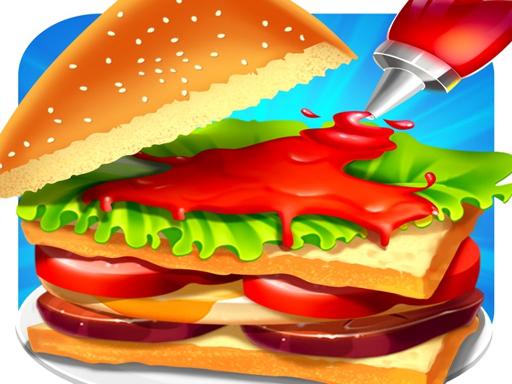
About Cooking Place
Cooking Place is a browser food-service game where you help a chef manage orders behind the restaurant counter. Customers arrive with visual food requests that you must review, prepare using available kitchen foodstuffs, and deliver according to on-screen guidance to earn customer payments.
In Cooking Place, the gameplay centers on kitchen coordination and orderly food preparation. Standing behind the service rack, your chef encounters visiting patrons who display their desired meals as pictorial order tickets. Your responsibility is to inspect each image, locate the corresponding ingredients placed at your station, and complete the culinary steps indicated by the interface prompts.
Once the cooking sequence is finished, you hand over the finished meal to the waiting patron. When an order matches what the customer requested, they leave satisfied and provide payment for the dish. The loop encourages clean observation and systematic preparation as you handle subsequent patrons arriving at the counter.
Your goal
Your main objective is to fulfill each visitor's order accurately by following the provided visual recipes and on-screen preparation cues. Doing so ensures clients are pleased with their dishes and pay for their food, letting you run a steady, efficient service workflow behind the counter.
How to play Cooking Place
1. Watch the counter as new customers approach the service rack with their meal requests.
2. Examine the picture bubble next to the customer to identify the exact dish and required ingredients.
3. Select the correct foodstuffs from the pantry items and cooking tools at your disposal.
4. Follow the step-by-step guidance shown on screen to chop, cook, or assemble the meal.
5. Hand the completed plate over to the customer to receive their payment and clear the counter for the next order.
Controls and device support
Cooking Place is played using standard mouse clicks on desktop or direct touch taps on mobile screens to select ingredients and interact with cooking tools.
- Controls: Mouse or touch
- Device support: Desktop + mobile
- Game frame: 1280 x 720
Rules to keep in mind
- Customer orders appear as pictorial guides next to visiting patrons and must be inspected before starting preparation.
- Dishes must be assembled using the specific foodstuffs provided at the kitchen station.
- Cooking tasks must adhere to on-screen guidance and instructions to properly complete each meal.
- Customers only pay and leave satisfied when the served food completely matches their initial request.
What makes the challenge interesting
The core gameplay in Cooking Place tests observational precision and visual matching. Because every customer displays their meal as a graphical cue, success depends on quickly mapping visual recipe components to the interactive items resting in your kitchen. Rushing without checking the order picture can lead to wasted effort or mismatched food assembly.
The player must balance methodical step execution with prompt counter service. By keeping a steady rhythm—reading the order, completing the prompts, and delivering the finished plate—you maintain an orderly workspace and ensure steady customer turnover.
Tips for Cooking Place
- Double-check the order picture before tapping ingredients to prevent selecting the wrong food item by mistake.
- Pay close attention to on-screen prompts during cooking steps so you finish each preparation phase in the intended order.
- Establish a consistent visual routine: glance at the customer bubble, locate the required item on the counter, and proceed methodically.
- Avoid clicking or tapping haphazardly when multiple ingredients sit close together, aiming for clean and deliberate selections.
Stages and progression
As you serve more patrons across consecutive orders, your familiarity with the kitchen workspace increases. Structuring your play around steady practice allows you to recognize visual recipe combinations more rapidly, transition smoothly between ingredient prep and cooking tools, and serve incoming patrons with minimal hesitation.
Playing on different devices
Cooking Place runs in a standard 1280x720 display resolution and supports both desktop mouse navigation and mobile touch input. On desktop displays, mouse clicks offer precise targeting for small kitchen items, while touchscreens allow intuitive, direct tapping during meal prep.
The skills behind the game
As part of the cooking and restaurant game genre, Cooking Place emphasizes the satisfying rhythm of food preparation and order fulfillment. Casual food games invite players to step into the role of a chef, translating customer requests into organized culinary tasks. The appeal lies in transforming raw ingredients into finished meals while managing customer turnover.
Who will enjoy this game
Players looking for a relaxing cooking game online often seek accessible food-prep mechanics that test visual matching and sequencing without requiring complex simulation controls. Cooking Place fits this casual play style, offering straightforward order fulfillment and step-guided cooking that can be enjoyed in short, engaging sessions.
Games with a similar feel
Cooking Mama: Like Cooking Mama, Cooking Place revolves around completing guided food-preparation activities step by step. However, while Cooking Mama focuses heavily on varied culinary mini-games for individual cooking techniques, Cooking Place centers primarily on customer order fulfillment behind a restaurant counter.
Cooking Fever: Both Cooking Place and Cooking Fever share the core theme of preparing dishes to serve visiting restaurant customers. Cooking Fever emphasizes multi-station time management across diverse restaurant themes, whereas Cooking Place provides a direct, accessible browser experience focused on fulfilling visual orders step by step.
Frequently asked questions
How do you know what meal to cook in Cooking Place? Each visiting patron displays a pictorial representation of their order right beside them. You inspect this picture to see the exact dish and required ingredients before preparing it.
What controls are used to prepare food? You can play the game using a computer mouse to click on kitchen items or direct finger taps on touchscreen mobile devices.
How do you earn payment from restaurant customers? Customers pay for their dish when you successfully follow the recipe instructions and hand them a prepared meal that fully suits their requested order.
Something not right?
Tell us if the game does not load, the information is wrong or the content needs review.
Report a problem ›