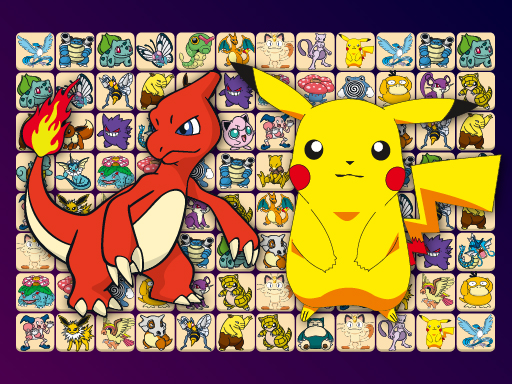
About Connect Pokémon Classic
Connect Pokémon Classic is a brain-testing tile matching puzzle game where players clear the board by linking identical Pokémon tiles. To make a match, tap two matching tiles that can connect using a path of no more than three line segments. Race against the clock across multiple difficulty settings and clear all pairs before time expires.
In Connect Pokémon Classic, your primary objective is to clear every pair of Pokémon tiles from the grid before your time runs out. Each match requires identifying identical characters situated such that an unobstructed line connecting them bends no more than twice. The board layouts scale across three distinct difficulty modes—Easy, Medium, and Hard—each corresponding to different board sizes for varied levels of puzzle complexity. If you get stuck finding a path, the game offers helpful built-in tools, including a hint feature to spot available moves and a shuffle option to rearrange the remaining tiles on the board.
Your goal
The objective in Connect Pokémon Classic is to completely clear the puzzle board of all Pokémon tiles within the allotted time limit. Players achieve this by locating every matching pair that can be connected with a line of up to three segments without passing through other tiles, working quickly across Easy, Medium, or Hard boards.
How to play Connect Pokémon Classic
1. Select your desired difficulty setting—Easy, Medium, or Hard—to determine the starting board size.
2. Scan the board to find two matching Pokémon tiles.
3. Tap the first Pokémon tile and then tap its matching counterpart.
4. Ensure the path connecting the two tiles requires no more than three line segments and does not touch other tiles.
5. Use the hint option to reveal a valid match or the shuffle option to rearrange tiles when stuck.
6. Clear all matching pairs from the board before the time limit expires to win.
Controls and device support
- Controls: Mouse or touch
- Device support: Desktop + mobile
- Game frame: 800 x 450
Rules to keep in mind
- Pairs can only be removed if they can be connected with a maximum of three line segments without crossing any other tiles.
- All tile pairs must be cleared before the round's countdown timer runs out.
- Players can select between Easy, Medium, and Hard difficulty options, which change the total board size.
What makes the challenge interesting
Success in Connect Pokémon Classic revolves around rapid visual scanning and spatial pathfinding. Because matching pairs must connect with at most three line segments, players must constantly look around the perimeter and along open corridors between tiles. Managing the countdown timer is critical, especially on larger board sizes in Medium and Hard modes where the density of tiles creates more potential obstacles. Utilizing the hint and shuffle features strategically helps maintain matching momentum when open paths become difficult to spot under time pressure.
Tips for Connect Pokémon Classic
- Start by clearing matching pairs along the outer edges of the board, which naturally creates open channels to reach interior tiles.
- Watch your remaining time closely and activate the hint option if you spend too long searching for a valid pair.
- Save the shuffle option for moments when no obvious exterior or adjacent line connections are visible across the board.
- Begin with Easy mode to familiarize yourself with standard 3-line connection paths before stepping up to larger Hard boards.
The skills behind the game
Connect Pokémon Classic sits in the Puzzles category, emphasizing pattern recognition and casual brain training. Like classic connect and link matching puzzle games, it challenges players to track open paths across a grid under time pressure. The inclusion of three scalable board sizes allows puzzle enthusiasts to enjoy either a quick, relaxing session or a more demanding time-attack matching challenge.
Who will enjoy this game
For players looking for a classic connect pokémon classic game experience, this title provides straightforward mechanics and nostalgic matching gameplay. Whether you are searching for a casual puzzle game online or a dedicated brain exercise, Connect Pokémon Classic delivers fast-paced tile clearing across Easy, Medium, and Hard board layouts.
Frequently asked questions
How do you connect matching tiles in Connect Pokémon Classic? You tap two identical Pokémon tiles whose connecting path uses at most three line segments without crossing any intervening tiles on the board.
What difficulty modes are available in the game? Connect Pokémon Classic features three difficulty modes—Easy, Medium, and Hard—each corresponding to different puzzle board sizes.
What assistance features can you use if you get stuck? You can use the built-in hint feature to reveal an available match or trigger the shuffle option to rearrange the remaining tiles.
Something not right?
Tell us if the game does not load, the information is wrong or the content needs review.
Report a problem ›