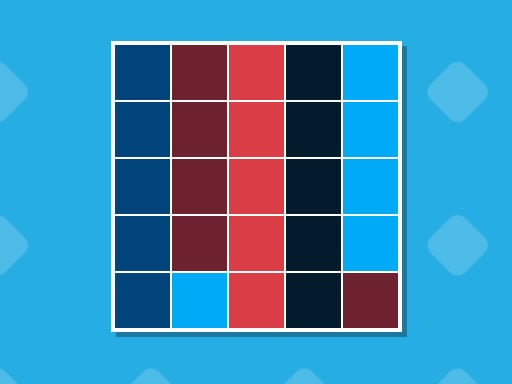
About Colors Grid
Colors Grid presents players with visual puzzle challenges centered on organizing colored squares to recreate a target layout. The experience revolves around analyzing spatial relationships, sorting shades, and matching precise arrangements as each stage introduces greater complexity. Accessible across desktop and mobile screens, it offers an approachable brain-teaser that exercises visual deduction and methodical problem-solving.
In Colors Grid, each puzzle asks you to organize colored squares to match a designated visual pattern. The core loop consists of studying the goal arrangement, inspecting the current positions of colored blocks, and rearranging them using straightforward mouse clicks or touchscreen taps. The clean layout keeps the entire puzzle area immediately visible, letting players concentrate fully on logical deductions rather than complex mechanics.
As you advance through the game, each level introduces added complexity by expanding on subtle color nuances and spatial relationships. The player experience balances calm visual inspection with active trial and reasoning. Because the rules focus on reproducing clear geometric configurations, the game remains approachable for all ages while still providing a rewarding mental exercise for logic enthusiasts.
Your goal
The primary objective in Colors Grid is to arrange every colored square so that the overall board precisely matches the specific goal pattern. Players strive to solve each layout accurately by interpreting color relationships and correctly placing pieces across the grid. Success is achieved by completing each level's visual puzzle and steadily working through progressively intricate color arrangements.
How to play Colors Grid
1. Examine the target layout to identify where each color and square belongs on the board.
2. Use your mouse or touchscreen to select and organize colored squares within the grid.
3. Adjust the positioning of blocks to resolve tricky spatial overlaps and color nuances.
4. Verify that your completed grid exactly mirrors the required pattern before moving to the next level.
Controls and device support
Colors Grid is played using a mouse click or touchscreen tap to select and arrange squares on the board.
- Controls: Mouse or touch
- Device support: Desktop + mobile
- Game frame: 800 x 600
Rules to keep in mind
- The board layout must match the specific pattern provided in each stage to achieve a successful solution.
- Each level presents an increased degree of complexity, requiring players to organize more intricate spatial relationships and color variations.
What makes the challenge interesting
The central appeal of Colors Grid lies in its emphasis on spatial reasoning and color discrimination. Players must break down a finished design into individual components and determine the most logical sequence for shifting blocks into place. This dynamic creates an engaging mental balance between visual observation and deliberate execution. Rather than demanding rapid reflexes, the puzzle rewards patience and structured thinking, inviting players to double-check color values and grid coordinates before finalizing placements.
Tips for Colors Grid
- Study anchor pieces first by identifying unique colors or corners in the pattern. This anchors your layout and prevents disorganizing sections that are already correct.
- Pay close attention to similar color nuances before moving blocks. Confusing adjacent shades can lead to subtle errors that require undoing multiple placements.
- Work from outside edges inward to establish clear visual boundaries. This practice simplifies the remaining center squares and reduces spatial confusion.
- Take time to compare your current grid with the goal model frequently. Catching misaligned squares early saves time and keeps your problem-solving flow smooth.
Stages and progression
Progression in Colors Grid is structured around climbing difficulty tiers where each successive level increases complexity. Earlier puzzles introduce fundamental matching concepts, while subsequent stages demand sharper analytical skills as color nuances multiply and spatial arrangements grow denser. To maintain steady progress, players should cultivate a methodical inspection routine, treating each new board as a fresh exercise in pattern deconstruction.
Playing on different devices
The game functions smoothly on both desktop browsers and mobile devices. Desktop users benefit from the precision of mouse clicks when selecting individual grid coordinates, while mobile and tablet users can interact directly via touchscreen taps. The responsive 800 x 600 display format ensures that all colored squares remain distinct and easy to manipulate across various window dimensions.
The skills behind the game
Sitting squarely within the logic puzzle genre, Colors Grid highlights pure pattern recognition and spatial ordering. Puzzle enthusiasts often gravitate toward games that challenge mental clarity through tidy visual rules rather than dexterity checks. By stripping away extraneous distractions and focusing on colored tiles, the game fits naturally alongside classic arrangement puzzles, offering an engaging mental workout suitable for children developing visual skills as well as adults looking for a quick analytical diversion.
Who will enjoy this game
Players looking for a colors grid game will find a dedicated visual sorting format that tests observation and methodical adjustment. As a browser-based puzzle game online, it serves both casual sessions during short breaks and focused practice for spatial reasoning. Anyone interested in color matching and grid organization can pick up the controls immediately and enjoy solving progressively challenging pattern boards at their own pace.
Frequently asked questions
What is the main goal in Colors Grid? The main goal is to organize colored squares on the board so that your grid matches the specific target pattern displayed in each level.
How do you control the blocks in Colors Grid? You can play using simple mouse clicks on desktop or direct screen taps on mobile devices to interact with and arrange the colored squares.
Does Colors Grid become more difficult over time? Yes, each level introduces greater complexity, presenting subtle color nuances and more demanding spatial relationships that test your analytical skills.
Something not right?
Tell us if the game does not load, the information is wrong or the content needs review.
Report a problem ›