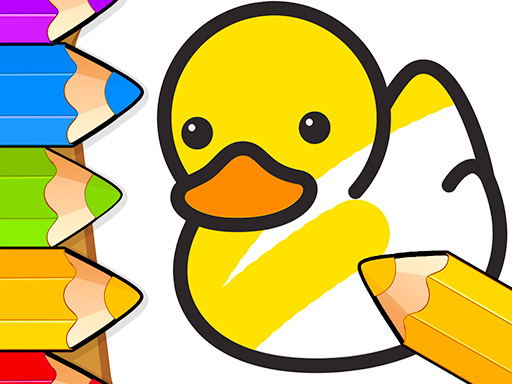
About Coloring Games For Kids
Coloring Games For Kids offers an accessible digital art space featuring a gallery of twelve prepared illustrations, a blank canvas mode for original drawings, and decorative stickers to customize every project. Designed for straightforward creative play in a browser, it gives young artists and casual creators an easy way to experiment with palettes, animal outlines, and freeform sketches without messy cleanups or complex menus.
Coloring Games For Kids presents a cheerful and welcoming creative studio built around simple interactions. Players can browse a selection of twelve distinct picture templates or choose a completely clear canvas to begin drafting original scenes from scratch. With cute animal themes and kid-friendly motifs woven throughout the available outlines, the activity encourages gentle exploration of color combinations and digital mark-making.
The core loop focuses on artistic personalization and relaxing visual design. After picking an illustration or a fresh board, you apply shades across different sections, sketch your own details, and place cute stickers to give each piece added personality. Because there are no high scores or countdown timers, the experience remains calm and self-directed, making it suitable for quick creative sessions on either a computer or a mobile device.
Your goal
Your objective is to explore your personal artistic tastes by completing the twelve included picture templates, experimenting on the open canvas, and layering colorful stickers over your artwork to produce vibrant, finished illustrations.
How to play Coloring Games For Kids
1. Launch the game and decide whether to select one of the twelve preset illustrations or open the blank canvas.
2. Browse the available color palette and pick a shade for your first section or stroke.
3. Use your mouse cursor or touch screen to color inside the template shapes or draw custom outlines.
4. Explore the sticker options and place cute decorative stamps across your finished composition.
5. Switch between different templates or clear the page whenever you wish to begin a new creative project.
Controls and device support
Interact with the palette, tools, template outlines, and canvas using standard mouse clicks and drags on desktop, or simple screen taps on touch devices.
- Controls: Mouse or touch
- Device support: Desktop + mobile
- Game frame: 800 x 504
What makes the challenge interesting
The central appeal of Coloring Games For Kids lies in pressure-free visual creativity and fine-motor coordination. Rather than demanding quick reflexes or puzzle calculations, the game centers on aesthetic choice, spatial control, and color harmony. Young players practice selecting complementary hues, filling bounded spaces cleanly, and balancing background elements with decorative stickers.
A notable dynamic exists between the structured templates and the unstructured blank canvas. The twelve preset drawings offer guided clarity, giving players defined boundaries to fill with their favorite shades. In contrast, the blank canvas invites complete freedom where users must invent their own subjects and compositions. Switching between guided painting and open sketching helps develop creative confidence at a relaxed, self-guided pace.
Tips for Coloring Games For Kids
- Start by coloring large background segments before focusing on small foreground accents to establish a balanced visual base without accidental overlaps.
- Test contrasting colors side by side on the blank canvas first to discover cheerful shade pairings before applying them to a detailed template.
- Save sticker placement for the final step of your artwork to ensure stamps highlight key focal points rather than getting covered by fresh brush strokes.
- Use the blank canvas to practice simple animal shapes and geometric doodles if you want to transition from coloring outlines to freehand drawing.
Stages and progression
Coloring Games For Kids does not enforce a rigid linear progression or locked milestones. Instead, the game provides immediate access to its full suite of twelve selected illustration templates alongside the freeform canvas. Players can move freely between different drawings according to their personal mood and artistic preferences.
A satisfying practice progression comes from tackling diverse picture themes one by one, experimenting with realistic animal tones, and gradually attempting completely original artwork on the empty canvas as digital brush control improves.
Playing on different devices
Built on HTML5 standards, the game runs directly in modern desktop and mobile browsers within an 800 by 504 canvas window. On desktop systems, precise mouse clicks make targeting small boundaries straightforward, while touchscreen displays offer intuitive direct-finger painting for younger children.
The skills behind the game
Digital coloring titles occupy a popular space among browser-based casual activities, providing an intuitive gateway to artistic expression. Featuring bright colors, cute animal themes, and clean outlines, these games introduce children to basic digital design concepts without requiring specialized graphic software or physical art supplies.
By blending pre-designed coloring pages with an unconstrained blank canvas, the genre supports both structured recognition practice and open-ended creative exploration. Players can alternate between relaxing fill-in activities and ambitious freehand sketching whenever inspiration strikes.
Who will enjoy this game
Parents and educators looking for a coloring game online often seek accessible, stress-free software that works smoothly across different web browsers. Coloring Games For Kids answers this need by loading quickly without complicated setup, making it an appealing option for quiet indoor creative breaks or early digital art practice.
Whether used for exploring color palettes, decorating pictures with stickers, or practicing steady hand movements with a mouse or touchscreen, the game provides a versatile and friendly creative environment for young learners.
Games with a similar feel
Happy Color: While Happy Color focuses on structured color-by-number mechanics where players fill specifically numbered segments to recreate complex artworks, Coloring Games For Kids emphasizes open creative choice. Players freely select their own palettes across 12 templates, place cute stickers, or create custom drawings on a blank canvas, making it ideal for self-guided artistic play.
Frequently asked questions
How many pictures can I color in this game? The game includes 12 carefully chosen picture templates to color, in addition to an open blank canvas where you can create your own unique illustrations from scratch.
Can I draw my own pictures instead of using existing outlines? Yes, you can select the blank canvas mode to sketch, paint, and design your own custom artwork using the available colors and decorative stickers.
Are there any time limits or scoring penalties while painting? No, the activity is completely unhurried. There are no countdown clocks, performance scores, or fail states, allowing players to paint and experiment at their own pace.
Can children play this coloring game on a mobile phone or tablet? Yes, the HTML5 interface supports touchscreen input, allowing players to tap and color smoothly on tablets and smartphones as well as desktop computers.
Something not right?
Tell us if the game does not load, the information is wrong or the content needs review.
Report a problem ›